Why Churches and Nonprofits Have Unique Business Check Needs
A church or nonprofit organization is a legal entity with financial obligations, bank accounts, and fiduciary responsibilities that differ in important ways from a for-profit business. The people responsible for the finances, typically a church treasurer, finance committee, or nonprofit board treasurer, operate under governing documents, IRS rules, and in many cases state nonprofit statutes that govern how money is authorized, spent, documented, and disclosed.
Business checks for churches and nonprofits are not simply general-purpose checks with the organization's name pre-printed. They are financial instruments that must support the organization's specific account structure, board authorization requirements, restricted fund obligations, and annual reporting documentation. Most churches and nonprofits maintain multiple bank accounts: an operating account for general expenses and separate restricted fund accounts for building campaigns, missions giving, endowments, grants, and other designated purposes. Each account needs its own check stock, its own check number range, and its own check register.
Faith-based organizations also process a type of incoming payment that most businesses do not: regular offering and tithe deposits by check from congregants. This high-frequency incoming check volume creates a processing workflow need that standard businesses never face, and it affects which endorsement and deposit tools make the most practical sense.
Dual-Signature Checks for Board Authorization
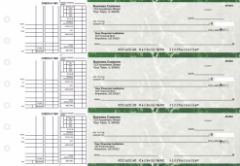
Multi-purpose manual checks from Checkomatic with dual-signature lines for church and nonprofit board authorization on every disbursement.
Dual-signature authorization is the most important financial control a church or nonprofit can implement on its check disbursements. When two authorized signers must review and sign every check before it is valid, no single individual can unilaterally authorize payments from the organization's accounts. This protects against both intentional misappropriation and unintentional errors, and it satisfies the IRS's expectation that 501(c)(3) organizations maintain adequate internal financial controls.
Why Dual Signature Matters for 501(c)(3) Organizations
The IRS Form 990 , the annual information return that most nonprofits and larger churches are required to file , asks directly whether the organization has a written conflict of interest policy and whether financial transactions are reviewed and approved by independent parties. A dual-signature check requirement is a concrete, auditable demonstration that the organization's finances are not controlled by a single person. During an IRS audit or state attorney general review, canceled checks with two authorized signatures provide evidence of proper financial oversight.
Who Are the Authorized Signers
For churches, authorized signers are typically the pastor, church treasurer, or two of the deacon board officers. For nonprofits, authorized signers are typically the executive director and the board treasurer, or any two board officers. The specific authorized signers and any dollar thresholds that trigger the dual-signature requirement should be documented in a board resolution, kept with the organization's permanent governance records, and communicated to the bank in a signature authorization form.
Checkomatic includes a dual-signature line on any business check order at no additional charge. Specify this when ordering. For the full range of manual checks with dual-signature options, see multi-purpose manual business checks and manual business checks.
Church Fund Structure and Check Accounts
Most churches maintain at least two separate bank accounts, and many maintain three or more. The check stock for each account must have that account's specific banking details pre-printed, and each account needs its own starting check number range so the check registers stay clean and auditable.
- General/operating fund: Covers day-to-day church expenses: staff compensation, utilities, facility maintenance, insurance premiums, ministry supplies, and general operating costs. Check numbers starting at 1001 or a designated operating range.
- Building fund: Holds designated giving from congregants for a capital project such as a new building, addition, or major renovation. Must be kept completely separate from the operating fund. Disbursements require documented board approval in addition to dual-signature authorization. Check numbers starting at 5001 or a designated building range.
- Missions or benevolence fund: Holds designated giving for missions support, local benevolence assistance, or other restricted purposes specified by donors. Each separate fund needs its own account, its own check stock, and its own register.
Church Offering and Tithe Deposit Check Workflow
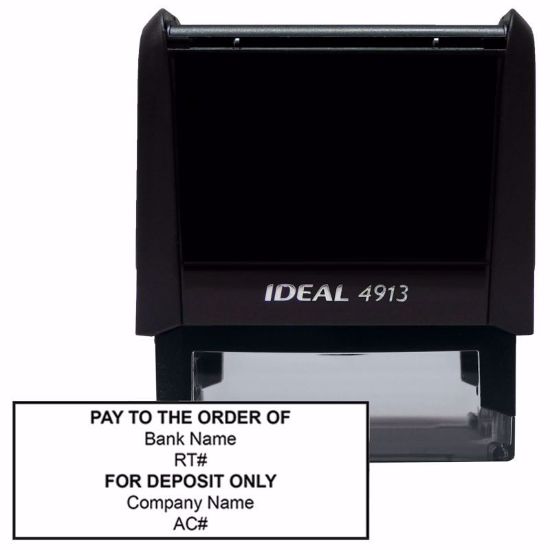
Self-inking endorsement stamps from Checkomatic for church offering counting rooms, stamping donated checks for batch deposit processing.
Churches receive incoming checks from congregants every week: tithe payments, general offering contributions, designated building fund gifts, and special ministry donations. A congregation of even modest size may receive 50 to 200 checks per offering count. Processing each one individually by hand is a significant time burden for the counting team and creates an opportunity for processing errors.
The Offering Counting Workflow
The best practice for church offering check processing follows a consistent documented workflow:
- Sort by fund designation: Separate checks designated for the building fund, missions fund, or other restricted funds from general offering checks before counting.
- Stamp for deposit: Apply the church's endorsement stamp to the back of each check. A self-inking endorsement stamp pre-printed with the church's name, account number, and "For Deposit Only" endorses each check in one press rather than requiring manual signature. This is the most efficient method for high-volume check processing in an offering counting room.
- Complete a deposit slip for each fund: General offering checks go on one deposit slip for the operating account. Building fund checks go on a separate deposit slip for the building fund account. This enforces fund separation at the deposit stage.
- Retain the deposit slip copy: File the deposit slip copy alongside the offering count sheet from that service. Together, these two documents are the offering deposit record.
- Two-counter verification: Best practice requires two unrelated counters to verify the total before deposit. Both sign the count sheet.
For endorsement stamps pre-printed with your church name and account details, see self-inking custom stamps. For deposit slips for each fund account, see business deposit slips.
Nonprofit Fund Structure and Check Accounts
Nonprofit organizations maintain fund structures that mirror church fund structures in most respects: an operating account for general program expenses and administrative costs, and separate restricted fund accounts for grants, endowments, and other donor-restricted or board-restricted purposes.
Under nonprofit accounting standards, funds are classified as either unrestricted (available for any organizational purpose), donor-restricted (available only for the purpose specified by the donor), or board-designated (available only for the purpose designated by board resolution). Each restricted fund that is large enough to maintain its own bank account should have its own check stock with pre-printed account details and its own sequential check number range.
Operating Account Checks for Nonprofits
The nonprofit operating account covers program expenses, administrative costs, fundraising expenses, staff compensation, facility rent, technology, and any other cost of running the organization's programs and administration. These are the checks written most frequently, and for nonprofits of any meaningful size, computer checks integrated with QuickBooks Nonprofit or another accounting platform are the most efficient format. The software tracks each payment by vendor, program, and functional expense category automatically, supporting the functional expense allocation required on IRS Form 990.
Grant Disbursement and Restricted Fund Checks
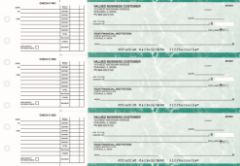
Manual AP checks from Checkomatic for nonprofit grant disbursements and restricted fund payments with stub documentation for grant reporting.
Nonprofits that receive grants from foundations, government agencies, or major donors must document how grant funds are spent in a format that satisfies the grantor's reporting requirements. A check stub that clearly shows the vendor, invoice reference, program name, and payment date provides the documentation trail needed for grant reports and auditor testing.
Grant Disbursement Check Documentation Requirements
For most foundation and government grants, disbursements must be traceable from the grant budget line to a specific vendor payment. This means each grant disbursement check should note:
- Vendor or payee name
- Invoice number or date
- Grant name or grant number in the memo line
- Program or project the expense applies to
- Budget line item from the approved grant budget
The check stub or memo line should carry enough information to connect each payment to its grant line item without requiring a separate lookup. Physical check stubs filed by grant and fiscal year make grantor reporting and auditor testing faster and less error-prone. For manual AP checks with stub documentation, see manual 3-on-page accounts payable checks.
Vendor and Contractor AP Checks for Churches and Nonprofits
Both churches and nonprofits make regular vendor and contractor payments: facility maintenance, cleaning services, audio and video contractors, printing vendors, catering, technology services, professional services, and any other service provider supporting the organization's operations or programs. These payments come from the operating account on regular payment cycles.
1099-NEC Obligations for Churches and Nonprofits
Churches and nonprofits are not exempt from 1099-NEC reporting requirements. Any vendor who is an individual, sole proprietor, partnership, or LLC not taxed as a corporation and receives $600 or more from the organization in a calendar year requires a 1099-NEC. Collect a W-9 from every vendor before the first check payment. The AP check register is the primary source document for calculating annual totals per vendor at year end. A clean check register with vendor names matching their W-9 records makes 1099-NEC preparation simple and reduces the risk of underreporting.
Accounting Software Check Compatibility for Churches and Nonprofits
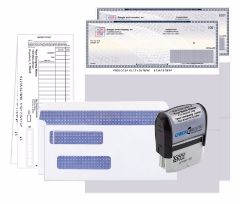
QuickBooks check starter pack from Checkomatic, pre-formatted for churches and nonprofits using QuickBooks for accounting.
Most mid-size and larger churches and nonprofits use accounting software to manage their finances. The check stock ordered must match the software's check print template exactly. Ordering the wrong format means every field on every check prints misaligned and the entire batch cannot be used.
| Software | Check Format | Checkomatic Link |
|---|---|---|
| QuickBooks Desktop (Nonprofit / Pro / Premier) | Check on top (voucher) | QuickBooks checks |
| QuickBooks Online | Check on top (voucher) | QuickBooks checks |
| Sage Intacct / Sage 50 | Check in middle or check on top | Software compatible checks |
| No software (small church or nonprofit) | Manual multi-purpose with dual-sig line | Multi-purpose manual checks |
For the full range of software-compatible check formats, see accounting software compatible business checks.
Church and Nonprofit Check Format Comparison
| Organization and Use Case | Best Format | Key Feature | Checkomatic Link |
|---|---|---|---|
| Small church, handwritten checks | Manual multi-purpose | Dual-sig line, flexible stub | Multi-purpose manual checks |
| Church using QuickBooks | QuickBooks voucher (check on top) | Pre-formatted for QB templates | QuickBooks checks |
| Nonprofit vendor AP, handwritten | Manual 3-on-page AP | Invoice stub for grant documentation | Manual AP checks |
| Nonprofit using QuickBooks or Sage | Computer voucher (check on top) | Software alignment, auto-records | Computer checks |
| Restricted / building fund (any size) | Manual multi-purpose, dual-sig | Separate account details, dual-sig | Multi-purpose manual checks |
IRS Documentation and Check Recordkeeping for Churches and Nonprofits
Churches and nonprofits face specific IRS documentation requirements that make complete, accurate check recordkeeping more important than it is for a typical for-profit business.
IRS Form 990 and Check Records
Most nonprofits with annual gross receipts above $50,000 must file IRS Form 990 or Form 990-EZ annually. The form requires disclosure of the organization's largest vendor payments, compensation to officers and key employees, program expenditures by functional category, and grant disbursements to individuals or organizations. The check register is the primary source document for all of these figures. A check register that is incomplete, un-reconciled, or that mixes fund accounts creates significant additional work during 990 preparation and creates risk of underreporting or misreporting.
Charitable Contribution Acknowledgment
When a donor gives $250 or more by check to a church or nonprofit, the organization must provide the donor with written acknowledgment of the contribution for the donor to claim a charitable deduction on their federal tax return. The check the donor wrote and its date of clearing is their record of the donation amount. The organization's acknowledgment letter must confirm the amount and state whether any goods or services were provided in exchange. The bank deposit record ties the organization's books to the donor's check.
For checkbook management, reconciliation, and recordkeeping best practices, see checkbook management: how to balance and reconcile.
Check Security for Church and Nonprofit Accounts
ABA-compliant security features on every Checkomatic check, protecting church and nonprofit charitable funds from check fraud and washing.
Churches and nonprofits are not immune to check fraud, and in some respects they face elevated risk. The positive pay guide on Checkomatic specifically names nonprofits as one of the industries that sees elevated check fraud rates because they write large numbers of checks to a diverse vendor base and may have less rigorous internal controls than larger for-profit organizations. The dual-signature requirement helps with internal authorization, but external fraud, where a legitimate check is intercepted and washed, requires security features on the check paper itself.
Every Checkomatic business check includes six ABA-compliant security features at the base price on every order:
- Chemical-reactive paper: Stains visibly if washing solvents are applied, revealing alteration before the bank processes the check.
- Microprint signature line: Tiny repeating text that blurs on any photocopy, flagging reproductions at the bank.
- Void pantograph: Makes VOID appear clearly when the check is photocopied or scanned.
- Heat-sensitive ink: Disappears when pressed with a warm thumb, a standard bank teller authenticity test.
- Coin-reactive ink: Changes appearance when rubbed with a hard metal object.
- True watermark: Visible from both sides under light, absent from counterfeits printed on plain paper.
For building fund disbursements and other high-value checks, pairing check security features with bank-side positive pay provides the strongest fraud protection. Positive pay matches every presented check against the organization's issued check list before processing it. For the full positive pay guide, see what is positive pay and how does it work. For the complete security feature guide, see are business checks safe: security features that actually matter.
Endorsement Stamps for Church Donation and Nonprofit Check Processing
Both churches and nonprofits regularly receive incoming checks from donors and supporters. A self-inking endorsement stamp pre-printed with the organization's name, account number, and "For Deposit Only" restriction makes high-volume incoming check processing fast and consistent. Rather than signing the back of each donated check individually, the counting team or finance staff applies the stamp in one press per check.
For churches processing weekly offering checks, an endorsement stamp is a practical necessity at volumes above 20 to 30 donated checks per service. For nonprofits processing donation checks from annual appeal mailings, event registrations, or grant payments by check, an endorsement stamp eliminates manual endorsement across large batches. For custom endorsement stamps for your church or nonprofit, see self-inking custom stamps.
Check Envelopes for Mailing Church and Nonprofit Payments
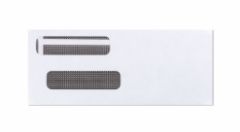
Check envelopes from Checkomatic for mailing church and nonprofit vendor payments and fund disbursements.
Churches and nonprofits that mail checks to vendors, contractors, grant recipients, or beneficiaries need properly sized check envelopes. A standard business check does not fold neatly into a regular letter envelope without potentially damaging the MICR line at the bottom, which can cause bank processing issues. Checkomatic check envelopes are sized for standard business checks without folding. The security-tinted interior prevents the check amount and payee from being visible through the envelope, reducing the risk of check theft in transit. See check envelopes.
How to Order Business Checks for Your Church or Nonprofit
What to Have Ready Before Ordering
- Organization legal name: The full registered name exactly as it appears on the bank account. For churches, this is often the legal incorporation name rather than the common name (e.g., "First Baptist Church of [City], Inc." rather than "First Baptist Church").
- Account name if different from org name: For restricted fund accounts (Building Fund, Missions Fund), the account name as it appears at the bank.
- ABA routing number and account number: Separate for each account. Never use the same check stock for two different bank accounts.
- Starting check numbers: Non-overlapping ranges for each account (operating at 1001, building fund at 5001, etc.).
- Dual-signature requirement: Specify at checkout. No extra charge.
- Organization logo: Black and white logo printing is free on every Checkomatic order. For logo options, see business checks with custom logo.
- Quantity: Order 12 months of check volume for each account. Higher quantities reduce the per-check cost.
Browse all formats at business checks. Standard orders ship from Monroe, NY in 3 to 5 business days.
What Customers Say About Checkomatic
All reviews below are published on checkomatic.com and reproduced verbatim. Source: checkomatic.com/quickbooks-starter-pack-product, 4.5 stars from 166 verified reviews.
"Been with them for 15 years. Always reliable, always good quality, good service. What more can you ask for?"
ATV Inc. | ★★★★★ 5/5 | April 5, 2024 | Source: checkomatic.com/quickbooks-starter-pack-product
"First time ordering and I am super impressed with the quality of the checks. No issues with delivery. I will be ordering again!"
TClinton | ★★★★★ 5/5 | April 9, 2025 | Source: checkomatic.com/quickbooks-starter-pack-product
"We use CheckoMatic for all of our check needs! They have great prices and we receive our products in a timely manner!"
CG's Tax Service | ★★★★★ 5/5 | September 18, 2024 | Source: checkomatic.com/quickbooks-starter-pack-product
"I got 500 checks for less than half of what the bank wanted for 200!"
VVA Voucher Checks (Vietnam Veterans of America) | ★★★★★ 5/5 | July 6, 2024 | Source: checkomatic.com/quickbooks-starter-pack-product
"ASJ Wilson Construction has been a client of checkomatic for some years now and they've never disappointed this company. Thank you checkomatic for all that you do."
ASJ Wilson Construction | ★★★★★ 5/5 | June 6, 2024 | Source: checkomatic.com/quickbooks-starter-pack-product
"Affordable and efficient. My go-to business check printer."
Doe | ★★★★★ 5/5 | January 24, 2025 | Source: checkomatic.com/quickbooks-starter-pack-product