When Should a New Business Order Checks?
The right time to order checks for a new business is as soon as your business bank account is open and you have your account number and ABA routing number confirmed. Do not wait until you need to write your first check. Production and delivery take 3 to 7 business days for a standard order, and if you need to pay a vendor, contractor, or landlord in the meantime, you will either delay payment or write from a personal account , both of which create problems.
For LLCs, S-Corps, C-Corps, and partnerships, the urgency is greater. Using personal checks for business expenses after forming a legal entity weakens the liability separation that the entity provides. Courts look for evidence that the business and individual finances were treated as truly separate. A pattern of paying business expenses from a personal checkbook is exactly the kind of evidence that can be used against you if the business is ever sued. Order business checks when you open the business account, not weeks later.
Sole proprietors have more flexibility because the law treats the sole proprietor and the business as the same entity. Even so, separate business accounts and business checks make tax preparation dramatically easier from the first year. Every business payment runs through one account with clearly labeled checks. At tax time, your accountant reviews one account register rather than untangling business transactions from months of personal spending.
What Name to Put on Your First Business Check Order
The name on your business checks must match the name on your business bank account registration exactly. The bank verifies this during the account opening process. If the name on the check differs from the account name, vendors and payees may have difficulty depositing the check, and the bank may flag the discrepancy.
LLC, Corporation, and Partnership Name Rules
If your business is an LLC, the check must carry the full legal name including LLC. "Smith Consulting" is not the same as "Smith Consulting LLC" in your bank's records. Use the full registered name. For corporations, include Inc. or Corp. as it appears in your state registration. For partnerships, use the partnership name as registered.
DBA Names on Business Checks
If your business operates under a trade name (doing business as, or DBA) that is different from the registered entity name, your bank account is registered under the legal entity name, not the DBA. The check should carry the legal entity name. Some banks allow you to add the DBA as a secondary line below the entity name. Confirm with your bank whether this is permitted on your account before ordering checks with a DBA line, because the bank account registration determines what name the check can legally carry.
Sole Proprietor Name on Checks
For a sole proprietor operating without a separate legal entity, the business account is typically registered in your personal name or your DBA name. The check should match exactly. If your account says "John Smith DBA Smith Plumbing," the check should carry that name. If it says "John Smith," the check carries that name.
How to Find Your Routing Number Without an Existing Check
For a brand new business account, you have no existing check to reference for the routing number. This is the most common question from new business owners placing their first check order , and the answer is simpler than most expect.
Three Reliable Ways to Find Your Routing Number
- Your bank's online portal: Log in to your business bank account. On the main account page or under Account Details, your routing number and account number are displayed. This is the most reliable source because it pulls from your specific account record, not a general bank lookup.
- Your bank's mobile app: Most major bank apps show the routing number under Account Details or Account Information. The same number your online portal shows.
- Call your bank's business line: Ask them to confirm the ABA routing number for paper check ordering on your specific account. Ask them to verify it is the routing number for your state and your account type, because large banks use different routing numbers for different states and transaction types.
For a full explanation of ABA routing numbers and how to verify yours, see ABA routing numbers: what they are and how to verify yours.
Choosing the Right Check Format for a New Business
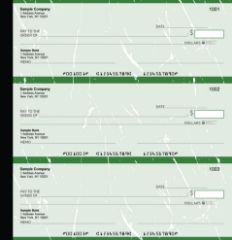
Manual executive deskbook checks from Checkomatic, the portable handwritten check format for new businesses with low check volume or no accounting software.
The format you order must match how you write checks. For a new business, this decision comes down to two questions: do you use accounting software, and how many checks do you expect to write per month?
Manual Checks , For New Businesses Writing Checks by Hand
If your new business does not yet use accounting software, or if you write fewer than 20 checks per month, manual checks are the lower-friction starting point. You write the payee, amount, date, and memo by hand. No printer setup, no software alignment, no toner. The checks arrive pre-printed with your business name, address, and banking details. You fill in only the variable payment information.
Manual checks also ship faster than computer checks in most cases, making them a practical choice for new businesses that need checks quickly while getting other systems set up. For the full manual check range, see manual business checks.
Computer Checks , For New Businesses Using Accounting Software
If your new business already uses or plans to use QuickBooks, Sage, Xero, Quicken, or any accounting platform, computer checks in voucher format are the right choice from the start. Your software fills in the payee, amount, date, check number, and stub detail at print time. Every payment creates an automatic transaction record in your accounting system. No separate entry needed.
For new businesses using QuickBooks, the check-on-top voucher format is the default for both QuickBooks Desktop and QuickBooks Online. Order this format unless your software's print settings specify otherwise. For QuickBooks-specific formats, see QuickBooks checks. For all accounting software formats, see software compatible business checks.
Quick Format Decision Guide
| Your Situation | Best Format | Where to Order |
|---|---|---|
| No accounting software, fewer than 20 checks/month | Manual checks | Manual business checks |
| QuickBooks Desktop or Online | Computer voucher check on top | QuickBooks checks |
| Sage 50 or Peachtree | Computer check in middle | Software compatible checks |
| Xero, Quicken, Wave, FreshBooks | Computer voucher check on top | Software compatible checks |
| Payroll for employees | Payroll checks with earnings stub | Payroll checks |
| Field or portable payments, not sure yet | Manual starter pack | Manual business check starter pack |
For a full comparison of manual vs computer checks with decision guidance by volume and software, see computer checks vs manual checks: which fits you?
Bank vs Direct Printer for Your First Business Check Order
New businesses often wonder whether to order checks from their bank or from a direct check printer. Both are legitimate. The decision comes down to three factors: cost, format options, and delivery time.
Ordering From Your Bank
Your bank pulls your routing and account number directly from your account record, which eliminates transcription errors on the first order. This is the main advantage for new businesses. The trade-offs are meaningful: banks typically charge 50 to 100 percent more per check than a direct manufacturer, offer a limited selection of formats, and run on batch production schedules that take 7 to 14 business days for delivery.
Ordering From a Direct Printer
A direct check manufacturer like Checkomatic gives new businesses more format options, free logo printing, full ABA-compliant security features as standard, and shipping in 3 to 5 business days for standard orders. The first order requires you to enter your routing and account number manually and submit verification before production begins. Checkomatic verifies every routing number against the Federal Reserve E-Payments Routing Directory before printing, catching transcription errors before any paper is produced.
For most new businesses, ordering directly from Checkomatic after the bank account is open and the routing number is confirmed from the online banking portal is the better long-term decision. The per-check cost is lower, the format selection is broader, and the security features are stronger.
Starter Pack vs Full Order for a New Business
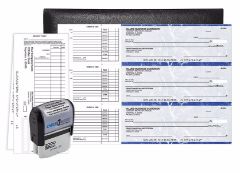
Manual business check starter pack from Checkomatic, the right first order for new businesses that want to confirm format and quality before a full quantity.
Checkomatic offers starter packs for both manual and computer (QuickBooks) formats. A starter pack is a smaller initial quantity designed to let a new business confirm the format, print alignment, and quality before ordering a full supply.
When a Starter Pack Makes Sense
- Your new business has never ordered business checks before and you want to verify the format works with your printer and software before committing to 250 or 500 checks
- You are not yet sure whether manual or computer checks will work better for your workflow
- You need checks quickly while waiting to confirm your accounting software setup
- You are a sole proprietor or very small business with low monthly check volume
When to Go Straight to a Full Order
- You have already confirmed your accounting software format (QuickBooks, Sage, etc.) and know which layout you need
- You expect to write more than 20 checks per month from day one
- You want the lower per-check cost that comes with a 250 or 500 check order
- You have used business checks before and know the manual or computer format that works for you
For the manual starter pack, see manual business check starter pack. For the QuickBooks starter pack, see QuickBooks business check starter pack.
How Many Checks to Order the First Time
QuickBooks business check starter pack from Checkomatic, for new businesses using QuickBooks who want to confirm format before a full order.
New businesses face a common dilemma: order too few and reorder soon at higher per-check cost, or order too many and hold excess stock that may become outdated if banking details change.
First Order Quantity by Business Type
- Sole proprietor, very low volume (1-10 checks/month): Starter pack or 100 checks. Low monthly usage means it takes time to work through a large order, and business details often change in the first year.
- Small LLC, moderate volume (10-30 checks/month): 250 checks. This covers 8 to 25 months of usage at the lower cost per check that comes with a higher quantity.
- Small business with payroll (30+ checks/month): 500 checks. Higher monthly volume makes the per-check savings from a larger order meaningful within the first 6 months.
- New business unsure of volume: Start with 250. This is the most common first order quantity because it balances cost per check with the reality that business details sometimes change in the first year.
First Business Check Order Checklist
Before placing your first business check order, confirm you have every piece of information ready. A single error in the routing or account number produces an unusable batch that requires a full reorder.
- Business legal name exactly as it appears on the bank account registration
- Business address including suite or unit number if applicable
- Business phone number to appear on the check (optional but common)
- ABA routing number from your bank's online portal or mobile app , not from a lookup site
- Business checking account number from your bank's online portal
- Starting check number (1001 is standard for a first order)
- Check format confirmed: manual or computer, and if computer, which layout matches your software
- Quantity decision made: starter pack, 250, or 500
- Logo file ready if you want free logo printing (black and white logo printing is free on every Checkomatic order)
- Dual signature preference confirmed if your business requires two authorized signers on checks
- Shipping address confirmed as the address where checks should arrive
Common Mistakes on a First Business Check Order
Wrong Name Format
The most common error on a first order. Using "Smith Consulting" when the bank account says "Smith Consulting LLC." The check must match the bank account name exactly. Check your bank's online portal for the precise registered name before entering it in the order form.
Wrong Routing Number Source
Using a routing number from a third-party lookup site rather than your bank's online portal. Large banks have multiple routing numbers for different states, products, and transaction types. The only reliable source for your paper check routing number is your own bank account record. Enter the number digit by digit and double-check it before approving the proof.
Wrong Check Format for Your Software
Ordering check-on-top stock for a Sage 50 installation that uses check-in-middle format. Every check in the batch prints misaligned and is unusable. Before ordering, open your accounting software's check printing settings and confirm which format it is configured to use.
Not Reviewing the Digital Proof
Approving the proof without reading every field. The digital proof is the last opportunity to catch an error before production begins. Read the business name, routing number, and account number digit by digit before clicking approve. A transposition of two digits in the routing number produces checks that route to the wrong bank at deposit.
Ordering Too Large a First Quantity
New businesses often change address, bank account, or entity structure in the first year. A large first order of 1,000 or more checks creates risk if any of these details change. Start with 250 and scale up on the reorder once your business details are stable.
Security Features on Your First Order
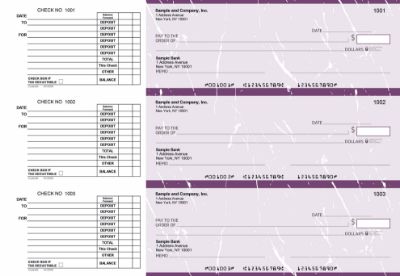
Checkomatic business checks for new businesses, all six ABA-compliant security features included on every first order at the base price.
Every Checkomatic business check includes six ABA-compliant security features on every order, including your first. You do not need to select a premium tier or pay extra for check security features. They are standard on every check in every batch.
- Chemical-reactive paper: Stains visibly when washing solvents are applied, revealing alteration before the bank processes the check.
- Microprint signature line: Tiny repeating text that blurs on any photocopy, flagging reproductions at the bank.
- Void pantograph: Background pattern that makes VOID appear clearly when the check is photocopied or scanned.
- Heat-sensitive ink: Disappears when pressed with a warm thumb, a standard bank teller authenticity test.
- Coin-reactive ink: Changes appearance when rubbed with a hard metal object.
- True watermark: Visible from both sides under light, absent from counterfeits printed on plain paper.
For the complete security feature guide, see are business checks safe: security features that actually matter.
How to Place Your First Order with Checkomatic
Placing your first business check order at Checkomatic takes about 5 to 10 minutes once you have all the information from the checklist above ready.
- Go to the right product page: business checks for the full range, QuickBooks checks for QuickBooks users, manual business checks for handwritten checks, or the appropriate starter pack page.
- Select your format: Check-on-top, check-in-middle, check-on-bottom, or 3-on-a-page for computer checks. Accounts payable, payroll, or multi-purpose for manual checks.
- Enter your business details: Business name exactly as on the bank account, business address, and phone number.
- Enter your banking details: ABA routing number and checking account number, digit by digit from your bank's online portal. Starting check number 1001 for a first order.
- Upload your logo: Black and white logo printing is free on every order. Upload your logo file at this step.
- Select quantity and shipping: Standard shipping arrives in 3 to 5 business days from Monroe, NY. Rush options available if you need checks faster. See shipping and handling for current options and timelines.
- Review the digital proof carefully: Read every field. Verify the business name, routing number, and account number digit by digit. Do not approve until every field is confirmed correct.
- Place the order: After proof approval, production begins. Your first order includes verification of the routing number against the Federal Reserve E-Payments Routing Directory before any paper is printed.
For the complete step-by-step ordering guide that applies to both first orders and reorders, see order checks online: personal and business buyer guide.
What Customers Say About Checkomatic
All reviews below are published on checkomatic.com and reproduced verbatim. Source: checkomatic.com/quickbooks-starter-pack-product, 4.5 stars from 166 verified reviews.
"First time ordering and I am super impressed with the quality of the checks. No issues with delivery. I will be ordering again!"
TClinton | ★★★★★ 5/5 | April 9, 2025 | Source: checkomatic.com/quickbooks-starter-pack-product
"Been with them for 15 years. Always reliable, always good quality, good service. What more can you ask for?"
ATV Inc. | ★★★★★ 5/5 | April 5, 2024 | Source: checkomatic.com/quickbooks-starter-pack-product
"We use CheckoMatic for all of our check needs! They have great prices and we receive our products in a timely manner!"
CG's Tax Service | ★★★★★ 5/5 | September 18, 2024 | Source: checkomatic.com/quickbooks-starter-pack-product
"I got 500 checks for less than half of what the bank wanted for 200!"
VVA Voucher Checks (Vietnam Veterans of America) | ★★★★★ 5/5 | July 6, 2024 | Source: checkomatic.com/quickbooks-starter-pack-product
"ASJ Wilson Construction has been a client of checkomatic for some years now and they've never disappointed this company. Thank you checkomatic for all that you do."
ASJ Wilson Construction | ★★★★★ 5/5 | June 6, 2024 | Source: checkomatic.com/quickbooks-starter-pack-product
"Affordable and efficient. My go-to business check printer."
Doe | ★★★★★ 5/5 | January 24, 2025 | Source: checkomatic.com/quickbooks-starter-pack-product
Why Choose Checkomatic for Your First Business Check Order
Routing Number Verification Before Every Order
Every routing number submitted to Checkomatic is verified against the Federal Reserve E-Payments Routing Directory before production begins. This catches the most common first-order error , a wrong or transposed routing number , before any paper is printed. If a discrepancy is found, the order is flagged and you are contacted before production rather than discovering the error when checks start failing at the bank.
Free Logo Printing on Every First Order
A professional company logo on your business checks establishes your brand from the first payment you write. Black and white logo printing is free on every Checkomatic order, including your first. Upload your logo during the ordering process. Browse all logo check options at business checks.
All Security Features Standard on Every Order
Six ABA-compliant security features included at the base price on every first order. No premium tier needed. Chemical-reactive paper, microprinting, void pantograph, heat-sensitive ink, coin-reactive ink, and true watermark on every check in your first batch.
Starter Packs for New Businesses
Try before committing to a full quantity. Checkomatic's starter packs for manual checks and QuickBooks checks give new businesses a lower-risk first order to confirm format, quality, and printer alignment. See manual business check starter pack and QuickBooks business check starter pack.