Why a Bounced Business Check Creates Bigger Problems Than a Bounced Personal Check
Picture this: a plumbing contractor writes a $3,200 check to a pipe supplier on a Friday afternoon. By Monday morning, the supplier's bank has returned it NSF. The supplier puts the contractor's account on hold. The contractor cannot pick up the materials for a job starting Tuesday. One bounced check has now threatened a client relationship, a delivery schedule, and a working supplier relationship, all before the contractor has had a chance to fix anything.
This is the reality of a bounced business check. It does not stay between you and your bank. It radiates outward to vendors, employees, and anyone else whose operations depend on receiving what you owed them.
Every competitor article on this topic is written for individuals bouncing a rent check or a utility payment. This guide is written for business owners who write AP checks, payroll checks, and vendor payments, and who need to understand the specific consequences, obligations, and fixes that apply to them.
What Does a Bounced Business Check Actually Cost?
Most business owners focus on the NSF fee their bank charges. That is only one of three or four fees a single bounced check can generate. Here is the full picture:
As of 2026, many major banks have eliminated NSF fees entirely following CFPB guidance. But your vendor's bank still charges the returned deposited item fee, and the vendor may still pass their returned check fee back to you. For the CFPB's current guidance on NSF fees, see consumerfinance.gov.
What Happens When a Business AP Check Bounces to a Vendor?
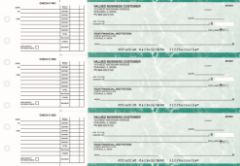
Manual AP checks from Checkomatic: the check format most commonly involved in vendor payment bounces for small and mid-size businesses.
How Does a Bank Process a Returned Business Check?
The vendor deposits your check. Their bank submits it for collection through the Federal Reserve's check processing network. Your bank receives the collection request, checks your available balance, and if funds are insufficient, returns the check with a reason code: "NSF" for non-sufficient funds, or "UCF" for uncollected funds if a deposit has not yet settled.
The return typically happens within one to three business days of the vendor's deposit. Your bank notifies you by mail, which can take two to five days to arrive. The vendor's bank notifies the vendor faster, usually within one business day of the return. This means the vendor often knows before you do.
What Happens to Vendor Credit Terms After a Bounce?
Beyond the bank fees, the commercial relationship changes. Vendors operate on trust. When your check is returned, you have demonstrated that the funds were not available when you said they were. Common vendor responses include:
- Moving your account from net 30 or net 60 terms to COD (cash on delivery)
- Requiring future payments by wire transfer or ACH rather than check
- Reducing your credit line or freezing fulfillment until the account is resolved
- Adding a returned check clause to future contracts allowing them to charge a fee for any future bounce
- Reporting the incident internally, making your account a higher-risk customer on their system
The domino effect is real. One bounced check to a supplier can disrupt your materials supply chain, delay a project, and cost you more in late penalties or expedited sourcing than the original NSF fee ever would have.
What Is Re-Presentment and How Many Times Can a Check Bounce?
After your check is returned, the vendor's bank may automatically re-present it for payment once or twice without the vendor needing to re-deposit it. Each failed re-presentment at your bank generates another potential NSF fee, up to the limits set by FDIC supervisory guidance on multiple re-presentment fees.
This is how one $800 AP check can generate $70 to $100 in bank fees before you have even spoken to the vendor. Deposit enough funds to cover the check amount plus any NSF fees before re-presentment, typically within two to five business days of the first return. For the full re-presentment rule and FDIC guidance, see bounced check guide.
When Can a Vendor Send a Demand Letter or Take Legal Action?
If you do not cover the bounced check promptly, the vendor can send a formal bad check demand letter. In most states, the demand letter gives you 10 to 30 days to pay the check amount plus fees before civil legal action is filed. Many states allow vendors to seek statutory damages of two to three times the check's face value in civil court, plus court costs.
For amounts within your state's small claims limit (which ranges from $2,500 to $25,000 depending on the state), vendors can pursue recovery in small claims court without hiring an attorney. It is a fast, low-cost civil remedy that many business vendors use for returned checks under $5,000.
What Happens When a Business Payroll Check Bounces?
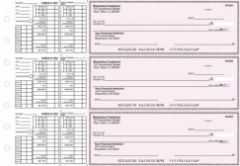
Manual payroll checks from Checkomatic with earnings stub: the format for employee wage payments where a bounce creates immediate legal and relationship obligations.
Why Is a Bounced Payroll Check More Serious Than a Bounced AP Check?
An AP check is a business-to-business payment. Both parties are commercial entities with legal recourse, credit terms, and the ability to absorb a short delay. A payroll check is different. It represents wages an employee has already earned. They cannot absorb the delay. Their rent, groceries, and bills are timed to that payday. When the check bounces, the consequences are immediate and personal.
The legal framework is also different. State wage payment laws do not treat a bounced payroll check as a simple billing dispute. In most states, failing to pay wages on time and in full creates legal obligations for the employer that go beyond simply covering the original amount.
What Are Employers Legally Obligated to Do When a Payroll Check Bounces?
State wage payment laws vary, but the general framework across most US states creates the following obligations when a payroll check bounces:
- Pay the original wages in full as quickly as possible, typically by wire or ACH rather than a replacement check
- Reimburse the employee's bank fees incurred directly from the bounced check, including the returned deposited item fee and any overdraft fees the employee was charged on their own account as a result
- Penalties for delayed wage payment may apply in states with strict wage payment statutes. Some states impose a daily penalty calculated as a percentage of the unpaid wages for each day the payment is late. Some collective bargaining agreements specify fixed penalties, such as eight hours of wages per day of delay or $100 plus 20% of the net check amount
What Are an Employee's Options When a Payroll Check Bounces?
Employees whose payroll check has bounced have several escalation paths available:
- Contact the employer directly to request immediate replacement payment and fee reimbursement. Document all communication in writing
- File a wage complaint with the state labor department. State agencies can investigate, issue citations, and order payment of owed wages plus penalties. This is often faster and cheaper than civil court for employees
- File a civil lawsuit in small claims court or general civil court for wage recovery plus statutory damages
- Contact the state attorney general if the employer has bounced checks for multiple employees
What Happens If Your Business Receives a Bounced Check From a Customer?
The discussion above covers what happens when your business is the one that bounced a check. The other side matters too. If a customer bounces a check on your business, here is what happens and what to do.
How Does Your Bank Notify You of a Returned Customer Check?
Your bank reverses the deposited amount from your account, typically within one to three business days of the failed collection. You may have already spent or moved those funds. You are now responsible for covering that shortfall in your own account. Your bank charges a returned deposited item fee of $10 to $20 for the failed deposit.
What Should You Do Immediately?
- Contact the customer right away. Call or email them directly. Some customers do not know their check bounced. A direct contact often resolves it faster than waiting.
- Request replacement payment by wire, ACH, or cash. Do not accept a replacement check from the same account that just failed without first confirming funds are available. You can call the issuing bank directly and ask whether sufficient funds are in the account (they will not give the exact balance but will confirm whether funds cover the amount).
- Charge your returned check fee. If your invoices or contracts include a returned check fee clause, invoice the customer for that amount alongside the original payment.
- Record the bounce in QuickBooks to keep your accounts accurate. See the QuickBooks section below.
- Escalate to a demand letter if the customer does not pay. Document the bounce, the date of your contact, and all communication. If payment is not received within your demand letter window, small claims court is the most cost-effective civil remedy for checks under your state's limit.
How Do I Record a Bounced Business Check in QuickBooks?
No competitor article covers this. Knowing the business consequence is useful; knowing how to fix your books without breaking a prior accounting period is what keeps your records accurate.
Recording a Bounced AP Check You Wrote (Bill Payment Returned NSF)
When a check you wrote to a vendor bounces, the journal entry reverses the original payment and re-opens the bill. Follow these steps in QuickBooks Desktop:
- Go to Company, then Make General Journal Entries
- Debit Accounts Payable for the NSF check amount. Enter the vendor name and a memo noting the check number and NSF return date
- Credit your checking account for the same amount
- Do not void the original bill payment check if it was in a prior accounting period. Voiding a prior-period check alters closed financials
- Go to Vendors, then Pay Bills. The original unpaid bills should reappear. Create a new bill for the bank NSF fee. Pay all bills when your account has sufficient funds
For the full Intuit help article on this process, see quickbooks.intuit.com/learn-support.
Recording a Bounced Check You Received From a Customer
QuickBooks Desktop includes a built-in Record Bounced Check button in the Receive Payments window. This automates the journal entry reversal and re-opens the original invoice. It works only for check payments made through the Customer Payment window.
In QuickBooks Online, record an expense for the returned item, attach it to the original invoice payment, and create a new invoice for any bank fees you plan to charge the customer. See the QuickBooks Online help at quickbooks.intuit.com/learn-support.
Checkomatic computer checks are compatible with QuickBooks Desktop and QuickBooks Online. For the full range of computer checks that print directly from QuickBooks, see computer checks.
Technical Check Returns: When the Business Had the Money But the Check Still Bounced
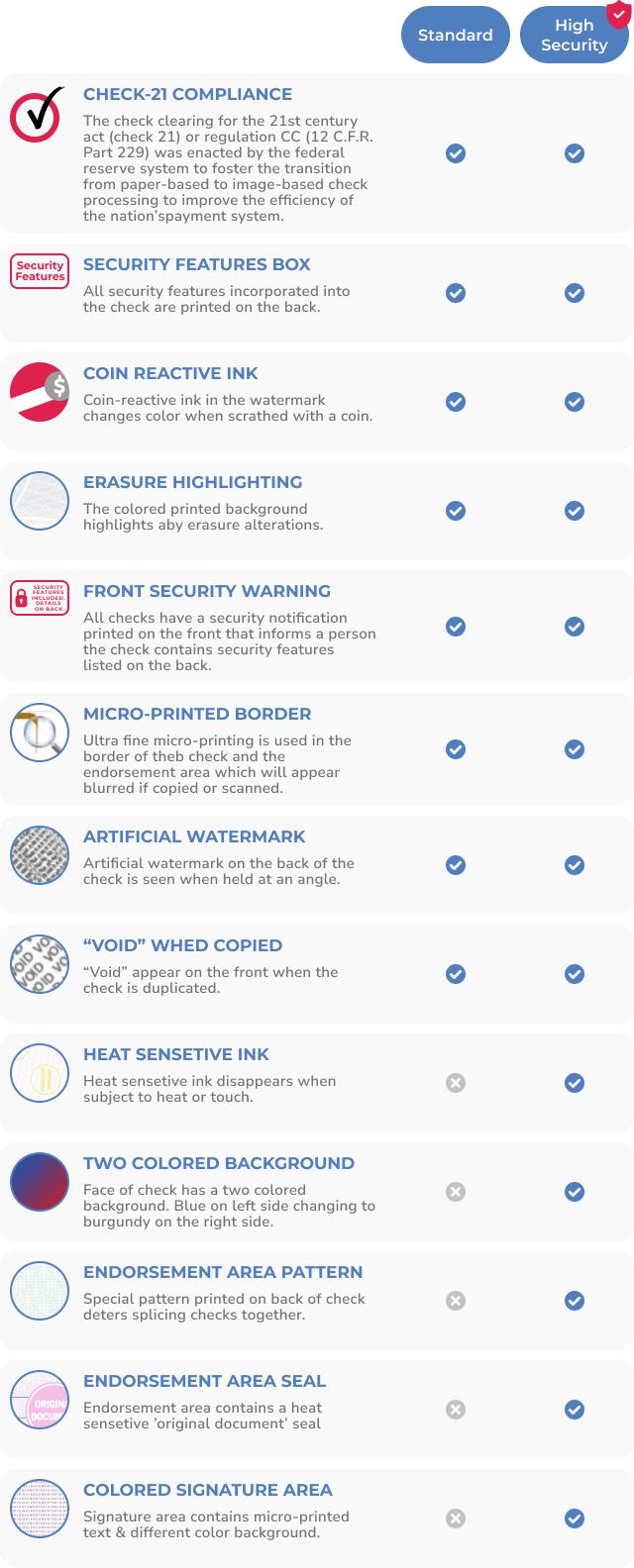
Every Checkomatic check includes ABA-compliant MICR encoding verified against the Federal Reserve E-Payments Routing Directory, eliminating technical returns caused by encoding errors.
Not every returned business check is an NSF bounce. A significant share of returned checks are technical returns: the account had sufficient funds, but the check could not be processed because of a MICR encoding error, an incorrect routing number, a wrong account number entered at the time of ordering, or check paper that failed the bank's automated authentication scan.
Technical returns are invisible to most business owners because they look the same as NSF returns from the outside: the check comes back, fees are charged, and the vendor is unpaid. But the cause and the fix are completely different.
What Causes a Technical Check Return?
- Incorrect MICR encoding: The magnetic ink character recognition line at the bottom of the check contains your routing number and account number. If the encoding is off by even one digit, or if the magnetic ink specification is wrong, the bank's automated reader cannot process the check
- Routing number not verified: Check printers who do not verify the ABA routing number against the Federal Reserve E-Payments Routing Directory may print an outdated or incorrect routing number
- Non-certified check paper: Check stock printed on paper that is not CPSA-certified may fail authentication scans at the bank's processing center, causing a return unrelated to your account balance
- Incorrect account number at order: If you entered your account number incorrectly when ordering check stock, every check printed will route to the wrong account
How Does Checkomatic Prevent Technical Returns?
Checkomatic manufactures all business checks in-house in Monroe, NY. Every order is printed on CPSA-certified security paper. Every ABA routing number is verified against the Federal Reserve E-Payments Routing Directory before printing. MICR encoding is printed with ABA-compliant magnetic ink. This means technical returns from paper, encoding, or routing number errors do not occur on Checkomatic check stock.
This matters for businesses that have experienced unexplained check returns that their bank attributes to a "processing error" rather than NSF. The problem is the check, not the account. For the full security feature breakdown, see are business checks safe and check fraud prevention.
How Can a Business Prevent Checks From Bouncing?
Use a Dedicated Checking Account for AP and a Separate One for Payroll
This is the single most effective structural change a small business can make to prevent check bounces. When revenue, AP payments, and payroll all flow through the same account, it is easy to misjudge the safe-to-spend balance when writing a check. A dedicated AP account and a separate payroll account give each payment category a defined, visible balance. Commingling is the root cause of most timing-based business check bounces.
Write Checks Against Available Balance, Not Posted Balance
This is the distinction that trips up even experienced bookkeepers. The posted balance in your banking portal shows transactions that have already fully settled. The available balance shows the posted balance minus outstanding items, holds, and pending transactions. Outstanding checks you have written but that have not yet cleared are not always visible in the posted balance. A check written against the posted balance can bounce if outstanding checks clear first.
Always use the available balance figure when deciding whether funds are sufficient to write a new check. Most business banking apps display both figures. The available balance is the accurate one.
Run an Outstanding Checks Report Before Every AP Batch
Before printing a batch of AP checks, generate an outstanding checks report in your accounting software. This report shows every check issued but not yet cleared. Subtracting outstanding checks from your available balance gives the true safe-to-issue figure. Running a new batch against this number rather than the banking portal balance eliminates the most common AP timing-based bounce.
Maintain a Buffer Balance in Both Accounts
Keep a minimum buffer in both the AP and payroll accounts that you do not draw down with routine payments. The buffer absorbs timing mismatches, unexpected debits, automatic bank fees, and the one-day-early clearing situation where a check clears before an expected deposit settles. A $500 to $1,000 buffer in a small business payroll account costs nothing to maintain and prevents the most expensive type of bounce.
Can I Ask My Bank to Waive the NSF Fee?
Yes, and you should always ask for a first-offense waiver. Call your bank's business banking line as soon as you learn the check has bounced. Explain the situation and ask directly whether the NSF fee can be waived given your account history. Many banks will waive it once. If your bank still charges NSF fees (many major banks eliminated them in 2022 and 2023), the ask costs nothing and often succeeds for accounts in good standing.
Order ABA-Compliant Checks to Eliminate Technical Returns
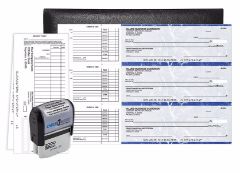
The Checkomatic manual starter pack: ABA-compliant checks on CPSA-certified paper with routing numbers verified before printing.
If your business has experienced unexplained returns on checks from an account with sufficient funds, the check stock is the problem, not the account. Order from a CPSA-certified direct manufacturer who verifies routing numbers before printing and uses ABA-compliant MICR ink on every run. Browse AP and payroll check formats at business checks, manual AP checks, and computer checks.
What Should I Do in the First 24 Hours After a Business Check Bounces?
- Confirm the return reason with your bank. Call your bank's business banking line immediately. Get the specific return reason code: NSF, uncollected funds, closed account, or a technical reason. The reason changes what you need to fix before re-presentment.
- Deposit funds to cover the amount. If the return was NSF, deposit enough to cover the check amount plus the NSF fee before the bank re-presents the check, typically within two to five business days. Ask your bank exactly when re-presentment will occur.
- Ask for an NSF fee waiver. Do this in the same call. First-offense waivers are common for accounts in good standing.
- Contact the payee before they contact you. Call the vendor or employee directly. Acknowledge the situation, confirm the total amount you owe including their bank fee, and commit to a specific replacement payment date and method. Acting first preserves the relationship and often prevents escalation.
- Issue replacement payment by wire or ACH. For payroll especially, a wire or ACH reaches the recipient the same day or next business day. For vendor AP, it eliminates the risk of a second bounce and signals good faith faster than another check.
- Reimburse all fees the payee incurred. Ask the vendor or employee to share the returned item fee notice from their bank. Add that amount to the replacement payment.
- Record the bounce in your accounting software. Reverse the original payment, re-open the bill or invoice, and record the NSF fee as an expense. See the QuickBooks section above for the exact steps.
- Audit your account balance before the next check run. Identify why the check bounced and fix the root cause before writing another batch.
Related resources: how to stop payment on a check, how long for a check to clear, how long you have to cash a business check, check washing guide, check validity and fraud prevention, how to write a business check, bank checks ordering and usage.
For NSF fees by bank, state criminal thresholds, ChexSystems detail, civil treble damages, and the full bounce sequence: bounced check guide. For the step-by-step bank processing sequence from deposit to return: what happens when a check bounces.
For UCC Section 3-502 governing dishonored instruments, see law.cornell.edu/ucc/3/3-502.
What Customers Say About Checkomatic
All reviews below are reproduced verbatim from checkomatic.com. Source: checkomatic.com/quickbooks-starter-pack-product, 4.5 stars from 166 verified reviews.
"Been with them for 15 years. Always reliable, always good quality, good service. What more can you ask for?"
"I got 500 checks for less than half of what the bank wanted for 200!"
"We use CheckoMatic for all of our check needs! They have great prices and we receive our products in a timely manner!"
"ASJ Wilson Construction has been a client of checkomatic for some years now and they've never disappointed this company. Thank you checkomatic for all that you do."
"First time ordering and I am super impressed with the quality of the checks. No issues with delivery. I will be ordering again!"
"Affordable and efficient. My go-to business check printer."