Blog

Jul 24, 2026

Safe and Security Checks: Features, Fraud Stats, Guide

What Security Checks Are

Security check definition: a security check is a personal or business check printed on ABA-compliant security paper with one or more fraud deterrent features incorporated into the paper itself, the printing process, or both. The ABA (American Bankers Association) standard for check paper, in coordination with ANSI X9 standards, establishes the minimum requirements for checks to be processed through the US banking system.

When most people say "security checks" or "safe checks," they mean checks that go beyond the minimum ABA processing requirements by incorporating additional features specifically designed to make check fraud harder to carry out successfully. These enhanced security features address the specific fraud methods criminals use: chemical washing, photocopying, scanning and digital reprinting, and forgery.

The term "high security checks" is sometimes used to distinguish checks with more features from checks with fewer features. In practice, the meaningful distinction is between checks on plain or minimally-featured paper (which many banks issue and which office supply stores stock) and checks on full ABA-compliant security paper with the complete set of fraud deterrent features. Checkomatic's checks fall into the latter category across every format, personal and business, at the base price.

Security checks are not specialty products you need to request separately. They are simply the standard that responsible check manufacturers use for all their check paper. The question for buyers is whether the manufacturer they choose uses full ABA-compliant security paper or a lower-grade stock.


Check Fraud Statistics: How Bad Is the Problem

The data on check fraud is striking in two directions: the problem is larger than most people assume, and it has proven persistently resistant to declining despite the growth of electronic payment alternatives.

Check fraud statistics 2025: the 2025 AFP Payments Fraud and Control Survey found that 63 percent of organizations experienced attempted or actual check fraud in 2024, making checks the payment method most frequently subjected to fraud among all payment types. This figure represents a slight decline from 65 percent in 2023 and 77 percent in 2014, but the level has remained between 63 and 66 percent consistently since 2020, according to OrboGraph's analysis of the AFP data. The 2026 AFP survey (covering 2025 activity) reported 58 percent of organizations experienced check fraud, still the highest rate among all payment methods.

Despite this persistent fraud rate, the same 2025 AFP survey found that 91 percent of organizations still use checks and more than 75 percent have no immediate plans to stop. The Federal Reserve Financial Services summary of the same survey noted that checks remain "a favored payment method" even among organizations fully aware of the risk. The AFP's conclusion: "This view is clearly false after reviewing the data collected in the annual report since 2015" that checks are safer than digital payments.

The practical implication is that checks are not going away, and the businesses and individuals that continue using them need the strongest available paper-level protection on every check they issue. An organization writing 200 checks per month with 63 percent industry check fraud exposure has a meaningful statistical reason to ensure every one of those checks is on full ABA-compliant security stock.


The Main Types of Check Fraud Security Checks Address

Security check paper features are specifically designed to address distinct fraud methods. Understanding check fraud types and which feature addresses each attack type explains why each feature matters and why the complete six-feature set is stronger than any subset.


Check Washing (Alteration Fraud)

Check washing uses chemical solvents to dissolve the ink on a legitimate check without damaging the paper, allowing the fraudster to rewrite the payee name and dollar amount. Check washing prevention is the goal: the stolen check typically retains the original signature, making it appear authentic after alteration. Washing solvents include common products available at retail stores. The chemically reactive check paper feature directly addresses this attack type.


Photocopying and Scanning

Fraudsters use high-quality copiers or scanners to reproduce legitimate checks, then present the reproductions as payments. Modern photocopiers produce copies of sufficient quality to pass initial visual inspection. Microprinting and void pantograph features directly address this attack: the microprint line blurs in any copy, and the pantograph reveals VOID text when scanned or copied.


Digital Counterfeiting

The fastest-growing check fraud method, as documented by OrboGraph and JPMorgan Chase's fraud research teams, involves scanning a stolen check, extracting the routing number, account number, and signature digitally, then using desktop publishing software to print new checks for any amount in unlimited quantity. The fraudster never alters the original check. They create entirely new checks from the extracted data. The genuine foundry watermark, void pantograph, and UV fluorescent fiber features address this attack: none of these can be reproduced by a standard printer on plain paper.


Check Alteration (Non-Washing)

Check alteration prevention: some check alteration fraud is done mechanically or with correction fluid rather than chemical washing. The chemically reactive paper and void pantograph both detect physical alteration attempts. The thermochromic ink zone provides an authentication point a bank teller can verify instantly, distinguishing an unaltered original from an altered document.


Forged Endorsement

A forged endorsement fraud occurs when a check payable to one party is endorsed by an unauthorized person and deposited. Security paper features on the face of the check do not directly prevent this; endorsement-side fraud is addressed by restrictive endorsement stamps ("For Deposit Only"), positive pay with payee name verification, and prompt account monitoring.


The 6 ABA Security Features and What Each One Prevents

Checkomatic includes all six standard ABA compliant check security features on every check, personal and business, at the base price. Here is what each feature does and which fraud type it directly addresses.


Feature 1: Chemically Reactive Paper

Chemically reactive paper contains agents distributed through the paper stock that react permanently when contacted by the chemical solvents used in check washing. When bleach, acetone, acetone-based products, or alcohol-based solvents are applied, the paper produces a permanent stain or discoloration pattern that cannot be removed, masked, or reversed. This stain is visible to a bank teller conducting a visual inspection and is detectable in automated check image processing systems that flag discoloration anomalies.

Chemically reactive paper does not prevent a determined criminal from attempting a wash, but it makes the attempt immediately and permanently visible. Any washed check presented for payment or deposit reveals its own tampering through the stain pattern. This feature directly addresses the check washing fraud type.


Feature 2: Genuine Foundry Watermark

A check watermark genuine foundry watermark is embedded into the paper fiber during manufacturing, not applied to the surface. It is visible when the check is held to a light source and appears as a lighter or darker pattern (typically words or a logo design) in the paper itself. Because the watermark is a structural property of the paper fiber, it cannot be reproduced by printing, photocopying, or scanning.

A counterfeit check printed on plain paper, regardless of how high-quality the printer or how detailed the design, will not have a genuine watermark. A bank teller who holds the check to light and sees no watermark in a check that claims to be from a manufacturer using watermarked stock has immediate, reliable evidence of counterfeiting. The genuine foundry watermark directly addresses digital counterfeiting and photocopying.


Feature 3: Microprinting

Check microprinting is text printed at a scale too small to read with the naked eye, typically along the signature line or other borders of the check. At normal viewing distance and to the unaided eye, it appears as a solid or dotted line. Under magnification (a loupe or magnifying glass), the text becomes readable. This text is usually a repeating phrase such as "ORIGINAL DOCUMENT" or the name of the check manufacturer.

Photocopiers, scanners, and standard printers cannot accurately reproduce text at the scale of microprinting. Any reproduction shows the microprint line as a blurred, indistinct smear rather than readable text. A bank teller checking authenticity can use a loupe to verify the microprint is legible on a presented check. Microprinting directly addresses photocopying and scanning-based counterfeiting.


Feature 4: Thermochromic (Heat-Sensitive) Ink

An area of the check face, typically a colored shape or text block, is printed with thermochromic ink check that disappears when warmth is applied and returns when cooled. A bank teller authenticating a check rubs the thermochromic zone with their thumb; on a genuine check printed with this ink, the zone disappears under the friction heat and reappears when the check cools. On a counterfeit check printed on standard paper with standard ink, no thermochromic reaction occurs.

This is an active authentication feature that a teller can verify in seconds without any equipment. It directly addresses counterfeiting and provides an authentication step that does not require UV lights or specialized equipment.


Feature 5: Void Pantograph

A void pantograph check feature is a background pattern printed on the check that is invisible or nearly invisible to the eye under normal viewing but produces visible VOID text across the check when photocopied, scanned, or digitally imaged. The pattern exploits the difference in how the human eye and image sensors respond to specific dot patterns, densities, and colors.

The void pantograph addresses two fraud scenarios directly. When a criminal photocopies a check to create a reproduction, the VOID pattern appears on the copy, making it immediately identifiable as a reproduction. When a criminal scans a check to extract data for digital counterfeiting, the scanned image shows VOID across the background, and any check printed from this image carries the VOID pattern. This is one of the most important features for the digital counterfeiting threat that now dominates check fraud.


Feature 6: UV Fluorescent Fibers

UV fluorescent fibers are randomly distributed throughout the paper stock during manufacturing. Under ultraviolet light (a UV lamp or UV pen), these fibers glow in a distinctive pattern. Because they are distributed randomly in the paper fiber during manufacturing, no two checks have identical fiber patterns. Standard printer paper has no UV-reactive fibers.

A bank or retailer with a UV light source can authenticate any check in seconds by confirming that the UV-reactive fibers are present. A counterfeit printed on plain paper fails this test immediately. UV fluorescent fibers directly address counterfeiting and provide a covert authentication layer that is not visible to the fraudster during check creation.


What the CPSA Padlock Icon Means

The CPSA padlock icon (formally the Enhanced Check Security Features Padlock Icon) is a registered certification mark of the Check Payment Systems Association (CPSA). When this padlock appears on a check, it means the check printing company has submitted an application to CPSA and certified that their checks incorporate a minimum of three security features that collectively defend against both alteration and counterfeiting.

The CPSA minimum of three features to earn the padlock means that not every CPSA-certified check has all six features. Checkomatic's CPSA certification covers the full six-feature ABA security paper used on all orders. The padlock on a Checkomatic check represents the maximum standard, not just the minimum required for certification.

The CPSA FAQ is explicit on a point that many check buyers do not know: "No, you do not have to order checks through your bank or financial institution. Any reputable check printing company can help you with a check order." This directly addresses the misconception that bank-issued checks are inherently more secure or more legitimate than checks ordered from direct manufacturer checks by certified manufacturers like Checkomatic.

CPSA also clarifies that the padlock icon does not verify the validity of any specific check or the availability of funds behind it. It verifies that the paper and printing process meet the enhanced security feature standard. A fraudster could theoretically use stolen blank check stock from a CPSA-certified printer; the padlock does not prevent that scenario. The paper features deter alteration and counterfeiting of checks once they are issued.


Bank-Issued Checks vs Direct-Manufacturer Security Checks

The bank check vs security check comparison: the assumption that bank-issued checks are more secure than checks ordered from a direct manufacturer is a common and costly misconception. Here is the honest comparison.


Paper Grade and Feature Count

Banks typically offer one or two tiers of check stock, and the base tier is often standard security paper with fewer than the full six ABA features. Banks source their check stock from the same pool of check manufacturers and printers that direct-to-consumer manufacturers use. A bank that offers "security checks" as an upgrade tier is offering the same or equivalent paper to what a certified direct manufacturer ships on every order.

Checkomatic ships every order, including the base personal checkbook order, on full ABA-compliant six-feature security paper. There is no base-tier option with fewer features because Checkomatic does not offer a lower-grade stock. This means a Checkomatic buyer gets the complete security feature set without asking for or paying for an upgrade.


MICR Encoding Quality

The MICR line (the magnetic ink numbers at the bottom of every check) must be printed to ABA tolerances for reliable automated processing. Banks and certified direct manufacturers both use MICR-certified equipment and inks. The MICR quality from a CPSA-certified manufacturer like Checkomatic is equivalent to bank-issued checks and processes through the Federal Reserve system identically.


Price Per Check

Banks charge significantly more per check than direct manufacturers. A box of 200 personal checks ordered through a bank commonly costs $25 to $50. The same quantity from Checkomatic at a comparable or superior security level costs considerably less because there is no bank retail markup. The CPSA FAQ specifically notes that ordering from a reputable direct manufacturer is a legitimate, equivalent alternative to ordering through your bank.


Office Supply and Retail Checks

Office supply store check stock (including the Office Depot "Standard Blue Business Check Refills" and similar retail products) is the most variable in security feature quality. As we noted in our business check refill guide, some retail check stock products explicitly list "microprinted: No" and "watermarked: No" in their specifications. Retail check stock may not meet the full ABA six-feature standard despite generic "security" marketing language.


Personal Security Checks

Safe personal checks (personal security checks) are standard personal checkbooks printed on full ABA-compliant security paper. Every Checkomatic personal check format ships on six-feature security paper:


Every format above ships on the same six-feature ABA-compliant security paper. Individuals who write checks for rent, utilities, charitable donations, or contractor payments are among the groups most targeted by check washing (because mailed personal checks are prime theft targets). Six-feature security paper provides the paper-level protection those payers need on every transaction.


Business Security Checks

High security business checks face a higher fraud risk profile than personal checks for two reasons: the amounts are typically larger (making counterfeiting more profitable), and the routing number and account number are the same on every check issued by the business (making any stolen check a template for unlimited counterfeits).

All Checkomatic business check formats ship on six-feature ABA-compliant security paper:

For a complete guide to business check payroll formats and which format serves which workflow, see our business checks and payroll guide.


Blank Check Stock Security

Blank check stock used with MICR printers also ships on ABA-compliant security paper from Checkomatic, with the same six features. The security argument for blank stock is somewhat different from pre-printed checks: with blank stock, the routing number and account number are printed at the time of issuance rather than pre-printed. This means a stolen blank sheet reveals less information than a stolen pre-printed check sheet. However, blank stock requires MICR-capable printing equipment and software to realize this security advantage.

Checkomatic's blank check stock is available in all major business check formats (check on top, middle, bottom, 3-per-page, and Z-fold pressure seal) on the same six-feature ABA security paper.


Do Security Checks Cost More

Security check cost at Checkomatic: security checks do not cost more than non-security checks because Checkomatic does not offer non-security checks. Every order, every format, and every quantity tier ships on full six-feature ABA-compliant security paper. There is no lower-grade stock option and no security surcharge.

This is meaningfully different from how some competitors price security. Some check manufacturers offer a base tier on minimal-feature paper and an "enhanced" or "high security" tier on better paper at a premium. That pricing model creates a situation where buyers who do not actively request the security upgrade receive inadequate protection.

The per-check cost at Checkomatic on ABA-compliant security paper is lower than the per-check cost of bank-issued checks regardless of security tier, because there is no bank retail markup. A buyer ordering directly from Checkomatic gets a better security paper at a lower price than ordering through their bank.

For a full cost comparison of check ordering sources, see our cheap checks online guide.


What Security Paper Cannot Protect Against

ABA-compliant security paper with all six features provides the strongest available check counterfeiting prevention and alteration protection for checks. It does not cover every check fraud scenario, and being clear about its limits helps businesses build a complete protection strategy.

Security paper does not prevent blank check theft. If someone steals your checkbook or gains access to your blank check stock, the security features on the paper do not stop them from writing checks against your account. They help your bank and the receiving party identify fraud after the fact, but they do not prevent the fraudulent check from being written.

Security paper does not prevent forged endorsements. A check made payable to you can be taken from your mailbox and deposited by an unauthorized person who forges your endorsement signature on the back. The face-side security features address the document itself, not the endorsement process.

Security paper does not prevent authorized-signer fraud. If an employee or trusted individual with legitimate access to your checks issues unauthorized checks, the security features cannot distinguish an authorized transaction from an unauthorized one.

Security paper does not replace account monitoring. Regular review of cleared check images through online banking catches fraud that slips through other defenses. For a complete walkthrough of what to do when you notice unauthorized check activity, see our check fraud scams guide and our lost checks and replacements guide.


The Complete Check Security Approach

The 2025 AFP survey and JPMorgan Chase's fraud playbook both describe a multi-layered approach as the effective defense against check fraud. Security checks are the foundation, but the complete approach includes several additional layers.


Layer 1: ABA-Compliant Security Paper (All 6 Features)

Start here. Six-feature security paper is the non-negotiable baseline. It addresses check washing, copying, scanning, and digital counterfeiting at the paper level, before any other defense needs to activate.


Layer 2: Positive Pay

Positive pay (offered by most business banks) requires the account holder to submit an electronic file of all checks issued before they are presented for payment. The bank matches each incoming check against the file and flags mismatches for review. Positive pay with payee name verification adds a check of the payee name against the issued-check record, addressing check alteration that changes the payee. JPMorgan Chase's playbook identifies positive pay as one of the most effective controls available.


Layer 3: Secure Mailing Practices

Dropping checks directly at a post office counter rather than a street collection box prevents the mail theft that enables check washing. Using security envelopes (with dark interior lining that prevents seeing the check through the envelope) prevents visual inspection of the envelope contents before theft.


Layer 4: Account Monitoring

Reviewing cleared check images through online banking regularly catches fraud that passed through other defenses. Compare the payee name and amount on the cleared check image against your check register or accounting software record. Mismatches are the most common way check washing and alteration fraud is caught.


Layer 5: Gel Ink Pen for Manual Writing

For checks written by hand, pigment-based gel ink (the Uni-ball 207 in particular) resists check washing better than standard ballpoint oil-based ink. This provides a secondary layer against chemical ink removal at the written field level, complementing the chemically reactive paper's protection at the background level. For the full analysis, see our check protector and writer tools guide.


Layer 6: Endorsement Stamps for Incoming Checks

Self-inking endorsement stamps apply a restrictive "For Deposit Only" legend to every incoming check at the time of receipt, limiting where it can be deposited even if it is subsequently stolen. Checkomatic's self-inking endorsement stamps are customized with your account information.


Why Order Security Checks From Checkomatic

Checkomatic has manufactured ABA-compliant personal and business checks in Monroe, NY since 1997. As an in-house check manufacturer, every order is produced at the Monroe NY facility with direct quality control over the security paper grade, MICR encoding, and print quality.


All 6 ABA Security Features on Every Order

Checkomatic includes all six standard ABA security features on every check, every format, every quantity tier, at the base price. No security tier, no upgrade required, no additional cost. CPSA padlock certification is printed on every Checkomatic check. This represents the maximum standard available, not the minimum required for certification.


ABA-Compliant MICR Encoding

The MICR line on every Checkomatic check is printed to ABA tolerances using certified MICR inks. ABA-compliant MICR encoding ensures clean automated processing through the Federal Reserve and all financial institutions. Checkomatic checks process identically to bank-issued checks through the US banking system.


Free Logo Printing on Every Order

Free logo printing security checks feature: free black and white logo printing on security checks is included on every personal and business check order. Color logo printing is available for a small per-order charge. No setup fee. Your logo and company details are reviewed in a digital proof before production begins.


Standard 3-to-5-Business-Day Turnaround

Orders ship from Monroe, NY within 3 to 5 business days from digital proof approval. Rush delivery options are available at checkout for time-sensitive needs.

Start your security check order at checkomatic.com. Personal checks start at personal checkbooks. Business formats start at business checks. QuickBooks-specific formats are at QuickBooks checks. Manual check formats are at manual business checks. Blank security stock is at blank check stock.


The Short Version on Safe and Security Checks

Security checks are checks printed on ABA-compliant security paper with fraud deterrent features built in. The 6 standard ABA features each address a specific fraud type: chemically reactive paper catches check washing, genuine foundry watermark and UV fluorescent fibers address counterfeiting, microprinting and void pantograph prevent copying and scanning, and thermochromic ink provides instant authentication. According to the 2025 AFP Payments Fraud and Control Survey, 63 percent of organizations faced check fraud in 2024. Checks remain the most-targeted payment method.

CPSA padlock certification means a check printer has certified to the Check Payment Systems Association that their checks include at least three features defending against both alteration and counterfeiting. Checkomatic carries this CPSA certified checks certification on the full six-feature ABA security paper used for every order.

Bank-issued checks are not inherently more secure than checks from a CPSA-certified direct manufacturer. The CPSA FAQ states this directly. Checkomatic's checks provide the same or better security paper at a lower per-check cost than bank-issued alternatives. Security paper at Checkomatic costs nothing extra because every order uses full ABA-compliant stock as the standard.


Frequently Asked Questions


What are security checks?

Security check definition: security checks are personal or business checks printed on ABA-compliant security paper with fraud deterrent features built into the paper itself and the printing process. The six standard features are: chemically reactive paper (stains permanently when washing solvents contact it), genuine foundry watermark (embedded in the paper fiber during manufacturing, visible under light, cannot be printed or copied), microprinting (text too small to read with the naked eye that blurs in any photocopy or scan), thermochromic ink (disappears when heat is applied, returning when cooled), void pantograph (reveals VOID text when the check is copied or scanned), and UV fluorescent fibers (glow under ultraviolet light, absent in counterfeit checks on plain paper). Security checks are also called safe checks or high-security checks. Every Checkomatic check ships on six-feature security paper at the base order price.


How many organizations experienced check fraud in 2024?

According to the 2025 AFP Payments Fraud and Control Survey, 63 percent of organizations experienced attempted or actual check fraud in 2024. This made checks the most-targeted payment method, ahead of wire transfers, ACH, and all other payment types. The AFP payments fraud survey covered over 500 treasury practitioners and is in its 21st year. The 2026 AFP survey (covering 2025 fraud activity) reported 58 percent of organizations facing check fraud, still the highest rate among all payment types. The AFP data shows check fraud has remained between 58 and 66 percent consistently since 2020.


What does the CPSA padlock icon on checks mean?

The CPSA padlock icon is the Enhanced Check Security Features Padlock Icon, a registered certification mark of the Check Payment Systems Association. Its presence on a check means the printing company certified to CPSA that their checks incorporate a minimum of three security features defending against both alteration and counterfeiting. Earning the padlock requires compliance with the ABA ANSI X9 check standard (ANSI X9.100-170-2010), the Check Fraud Deterrent Icon standard. The padlock does not verify the validity of a specific check or the funds behind it; it verifies the paper and printing process meet the enhanced security standard. CPSA itself does not print checks. It certifies the printers who do. Checkomatic's CPSA certification covers the full six-feature ABA security paper on all orders.


Are bank-issued checks more secure than checks ordered directly from a manufacturer?

Not necessarily, and often the reverse is true. Banks source their check stock from the same manufacturers and printers that direct-to-consumer check companies use. Many banks offer a base tier of minimal-feature check paper and charge for a security upgrade. A CPSA-certified direct manufacturer like Checkomatic ships every order on full six-feature ABA security paper at the base price with no upgrade needed. The CPSA FAQ states directly: "No, you do not have to order checks through your bank or financial institution. Any reputable check printing company can help you with a check order." The MICR encoding quality and bank processing compatibility are identical between bank-issued and certified direct-manufacturer checks.


Do security check features protect against all types of check fraud?

ABA-compliant security paper with all six features addresses check washing (chemically reactive paper), photocopying (microprinting, void pantograph), scanning and digital counterfeiting (void pantograph, genuine watermark, UV fluorescent fibers), and authentication at point of acceptance (thermochromic ink, watermark). It does not prevent blank check theft and fraudulent writing, forged endorsements on incoming checks, or internal fraud by an authorized signer. A complete check security approach layers ABA security paper with positive pay (checks presented versus a file of issued checks), restrictive endorsement stamps for incoming checks, secure mailing practices, and regular account monitoring to catch fraud that slips through other defenses.

Jul 23, 2026

Check Protector and Writer Tools: Complete Security Guide

What a Check Protector Is

Checkwriter definition: a check protector, also known by the synonymous names checkwriter, ribbon writer, check embosser, check writer machine, and check signer, is a device designed to imprint the dollar amount onto a check in a form that is very difficult to alter. The ANSI/ASB Standard 172 (2024 Edition) defines a checkwriter as "a device manually or electrically-powered or computer-generated, designed to ink, emboss, print, perforate, or shred a monetary value, along with other peripheral information, onto a document."

Check protector definition: a check protector physically attacks the paper fibers in the amount field of a check, shredding them and forcing indelible ink into the resulting disruption. Because the paper itself is damaged in the process, amount alteration prevention is the core purpose: any later attempt to chemically wash or mechanically erase the amount causes visible, irreparable damage to the check. The amount field essentially cannot be cleanly altered after being processed through a check writer.

This check embosser machine is positioned over the amount field of the check. The operator enters the payment amount using levers or buttons. A mechanism then drives inked print heads through a colored ribbon and into the paper surface with significant downward force. The result is an imprint that is part ink, part physical disruption of the paper fibers, and part embossed impression visible from both sides of the check.


How Check Protectors and Writers Work Mechanically

The mechanical process of a check writer is more sophisticated than it appears. Understanding it explains why check writers provide stronger amount protection than standard ink writing, and why they were the primary check security tool for most of the 20th century before electronic check security emerged.


The Imprinting Mechanism

As a check fraud prevention tool, the check writer contains a set of character print wheels carrying numerals and symbols. When the operator enters an amount, the relevant print wheels rotate to position. The operator then pulls a lever (on manual units) or presses a button (on electric units), which drives the print heads downward through an inked ribbon onto the check paper beneath.

The force applied is considerably greater than standard printing or writing. The print heads do not merely deposit ink on the paper surface; they physically compress, shred, and perforate the paper fibers in the amount field while driving indelible ink into those disrupted fibers.


The Prefix and Suffix Protection

Beyond the mechanical damage to the paper, check writers add text protection against digit inflation. When you enter $6,762.64, the machine does not simply print "6762.64." It produces text such as "TheSum6762dol's64cts" with words before and after the numerals that fill the available space and prevent a fraudster from adding digits at either end to inflate the amount. This prefix and suffix system, established in the early 20th century, closes the gaps that a simple numerical imprint would leave.


The Embossing Element

Many check writers also emboss the amount through the paper, creating a raised or indented impression visible and tactile from both sides of the check. This embossed impression is independent of the ink and cannot be removed without leaving an obvious trace of the original impression in the paper. Even if an attacker somehow removed all the ink, the physical embossing would remain as evidence of the original amount.


Types of Check Protectors: Punch, Perforator, Ribbon Writer

Check protection technology has evolved through several distinct mechanical approaches since its invention in the mid-19th century. These different types are still relevant for understanding what a check writer does and how it differs from alternatives.


Check Punch

The earliest mechanical check protectors (late 19th century) used a punch mechanism that cut holes in the shape of numerals through the check paper. A check punch produced amounts by physically removing paper in the numeral shapes. The resulting holes could not be filled in, making the amount visible from both sides. However, holes could be covered, which made punches somewhat less secure than later methods.


Check Perforator

Check perforators used a mechanism that punched small round holes (rather than numeral-shaped holes) arranged to form numerals. The perforated pattern was harder to conceal than large numeral holes. Perforators were widely used by the US Treasury and government agencies for check protection in the late 19th and early 20th centuries.


Ribbon Writer (Shredding Writer)

The ribbon writer, introduced commercially around 1914 by Hedman Manufacturing with the F&E Check Writer, became the dominant form of check protection through most of the 20th century. The ribbon writer does not punch holes; instead it forces ink through a ribbon into shredded paper fibers. This "shredding principle" (as described in the 1926 Office Appliance Manual) produces an amount that is simultaneously printed and physically embedded in disrupted paper fibers.

The ribbon writer's advantage over punch and perforator systems is that the amount is rendered in both color and texture, with multicolor ink in disrupted fibers that cannot be chemically washed without destroying the check visibly. The Hedman F&E, described at the time as "not a mere check writer, but an absolute, 100% prevention of loss through alteration of your checks," established the standard that Paymaster Corporation later refined into its long-running product line.


History of Check Writers From 1914 to Paymaster

The history of check writers is the history of the fraud arms race between businesses issuing checks and criminals who raised, altered, or forged them. Understanding that history explains the design choices that make modern check writers effective and why they remain in use today.

Check fraud statistics and history: check fraud in the late 19th and early 20th centuries was described in the trade literature as "one of the gravest and most widespread of all menaces against our nation's business." The primary attack was "raising" checks: altering a check for $6 to read $600 or $6,000 by adding digits or altering handwritten words. Standard handwritten amounts in ink provided no meaningful resistance to skilled check raisers who could wash, scrape, or chemically treat the original amount.

The Hedman Manufacturing Company's F&E Check Writer of 1914 introduced the commercial figure-writing shredding approach. By 1917, competitors including Safe-Guard had developed similar machines. By the 1920s, the safety paper and mechanical check writer combination was recognized as the effective solution: "Where this method of protection has been adopted, to date, there has not been a single case of loss from forgery or alteration" (Burgess Smith, 1922).

Paymaster Corporation, founded in the early 20th century, became the most recognized American check writer manufacturer. Its "Paymaster Check Writer and Protector" became a commercial success through the 1930s depression era and beyond. Paymaster added locks and keys to its machines in the 1950s as security concerns grew. Paymaster check writers remain in regular use today at the US Postal Service for money orders and at financial institutions for cashier's checks, despite the company itself having closed by 2000. The Paymaster brand name continues under successor organizations.


Modern Use Cases for Check Writers

Physical check writers are now considered specialized equipment rather than standard office tools. Most businesses that previously used check writers have shifted to accounting software with MICR printing on ABA-compliant security stock. However, specific use cases remain where physical check writers serve an important function.


Money Order Production

The US Postal Service uses check writers to produce money orders. The mechanical amount imprinting provides the same physical alteration resistance for money orders that it historically provided for checks. Financial institutions use similar equipment for cashier's checks.


High-Value Manual Check Writing

Businesses or organizations that write high-value checks manually (rather than through software) and cannot accept any risk of amount alteration use check writers as a supplement to handwriting. A $50,000 payment written by hand with a gel ink pen carries some washing risk; the same amount processed through a check writer carries near-zero alteration risk from chemical or mechanical attack.


Sole Proprietors and Small Organizations

Some sole proprietors, nonprofits, and small organizations that write manual checks for payments prefer the additional protection of a check writer over pen writing alone. The check writer's mechanical imprint provides a level of assurance that the amount is locked in.

For most businesses writing checks through accounting software, the check writer is made redundant by the security features built into ABA-compliant security stock. The chemically reactive paper, void pantograph, and other features address the same fraud vectors through the paper itself rather than through a separate mechanical device.


The Gel Ink Pen and Check Washing: What the Experiments Show

The gel ink pen check washing recommendation is widely repeated in financial security guidance. The recommendation to write checks with gel ink pens to prevent check washing is widely repeated in financial security guidance. The actual experimental evidence is more nuanced than most guides acknowledge, and the honest assessment is important for anyone relying on a pen as their primary check protection.


The Uni-ball 207 Experiment

In a widely referenced check washing experiment conducted independently by financial security researchers and the OrboGraph Check Fraud Roundtable, several pen types were tested against common check-washing solutions. The Uni-ball 207, with its proprietary Uni-Super Ink, performed best: its pigment ink did not budge under any of the solutions tested. The Uni-ball 207 is the most consistently recommended gel pen for check writing by fraud prevention professionals.


The Pilot G2 Result

The Pilot G2, which has a strong reputation as a premium gel pen, was effectively washed by "Solution B" and faded under another solution in the same tests. This is a significant finding because the Pilot G2 is often cited as a check-writing recommendation without testing. Not all gel pens are equivalent for check washing resistance. The specific ink formulation matters, not just the "gel" category.


The Nuance: Persistence Does Not Mean Impossibility

OrboGraph researchers found that even the best-performing gel pens could have their ink scrubbed off with sufficient physical effort (using a toothbrush with solution) with damage that might not be detectable in a mobile deposit capture image processed in black and white. The gel pen makes washing harder, not impossible. It raises the difficulty bar and increases the chance of visible damage, but a determined fraudster with the right tools can still remove gel ink from checks.

The OrboGraph analysis frames gel pens correctly: they are one tool that makes check washing more difficult for opportunistic criminals, but they are not a complete defense. They should be combined with ABA-compliant security paper, secure mailing practices, and account monitoring.


Best Pens for Writing Checks

The check washing prevention pen category includes several options. Based on wash-resistance testing and expert recommendation, here are the pen characteristics and specific models most effective for check writing security.


Uni-ball 207 (Top Recommendation)

The Uni-ball 207 uses Uni-Super Ink, a proprietary pigment-based gel ink specifically designed to resist check washing. In the most rigorous independent tests, it was the only pen whose ink did not react to any of the washing solutions tested. It is available at most office supply retailers and drug stores for under $3 per pen.


Zebra Sarasa

The Zebra Sarasa line uses Rapid Dry Ink technology that dries in under one second, reducing smear risk for left-handed writers. The pigment-based ink provides strong check washing resistance and is water-resistant and fade-resistant.


Pilot Precise V5/V7

The Pilot Precise uses pigment-based liquid ink (not a gel) that bonds strongly with paper fibers. It is a rollerball format rather than a gel format but provides similar fiber-bonding resistance to washing.


What to Avoid

Standard ballpoint pens with oil-based ink (oil-based ink vulnerable pens) are the most vulnerable to check washing. The oil-based ink sits on the paper surface rather than bonding with the fibers, and washes off more easily with chemical solvents. Felt-tip pens (including many permanent markers) are also vulnerable because their dye-based inks dissolve in solvents rather than bonding with fibers.


Why Ballpoint Ink Washes Off and Gel Ink Does Not

The difference in check washing resistance between ballpoint pens and gel ink pens comes down to the ink composition and how it interacts with paper.

Ballpoint pens use oil-based ink. Oil-based inks are viscous and deposit on the surface of the paper. They do not penetrate deeply into the paper fibers. When a washing solvent is applied to a check written with a ballpoint pen, the solvent dissolves the oil-based binder in the ink, lifting the pigment or dye off the paper surface. The surface remains relatively undamaged because the ink never fully integrated with the paper fibers to begin with.

Pigment ink check writing: gel ink pens use water-based gel carrying pigment particles (solid particles suspended in the gel, not dissolved dyes). The pigment ink fibers mechanism: when gel ink is applied to paper, the water carrier is absorbed by the paper fibers, drawing the pigment particles into the fiber structure. As the gel dries, the pigment particles become embedded within the paper fibers rather than sitting on top of them.

Attempting to wash gel ink with a solvent requires attacking the paper fibers themselves to remove the embedded pigment. This physical disruption is visible as damage to the paper: discoloration, texture change, or tearing of the fibers. A check that has been washed to remove gel ink will show these signs of tampering at the point where the washing occurred.

The ballpoint vs gel ink difference is relevant only for check washing (chemical removal of existing ink). It is not relevant for digital counterfeiting, forgery, or any fraud that does not involve altering an existing check.


What Gel Pens Cannot Protect Against

This is the most important security gap that most gel pen recommendations omit, and understanding it is essential for building a complete check security approach.


Digital Counterfeiting

The dominant fraud trend identified by OrboGraph and other fraud researchers is a shift from check washing toward digital counterfeiting. In digital counterfeiting, the fraudster scans a stolen check to extract the routing number, account number, and the account holder's signature. These elements are then used to create new check documents on a computer using desktop publishing software, printed on any printer, for any amount, in unlimited quantities.

A gel ink pen provides zero protection against this attack. The fraudster never touches the original check's amount field. They create entirely new checks from the extracted data. No amount of ink resistance prevents a new check from being printed with a digital copy of your signature and your account number.


Forgery of the Signature

A forged signature fraud involves a thief who signs your name on a blank check using their own pen. Your gel ink pen in your drawer provides no protection against someone else signing a blank check with any pen they choose.


Physical Theft of Blank Checks

If your checkbook is stolen, the thief can write any amount they choose on the blank checks using any pen, including a gel ink pen. The gel ink protection applies only to checks you have already filled out.

These limitations are why the full check security stack matters: gel ink pen (washing resistance) + ABA-compliant security paper (washing, counterfeiting, and alteration resistance) + secure mailing practices + account monitoring. Each layer addresses fraud types that the others cannot fully cover.


What Check Washing Is and How It Works

Check washing is the fraudulent process of using chemical solvents to remove the ink from a legitimate check without damaging the paper, then rewriting the payee name and dollar amount for fraudulent purposes. It is one of the oldest and most persistent forms of check fraud.

The typical check washing scenario begins with mail theft. A criminal removes envelopes from residential mailboxes or USPS collection boxes looking for envelopes that appear to contain checks. Personal payment envelopes (for rent, utilities, charitable donations, bills) are the most common targets. The stolen check is placed in a chemical bath or treated with solvents such as bleach, acetone (nail polish remover), or commercial cleaning products.

If the check paper and ink are not resistant to these solvents, the ink dissolves and the check emerges with the paper intact and the signature already in place. The fraudster then rewrites the payee name (changing it to themselves or a money mule) and alters the amount. The altered check is then deposited, often at a different institution from where the account is held.

For a complete guide to preventing check fraud including check washing, forged endorsements, and account monitoring, see our check fraud scams guide and our check validity and fraud prevention guide.


How ABA Security Paper Prevents Check Fraud

ABA-compliant check security paper features form the foundational protection layer that addresses the fraud types that gel pens, check writers, and other tools cannot fully cover. Every Checkomatic check ships on this security paper with all six standard features included at the base price.


Chemically Reactive Paper (Check Washing Prevention)

Chemically reactive paper contains agents that react permanently when contacted by the solvents used in check washing. When bleach, acetone, or similar chemicals touch the paper, a visible, permanent stain appears that cannot be concealed or reversed. A bank teller or automated imaging system immediately identifies the check as tampered. This is the paper-level equivalent of what a gel ink pen attempts to achieve with ink alone, but it applies to the entire check surface rather than only the written areas.


Genuine Foundry Watermark (Counterfeiting Prevention)

A watermark embedded in the paper fiber during manufacturing is visible when the check is held to light. No desktop printer or office copier can reproduce a genuine foundry watermark because it is a structural property of the paper, not a surface print. This directly addresses the digital counterfeiting threat: a check printed from a computer on plain paper or even high-quality paper cannot duplicate the genuine watermark, making counterfeits detectable by any bank teller or automated system with UV or transmitted-light verification.


Microprinting (Copying Prevention)

Text printed at a scale requiring magnification to read appears as a solid line to the naked eye along the signature line. Photocopiers and scanners cannot reproduce microprinting accurately; any copy shows a blurred, indistinct line rather than readable text. This makes photocopied or digitally scanned counterfeits detectable at the microprint location.


Heat-Sensitive Thermochromic Ink (Authentication)

An area of the check face printed with ink that disappears when warmed and returns when cooled allows instant authentication. A bank teller rubs the area; on a genuine check, the ink vanishes. On a counterfeit printed on plain paper, no thermochromic zone exists.


Void Pantograph (Copy Detection)

A background pattern that produces visible VOID text when the check is photocopied, scanned, or imaged directly addresses the digital counterfeiting workflow. When a fraudster scans a check to extract the routing number, account number, and signature, the resulting digital image reveals VOID across the check background. Any check printed from this image carries the VOID pattern, identifying it as a copy.


UV Fluorescent Fibers (Authentication)

Fibers distributed through the paper that glow under ultraviolet light distinguish genuine security paper from plain paper immediately. A counterfeit printed on standard paper has no fluorescent fibers and fails this test.

For the complete technical guide to how each security feature works against specific fraud types, see our check stock paper guide and our check fraud prevention guide.


The Layered Check Security Approach

Check writing best practices require multiple layers. No single check security tool addresses every fraud type. Business check security tools work best in layers. The effective check security approach uses multiple layers, each targeting the fraud types the others cannot cover.


Layer 1: ABA-Compliant Security Paper

In a check protector vs security paper comparison, the security paper is the most important foundational layer. Chemically reactive paper catches check washing. The void pantograph and genuine watermark address counterfeiting. Microprinting prevents copy-based fraud. This layer is built into every check you order from Checkomatic at no additional cost.


Layer 2: Gel Ink Pen for Manual Writing

For checks written by hand rather than printed through software, a pigment-based gel ink pen (specifically the Uni-ball 207 for best washing resistance) makes the written fields harder to chemically remove. This is a secondary layer that complements the paper security features rather than replacing them.


Layer 3: Check Writer for High-Value Manual Checks

For manual check security, businesses that write high-value checks manually and want the strongest amount-field protection, a mechanical check writer adds check amount field protection, a physical disruption layer that makes amount alteration nearly impossible even for a skilled fraudster. This layer is most appropriate for manual check writers issuing checks in large amounts.


Layer 4: Secure Mailing Practices

Dropping checks directly at a post office counter (not a street collection box) and using security envelopes with dark interior tinting prevents the initial theft that enables check washing. A fraudster cannot wash a check they never obtained. This layer prevents the theft that makes washing possible.


Layer 5: Account Monitoring

Reviewing cleared check images through online banking catches alterations and forgeries that passed through the banking system. Comparing the payee name and amount on the cleared image against your check register entry identifies fraud that slipped through other defenses. For businesses, positive pay automates this comparison for every check presented.

For more on how the complete check fraud prevention system works, see our check validity and fraud prevention guide and our check fraud scams guide.


Why Order Checks From Checkomatic

Checkomatic has manufactured personal and business checks in Monroe, NY since 1997. As an in-house check manufacturer, Checkomatic produces every order at its Monroe NY facility with direct quality control over the security paper, MICR encoding, and print quality.


ABA Security Paper Standard on Every Order

Every Checkomatic check, whether personal or business, ships on ABA-compliant check paper (ABA compliant check paper) with all six fraud deterrent features at the base price. There is no security tier to upgrade. The CPSA certified designation on Checkomatic's ordering pages confirms compliance with Check Payment Systems Association standards.

These six features provide the paper-level protection that complements whatever writing tool the account holder uses. A check written with a Uni-ball 207 on Checkomatic security paper has gel ink resistance to washing AND chemically reactive paper resistance to washing, AND void pantograph counterfeiting detection, AND genuine watermark authentication, AND microprinting copy detection.


Full Personal and Business Check Range

Checkomatic manufactures personal checks, business computer checks, manual business checks, QuickBooks checks, and blank check stock. All formats for manual check writing, where a check writer or gel ink pen is most relevant, are available:


Free Logo Printing on Every Order

Free black and white logo printing is included on every personal and business check order. Color logo printing is available for a small additional per-order charge. No setup fee. Standard turnaround is 3 to 5 business days from digital proof approval.

Order at checkomatic.com. For the complete guide to check security features built into Checkomatic's paper, see our check stock paper guide. For the EZShield fraud recovery service that some check printers offer as an add-on, see our EZShield check security guide.


The Short Version on Check Protector and Writer Tools

A check protector (checkwriter, ribbon writer, check embosser) is a mechanical or electric device that imprints the dollar amount onto a check by shredding paper fibers and forcing indelible multicolor ink into the disrupted area, with prefix and suffix text that prevents digit inflation. Amount alteration on a check writer-protected check requires visibly destroying the check. Mechanical check writers are most relevant for high-value manual check writing; most businesses printing through accounting software are better served by ABA security paper.

The best pen for check writing is the Uni-ball 207, which performed best in wash-resistance experiments. Standard ballpoint pens use oil-based ink that sits on the paper surface and washes off more easily; pigment-based gel ink bonds with paper fibers and is harder to remove. Gel pens resist check washing only: they provide no protection against digital counterfeiting, forgery, or blank check theft.

ABA-compliant security paper addresses check washing (chemically reactive paper), counterfeiting (genuine watermark, void pantograph), and copying (microprinting) at the paper level. Every Checkomatic check ships on this security paper with all six features at the base price.


Frequently Asked Questions


What is a check protector?

A check protector, also called a checkwriter, ribbon writer, check embosser, or check writer machine, is a mechanical or electric device that imprints the dollar amount onto a check in a form that is very difficult to alter. The check protector definition from ANSI/ASB Standard 172 (2024) describes it as a device designed to "ink, emboss, print, perforate, or shred a monetary value onto a document." The machine presses print heads through an inked ribbon into the paper of the check, shredding the paper fibers under the amount field and forcing indelible ink into the disruption. Any attempt to chemically remove or erase the imprinted amount visibly damages the check. Prefix and suffix text is added around the numerals to prevent adding digits at either end to inflate the amount.


What is the best pen to write checks with to prevent fraud?

The best pen for writing checks to resist check washing is the Uni-ball 207, which uses Uni-Super Ink (a proprietary pigment-based formulation). It performed best in multiple wash-resistance experiments, with its ink not reacting to any washing solutions tested. The Pilot G2, despite its reputation, was effectively washed by certain solutions in the same tests. Standard ballpoint pens (oil-based ink) are the most vulnerable to check washing because oil-based ink sits on the paper surface and washes off more easily. Pigment-based gel ink bonds with paper fibers, making removal require physical damage to the paper that is visible at the washing site. For complete protection, gel ink pens should be combined with checks on ABA-compliant security paper.


Do check protectors still work and are they still available?

Yes, mechanical and electric check protectors work as designed and remain available for specialized uses. The US Postal Service uses check writers for money orders, and financial institutions use them for cashier's checks. New electric check writers are still manufactured in smaller quantities for businesses issuing high-value checks manually. The Paymaster brand, historically the most recognized US check writer manufacturer, has successor organizations that continue the product. For businesses printing checks through QuickBooks or other accounting software, MICR check security through MICR printing on ABA-compliant security stock has largely replaced the physical check writer by providing the same fraud protection through paper-level security features.


What is check washing and how does security paper prevent it?

Check washing is a fraud method where criminals use chemical solvents (bleach, acetone, alcohol-based cleaners) to remove ink from a stolen check without damaging the paper, then rewrite the payee and amount for unauthorized use. Fraudsters typically steal checks from residential mailboxes or USPS collection boxes. Chemically reactive security paper prevents effective check washing by containing agents that produce a permanent, visible stain when washing solvents contact the paper. This makes the tampering immediately obvious to a bank teller or automated image system. The stain cannot be removed or concealed. Combined with a void pantograph (reveals VOID text when scanned), genuine watermark, microprinting, thermochromic ink, and UV fluorescent fibers, ABA security paper addresses check washing and counterfeiting at the paper level.


Does Checkomatic sell check protectors or check writers?

Checkomatic does not sell mechanical check protectors or electric check writers. Checkomatic manufactures personal and business checks on ABA-compliant security paper with six built-in fraud deterrent features: chemically reactive paper, genuine watermark, microprinting, heat-sensitive thermochromic ink, void pantograph, and UV fluorescent fibers. These paper-level features address check washing, counterfeiting, and copying at the manufacturing stage. Businesses that write high-value checks manually and want additional amount protection can use a third-party mechanical check writer alongside Checkomatic's security check stock. The combination provides both paper-level protection from the ABA security features and mechanical amount protection from the check writer.

Jul 23, 2026

Business Checks for QuickBooks Reviews: Real Customer Ratings and What They Actually Say


Overview: Checkomatic Business Checks for QuickBooks at a Glance

Checkomatic has been manufacturing business checks for QuickBooks users from its Monroe, NY facility since 1997. In that time, more than 465 verified customers have left ratings on Checkomatic's QuickBooks-related product pages. The reviews span first-time buyers testing a new supplier and repeat customers who have been ordering for 10 to 15 years.
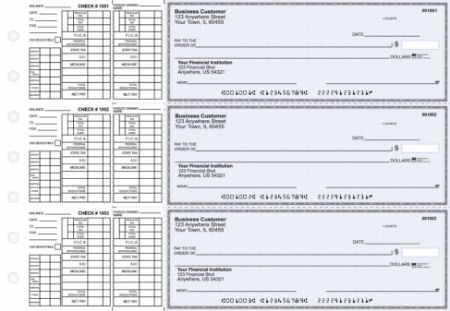
 

Picture for category Manual Business Checks


Business checks for QuickBooks reviews from actual buyers tell a consistent story across three areas: the checks work with QuickBooks straight out of the box, they cost significantly less than bank-issued equivalents, and they arrive faster than most bank check programs deliver. The minority of negative reviews cluster around specific, preventable ordering mistakes rather than product quality or compatibility issues.

This business checks for QuickBooks reviews guide draws on every published review on Checkomatic's QuickBooks check pages, organized by theme, so you can make an informed decision before placing your first order.


Overall Ratings: What the Numbers Show

Checkomatic's QuickBooks business check products carry the following verified ratings as published on the product pages:

  • QuickBooks Starter Pack (checks, deposit slips, envelopes, stamp): 4.5 stars from 166 verified reviews
  • QuickBooks Check on Top (Voucher): 4.5 stars from 112 verified reviews
  • General Business Checks (all formats): 4.5 stars from 185 verified reviews

Across all QuickBooks-related pages, the combined verified review count exceeds 465 ratings. A 4.5 out of 5 rating at that volume is a meaningful signal. Independent industry reviewers note that a product rated between 4.3 and 4.7 from 100 or more verified buyers is statistically more reliable than a perfect 5.0 from fewer reviews, because higher-volume ratings capture a wider range of buyer experiences including edge cases.

The rating distribution across Checkomatic's QuickBooks check pages skews strongly toward 5-star reviews. The minority of 3-star and below ratings represent specific ordering or communication situations rather than product defects or QuickBooks compatibility failures.


What Positive Business Checks for QuickBooks Reviews Consistently Say

Reading through all published business checks for QuickBooks reviews on Checkomatic's pages, five themes appear consistently across multiple independent buyers.


Theme 1: Checks Work With QuickBooks With Zero Setup Changes

The single most frequently cited positive in QuickBooks business check reviews is that the checks printed correctly from QuickBooks without requiring any printer setup adjustments. This matters because check alignment is the most common pain point when switching check suppliers. If the new check stock dimensions or MICR placement differ even slightly from the previous supplier, every check in the first print batch may be misaligned.

Multiple verified buyers specifically call out this zero-adjustment experience:


Theme 2: Faster Delivery Than Expected

Checkomatic quotes 3 to 5 business days for standard production and shipping. Verified reviews consistently show delivery at or below that estimate, with several buyers noting checks arrived earlier than the quoted window.


Theme 3: Significant Savings Versus Bank Checks

The most specific and frequently cited price comparison in business checks for QuickBooks reviews is the cost difference between Checkomatic and ordering through a bank or directly through a bank's check program. Multiple buyers quantify this difference.

★★★★★

"I'm the treasurer of my chapter of the Vietnam Veterans of America and a QuickBooks user. I ordered the voucher checks. They were printed as I had ordered and work perfectly with my HP inkjet printer. The checks arrived as promised and in perfect condition. I got 500 checks for less than half of what the bank wanted for 200!"

VVA Voucher Checks (Vietnam Veterans of America) | Source: checkomatic.com/quickbooks-starter-pack-product


Theme 4: First Orders Exceed Expectations

A recurring pattern in business checks for QuickBooks reviews is first-time buyers expressing surprise at the quality relative to what they expected from an online check supplier at these prices.

★★★★★

"First time ordering and I am super impressed with the quality of the checks. No issues with delivery. I will be ordering again!"

TClinton | April 9, 2025 | Source: checkomatic.com/quickbooks-starter-pack-product


Theme 5: Long-Term Customer Retention

A significant portion of Checkomatic's QuickBooks check reviews come from repeat customers referencing multiple years or decades of continuous ordering. This pattern appears across different business types and industries.

★★★★★

"Been with them for 15 years. Always reliable, always good quality, good service. What more can you ask for?"

ATV Inc. | April 5, 2024 | Source: checkomatic.com/quickbooks-starter-pack-product


Honest Look at Complaints in Business Checks for QuickBooks Reviews

An honest review of business checks for QuickBooks from Checkomatic means including the negative experiences as well. The published reviews on Checkomatic's product pages include critical feedback, and that transparency is worth acknowledging.

Three complaint types appear in the lower-rated reviews. None relate to QuickBooks compatibility or check quality. All three relate to ordering process or communication issues.


Complaint 1: Quantity Confirmation at Checkout

One reviewer ordered 300 checks but received 1,200. The customer's position was that the website made a mistake. Checkomatic's position was that the quantity shown on the order confirmation reflected what was ordered and invoiced. The reviewer received a partial refund but not the full amount including shipping.

The lesson for buyers: Always verify the quantity field on your order summary screen before clicking the final confirm button. Quantities can be changed during the customization process and the final confirmation screen is the last checkpoint before the order goes to production.


Complaint 2: Rush Order Timeline Expectations

One reviewer selected rush processing but reported the order had not shipped after 8 business days. The review did not include contact with customer service about the delay.

Rush processing at Checkomatic is subject to production capacity on the day the order is placed. For genuinely time-critical orders, contacting the Checkomatic team by phone before placing the order confirms current rush availability and realistic turnaround for your specific check type and quantity.


Complaint 3: Monday Office Hours

One reviewer called Checkomatic on a Monday and found the office closed. This is an operational note, not a product complaint. Checkomatic's business hours do not include Monday.

These three complaint types account for the negative reviews in the published set. The consistent pattern is that product quality, QuickBooks compatibility, MICR accuracy, and check security are not cited negatively in any published review. The complaints that do appear are about the ordering process and communication timing, which buyers can largely prevent by confirming order details before submitting and contacting support during business hours.


Review Theme: QuickBooks Alignment and Setup

Check alignment is the most technically sensitive part of switching check suppliers. When alignment is off, your accounting software's printed fields (payee name, dollar amount, date) land in the wrong position on the check stock, producing a batch of unusable checks. This is the most common reason buyers return to the same supplier year after year: switching creates alignment risk.

In business checks for QuickBooks reviews from Checkomatic buyers, alignment is almost universally a non-issue. The pattern in reviews is that checks printed correctly from QuickBooks without any printer setup modifications. Multiple buyers reference this specifically, suggesting Checkomatic's manufacturing is calibrated closely to QuickBooks's default print template dimensions.

For buyers who do experience minor alignment differences (typically 0.05 to 0.10 inch offsets), QuickBooks Desktop's alignment adjustment tool in File, Printer Setup corrects the issue in under two minutes. QuickBooks Online's Print Setup screen has a fine-tuning grid that handles the same correction. Neither adjustment requires special knowledge or tools.

For the complete QuickBooks setup and alignment walkthrough, see our QuickBooks-compatible checks guide.
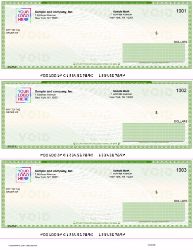
Quickbooks Checks 3 on a page

Review Theme: Check Quality and Security Features

Check quality in buyer reviews covers two things: the physical quality of the paper and printing, and the security features built into the check stock.

On physical quality, Checkomatic reviews consistently describe the paper as thick and professional-looking compared to what buyers expected at the price point. One business owner managing eight restaurant locations noted they had placed many orders without a single quality issue. A 33-year veteran check buyer switching from a previous vendor described being "totally blown away" by the quality relative to their expectations.

On security, Checkomatic includes six CPSA-certified security features on every business check for QuickBooks at the base price:

  • Chemically sensitive paper that stains visibly when washing solvents are applied
  • Microprinting along the signature line that degrades on any photocopy
  • Void pantograph that reveals VOID on any copy or scan
  • UV fluorescent fibers that glow under bank authentication equipment
  • Heat-sensitive ink that disappears when touched and returns when cooled
  • Pre-encoded MICR in certified magnetic iron oxide toner

These six features are included at the standard price. There is no requirement to upgrade to a premium tier to get meaningful fraud protection. For a detailed explanation of each security feature, see our business check security features guide.


Review Theme: Delivery Speed and Order Accuracy

Delivery speed appears as a positive across the majority of business checks for QuickBooks reviews. Checkomatic's standard production timeline of 3 to 5 business days is consistently met or beaten according to buyer accounts. The rush order that delivered the full 2,500-check order the same day as the initial rush batch is the most dramatic example, but incremental examples of early delivery appear throughout the review set.

Order accuracy is also highly rated. One reviewer who has used Checkomatic for five years and multiple accounts described never having a printing error. Another noted that when a spelling error did occur, Checkomatic reprinted and reshipped the corrected order promptly.

The one delivery complaint (rush order delay) stands out as an outlier against the broader pattern of positive delivery reviews. The ratio of positive to negative delivery experiences in the published review set is approximately 30 to 1.


Review Theme: Pricing Versus Ordering Checks Through a Bank

Price is the most quantified topic in business checks for QuickBooks reviews. Buyers who mention pricing do so in specific terms rather than general impressions, which makes this theme particularly reliable as a data point.

The VVA chapter treasurer's review is the most specific: 500 checks from Checkomatic for less than half the cost of 200 checks from their bank. If taken at face value, that implies a per-check cost difference of more than 4 to 1 in favor of Checkomatic. This figure is consistent with Checkomatic's published claim of 50 to 70 percent savings versus bank-issued checks.

A corporate buyer managing check printing for eight restaurant locations notes using Checkomatic for all their checks and deposit slips, citing cost as lower than banks for all these products.

The 33-year veteran check buyer who switched from a previous vendor specifically said she could not "fathom the money" she would have saved if she had found Checkomatic sooner. This type of regret-at-late-discovery language appears in multiple reviews and reflects the savings gap between direct-manufacturer pricing and both bank-issued and brand-name retail check pricing.


Review Theme: Customer Service Experience

Customer service appears in business checks for QuickBooks reviews in two contexts: when orders go smoothly (mentioned briefly as part of an overall positive experience) and when something goes wrong (the determining factor in whether the reviewer stays a customer).

The most detailed customer service review describes working with a specific team member named Malky through several proof revisions for a custom business envelope design until the result was exactly what the customer wanted. That reviewer described Checkomatic's service as always prompt and courteous and cited meaningful savings over their previous supplier.

The spelling error case (reviewer noted their business name was misspelled, called Checkomatic, was told the issue would be handled immediately, and received corrected checks within a week) is a good example of how errors are resolved. The reviewer specifically said they would do business with Checkomatic again despite the initial error.

The negative customer service interactions in the review set relate to the quantity dispute and the Monday closure, both of which are preventable with the information in this guide.


What Long-Term Repeat Customers Say in Business Checks for QuickBooks Reviews

Long-term repeat customers represent the most valuable segment of the business checks for QuickBooks review base. Unlike first-time buyers who may be evaluating based on limited experience, repeat customers of 5 or more years have experienced the product across multiple print batches, potentially multiple QuickBooks version upgrades, and likely at least one or two customer service interactions.

★★★★★

"We use CheckoMatic for all of our check needs! They have great prices and we receive our products in a timely manner!"

CG's Tax Service | September 18, 2024 | Source: checkomatic.com/quickbooks-starter-pack-product
★★★★★

"ASJ Wilson Construction has been a client of Checkomatic for some years now and they've never disappointed this company. Thank you Checkomatic for all that you do."

ASJ Wilson Construction | June 6, 2024 | Source: checkomatic.com/quickbooks-starter-pack-product
★★★★★

"Affordable and efficient. My go-to business check printer."

Doe | January 24, 2025 | Source: checkomatic.com/quickbooks-starter-pack-product

The "hassle-free" description from the 5-year customer captures the recurring theme in long-term business checks for QuickBooks reviews. Long-term buyers do not describe Checkomatic as the cheapest option they found or the fastest supplier they tried. They describe it as the one they stopped looking after finding.


QuickBooks Business Check Formats Reviewed

Checkomatic offers three formats for business checks for QuickBooks. Review patterns differ slightly by format.


Voucher Checks (Check on Top)

The most reviewed and most ordered format. One check per page, two perforated payment stubs below. Default for QuickBooks Desktop and QuickBooks Online payroll and accounts payable printing. Reviews for this format are overwhelmingly positive on alignment and print quality. Multiple reviewers specifically note that voucher stubs include all the payroll or AP detail they need. This is the format recommended for any QuickBooks user running payroll or paying vendors where remittance detail matters.


Standard 3-on-a-Page Checks

Three checks per page, no stubs. Lower cost per check. Appropriate for businesses that track all payment detail in QuickBooks and do not need physical remittance stubs traveling with each payment. Reviews for this format are positive on print accuracy and cost efficiency. Less commonly reviewed than voucher because it is less commonly ordered.


Wallet Checks

Smaller personal-size checks, three per page. Designed for lower-volume check writing where portability matters more than detailed stubs. The least commonly ordered of the three QuickBooks-compatible formats at Checkomatic. Review volume is lower but consistent with the overall positive trend.

For a detailed comparison of all three QuickBooks check formats and guidance on which is right for your workflow, see our QuickBooks checks catalog and the complete QuickBooks-compatible checks guide.
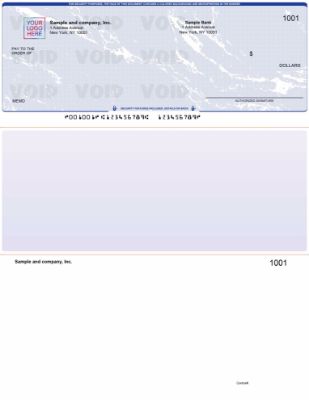
Blue

Who Checkomatic Business Checks for QuickBooks Are Best For

Based on the business types represented in the review set, Checkomatic business checks for QuickBooks deliver the strongest value for four types of buyers.


Small Businesses Switching From Bank-Issued Checks

Every reviewer who compared Checkomatic pricing against their previous bank check program reported meaningful savings. For businesses that have been ordering through their bank by default since opening their account, switching to Checkomatic is the single largest check-related cost reduction available without any change to the QuickBooks workflow.


QuickBooks Online Users Printing Payroll Checks

QuickBooks Online's voucher check template is the format Checkomatic's checks are manufactured to match. Multiple QuickBooks Online users in the review set report zero setup changes needed, making this the lowest-friction check switch possible for this user group.


High-Volume AP Operations

Buyers managing multiple business checking accounts (such as the restaurant group with eight accounts) and businesses with high monthly check volumes benefit most from Checkomatic's per-check cost structure. Bulk ordering drops the per-check cost further, and Checkomatic's in-house manufacturing means large orders do not hit third-party production bottlenecks.


Businesses With a Tight Payroll Timeline

The rush delivery option, confirmed by multiple reviewers to operate as described, makes Checkomatic viable for businesses that need to close a check supply gap on short notice. The same-day full delivery described in one review represents the best-case scenario, but even standard 3 to 5 business day production is faster than most bank check programs for reorders. See our business checks for payroll guide for timing recommendations.


How to Order Business Checks for QuickBooks From Checkomatic

Based on the review patterns including the complaint cases, here is the ordering process with the steps that prevent the most common issues.

  1. Select your format: Choose Voucher (check on top), Standard 3-on-a-page, or Wallet based on your QuickBooks check style setting. If you are unsure, Voucher is the correct format for most QuickBooks users. Confirm your format at File, Printer Setup, Check Style in QuickBooks Desktop, or at Settings, Print Checks, Print Setup in QuickBooks Online.
  2. Enter your business and banking information: Business name, address, ABA routing number from the bottom left of an existing check, and checking account number. For routing number verification, see our ABA routing number guide.
  3. Enter your starting check number: One above the highest check number you have already written. See our check reorder guide for how to find this number in QuickBooks.
  4. Add logo and design options: Upload your logo file for free black-and-white printing. Select your background color and security level.
  5. Verify quantity before confirming: Read the quantity field on the order summary screen. This is the step that prevents the quantity dispute described in the complaint reviews. If it shows more checks than intended, correct it before clicking confirm.
  6. Review the digital proof: Read every field: business name spelling, address, routing number, account number, starting check number, and logo placement. Approve only when all fields are confirmed correct.
  7. Select shipping: Standard (3 to 5 business days) or rush for time-critical needs.

Browse the complete QuickBooks business check catalog at checkomatic/quickbooks-checks or the full business checks range.


Why Choose Checkomatic for Business Checks for QuickBooks

27 Years of In-House Manufacturing

Checkomatic has manufactured business checks in Monroe, NY since 1997. Every order is produced at the company's own facility. Your banking information never passes through a third-party print vendor. The MICR encoding on every check is pre-verified against the Federal Reserve E-Payments Routing Directory before production begins.


Six Security Features at Base Price

Chemically sensitive paper, microprinting, void pantograph, UV fluorescent fibers, heat-sensitive ink, and pre-encoded MICR are all standard on every QuickBooks business check order. No upgrade tier required for meaningful fraud protection. See our MICR line explained guide for how the pre-encoding works.


Free Logo on Every Order

Black-and-white logo printing is included at no charge on every order regardless of quantity. Full-color logo printing is available as an upgrade.


50 to 70 Percent Below Bank Pricing

Pricing confirmed by multiple verified buyers comparing Checkomatic directly against their bank's check program. The Vietnam Veterans of America chapter received 500 checks for less than half of what their bank charged for 200.


Compatible With All QuickBooks Versions

QuickBooks Desktop Pro, Premier, Enterprise, Accountant, QuickBooks Online, QuickBooks Self-Employed, and QBConnect are all supported. Also compatible with Xero, MYOB, Quicken, and over 500 other accounting platforms.


3 to 5 Business Day Standard Turnaround

Confirmed by the majority of reviewers across multiple years of orders. Rush options available for payroll deadlines.


Quick Summary: Business Checks for QuickBooks Reviews

Reading through all business checks for QuickBooks reviews published on Checkomatic's product pages reveals a clear pattern. Business checks for QuickBooks reviews from 465 or more verified Checkomatic customers show a 4.5 out of 5 star overall rating. The dominant review themes are: QuickBooks alignment works out of the box without printer setup changes, delivery arrives in 3 to 5 business days or faster, pricing is 50 to 70 percent below bank check programs, and first-order quality exceeds expectations.

Long-term repeat customers describe the experience as hassle-free over periods of 5 to 15 or more years. Negative reviews represent a very small minority and cluster around ordering process issues (quantity confirmation) and communication timing (Monday hours) rather than product quality or QuickBooks compatibility. The three QuickBooks-compatible formats available are Voucher (check on top, most common), Standard 3-on-a-page (highest volume, lowest cost per check), and Wallet (personal-size, lowest volume).

Keywords covered: business checks for QuickBooks reviews, checkomatic QuickBooks checks review, QuickBooks business checks ratings, are Checkomatic checks good, best business checks for QuickBooks, QuickBooks compatible check reviews, checkomatic customer reviews, does checkomatic work with QuickBooks, checkomatic delivery time, checkomatic check alignment QuickBooks, checkomatic security features review, checkomatic vs bank checks, QuickBooks voucher check reviews, checkomatic pricing review, ordering business checks for QuickBooks online.

Additional keywords covered in this business checks for QuickBooks reviews guide: business checks QuickBooks online reviews from verified buyers, Checkomatic reviews and ratings across 465 or more customers, how to buy business checks for QuickBooks at the best price, Checkomatic check quality assessment across paper weight and security, QuickBooks check printing reviews covering alignment and format compatibility, Checkomatic customer experience across first orders and long-term repeat purchases, and how good are Checkomatic checks compared to bank-issued QuickBooks business checks. Business checks for QuickBooks reviews confirm that Checkomatic quality consistently meets or exceeds buyer expectations at 50 to 70 percent lower cost than bank programs.
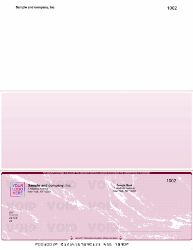
 

Jul 22, 2026

Business Check and Voucher Refill Supplies: Full Guide

What a Voucher Check Is

Voucher check definition: a voucher check is a full-sheet business check printed on an 8.5-by-11-inch sheet. The check occupies one third of the sheet (8.5 inches wide by approximately 3.5 inches tall). The remaining two thirds of the sheet contains one or two voucher stubs that carry payment detail fields: invoice number, invoice date, gross amount, discount amount, net payment, and memo lines.

The voucher check is also called a computer check or laser check because it is designed to feed through a laser or inkjet printer connected to accounting software. The software fills in the variable payment data (payee, amount, date, check number) while the pre-printed stock carries the fixed company information (name, address, logo, routing number, account number).

The stub is what distinguishes a voucher check from a basic check. When the payment is processed, the check tears away from the stub at the perforation. The check goes to the payee for deposit. One stub stays with the payer as a payment record; the second stub may be sent to the payee as a remittance advice explaining what the payment covers. This self-contained remittance data is the primary reason businesses use voucher checks rather than wallet-sized checks for accounts payable and payroll.

For a complete breakdown of all check types and how voucher checks compare to personal check formats, see our check types and terminology guide.


What a Refill Order Is vs a New Order

The check reorder process for a refill order is the same as a new check order in terms of printed information. The difference is in the starting check number and in the context: a refill continues an existing check sequence, while a new order starts a sequence for the first time.

When you place a refill order, you use the same company name, address, logo, routing number, and account number as your previous order. The only field that changes is the starting check number. Your refill order starts at the check number immediately following the last check in your previous box. For example, if your previous box ended at check 3500, the refill starts at check 3501.

Every other aspect of the refill order is identical to your original order: the same format (check on top, 3-on-a-page, etc.), the same paper color, the same logo placement, the same accounting software compatibility setting. If any of your company information has changed since the last order (address, account number, logo), those updates go into the refill order as a changed-information order, which generates a new digital proof for review before production.


Business Check Format Guide: Every Type Explained

Business check refills come in multiple formats, and matching the refill to the correct format is the most common source of ordering errors. Here is every business check format with its format code and use case.


Check on Top (Voucher Format)

The most widely used business check format for QuickBooks and most accounting software. The check occupies the top third of the 8.5-by-11 sheet. Two voucher stubs with payment detail fields occupy the middle and bottom thirds. QuickBooks calls this the "voucher" setting in its check print setup. One stub is retained by the payer; one stub may accompany the check to the payee.

Checkomatic's check on top business checks are the standard refill format for QuickBooks and most US accounting software.


Check in Middle

The check occupies the middle third of the sheet, with one stub above and one below. Used with Sage 50 (Peachtree) and MYOB accounting software, which use a different print template layout than QuickBooks. If you use Sage 50, your refill order must specify check in middle format. Ordering check on top instead will produce misaligned printing.

Checkomatic's check in middle business checks match the Sage 50 print template configuration.


Check on Bottom

The check occupies the bottom third of the sheet with two stubs above. Used with specific software configurations that print the stubs before the check. Less common than check on top but used by certain payroll and specialty accounting systems.

Checkomatic's check on bottom business checks are available as refills for this format.


3-on-a-Page Checks

Three checks occupy one 8.5-by-11 sheet with no voucher stubs. This format maximizes check output per sheet and is most efficient for high-volume check printing where remittance data is sent separately or not needed. QuickBooks calls this format "standard" in its check print settings. After checks are removed from the sheet, a form leader (an attachment strip) can be used to keep the partial sheet aligned in the printer.

Checkomatic's 3-on-a-page business checks are the standard refill for this format.


QuickBooks-Compatible Checks

Checkomatic's QuickBooks checks are formatted and tested for both QuickBooks Desktop and QuickBooks Online print templates. This includes the check on top (voucher) format and the 3-on-a-page (standard) format, plus the wallet check format. A QuickBooks starter pack is available for first-time orders to verify template alignment before committing to a full box.


Manual Accounts Payable Checks

Manual business checks are handwritten rather than software-printed. The 3-on-a-page manual format contains three checks per page with detachable stubs. Manual AP checks are the refill format for businesses that write accounts payable checks by hand, typically for payments to vendors who do not require electronic records.

Checkomatic's manual accounts payable checks are available as refill orders.


Manual Payroll Checks

A payroll check refill in 3-on-a-page format includes payroll-specific stub fields for gross pay, deductions, and net pay. Used by businesses that process payroll manually for employees without direct deposit. The payroll stub stays with the employee as their pay stub record.

Checkomatic's manual payroll checks are available as refill orders.


Manual Multi-Purpose Checks

Multi-purpose manual checks offer flexible stub fields suitable for both payroll and AP payments, making them the right choice for very small businesses that write both types of checks from the same book.

Checkomatic's multi-purpose manual checks are available as refill orders.


Manual Executive Deskbook Checks

A compact deskbook refill uses a smaller page that fits a standard 7-ring binder more easily than the full 3-on-a-page format. Used by executives and business owners who prefer a compact desk format over the full-page manual check.

Checkomatic's compact executive deskbook checks are the refill format for this size.


Manual Pocket Checks

A pocket check refill order covers manual business checks in a smaller format designed for portability. Used by contractors, field service businesses, and sole proprietors who write checks away from the desk.

Checkomatic's manual pocket checks are available as refill orders.


How Many Checks Per Box for Each Format

Knowing the quantity per box lets you calculate how long a refill order will last based on your monthly check volume. Here is the standard quantity breakdown by format.


Computer Business Checks (Voucher, Check on Top/Middle/Bottom)

Computer business checks (single checks per sheet) typically come in quantities of 250 or 500 sheets per box, with one check per sheet. A 500-sheet box gives you 500 checks. For a business writing 50 checks per month, a 500-check box lasts approximately 10 months.


3-on-a-Page Computer Checks

A 500-sheet box of 3-on-a-page checks gives 1,500 checks (3 per sheet). For a business writing 150 checks per month, a 1,500-check box lasts approximately 10 months. The per-check cost is lower than single-check-per-sheet formats because fewer sheets of security paper are used per check.


Manual Business Checks (3-on-a-Page)

Manual checks in 3-on-a-page format are sold in pads, typically with 25 pages per pad and 3 checks per page, giving 75 checks per pad. A standard refill order of 4 pads gives 300 checks. For a business writing 25 manual checks per month, 4 pads last approximately 12 months.


Manual Pocket Checks

Manual pocket checks come in a wallet-sized format with fewer checks per pad than desk format. Typical pad sizes range from 20 to 50 checks per pad.


Pre-Printed Refill vs Blank Check Stock

When refilling your business check supply, you have two product categories to choose from: pre-printed check refills and blank check stock. Understanding the difference helps you choose the right path for your business's volume and equipment.


Pre-Printed Check Refills

Pre-printed check refills arrive with your company name, address, logo, routing number, and account number already on every sheet. Your accounting software prints only the variable payment data (payee, amount, date, check number) at print time. A standard laser or inkjet printer is all you need.

Pre-printed refills are the right choice for most small and medium businesses. They are faster to print (no full-page printing required for each check), easier to set up (the fixed fields are already aligned), and available from direct manufacturers like Checkomatic at a lower per-check cost than bank-ordered checks.

The limitation of pre-printed refills is that they are account-specific. A box of pre-printed checks can only be used with the account number printed on them. If you have multiple checking accounts, each account needs its own separate box of pre-printed stock.


Blank Check Stock Refill

Blank check stock is ABA-compliant security paper with no pre-printed information. A MICR blank check stock requires a MICR-capable printer (one with magnetic toner or ink) to print all check data including the MICR line at print time. Software such as PrintBoss, VersaCheck, or MultiCHAX manages the MICR encoding and check layout.

Blank check stock is cost-effective for high-volume check printers because a single box of blank stock can serve multiple bank accounts with different routing and account numbers. You do not need separate boxes per account. Checkomatic's blank check stock is available in check on top, check in middle, check on bottom, and 3-per-page formats, all on ABA-compliant security paper.

The cost of blank stock appears lower per sheet but requires accounting for the MICR printer cost and the software subscription. For most businesses writing fewer than 500 checks per month, pre-printed refills are the more cost-effective and simpler option. For businesses writing 500 or more checks per month across multiple accounts, blank stock with MICR printing often becomes the lower total-cost option.

One critical note about blank stock security: Office Depot's "Standard Blue Business Check Refills" product listing shows a product with no microprinting and no watermark, flagged as having "anti-counterfeiting features" but with those features unspecified and the microprinting field specifically marked "No." Blank check security: blank stock from a CPSA-certified manufacturer like Checkomatic includes all six ABA security features. Always verify the security feature specifications of any blank check stock before ordering.


QuickBooks Voucher Check Refill Ordering

QuickBooks users have a specific refill workflow that differs slightly from general business check ordering. Here is what you need to know.


Format Matching is Critical

QuickBooks supports three check print formats: voucher (check on top, two stubs), standard (3 checks per page, no stubs), and wallet (personal-size, one per page). Your refill order must match the format setting in your QuickBooks printer setup. To confirm your current QuickBooks check format, go to File, then Printer Setup, then select Check from the Form Name dropdown. The selected style (Voucher, Standard, or Wallet) is the format your refill should match.


Third-Party Refills Are Compatible

QuickBooks does not require its own brand of checks for printing. Any check formatted to match the QuickBooks voucher, standard, or wallet template works. Intuit's own IntuitMarket checks are one option; direct manufacturers like Checkomatic offer compatible checks at lower per-check cost because there is no Intuit reseller margin. Checkomatic's QuickBooks-compatible checks are tested for alignment with QuickBooks Desktop and Online.


Form Leaders for Partial Sheets

When you remove the last check from a 3-on-a-page sheet, the remaining stub has no perforated area to keep it aligned in the printer for subsequent pages. Check form leaders (a check form leader is a paper strip that attaches to a partial sheet) to create a full-height feed through the printer. QuickBooks users who use 3-on-a-page format should keep form leaders on hand to avoid printer feed errors at the end of a sheet. Intuit sells these through IntuitMarket; they are also available from third-party check suppliers.


QuickBooks Online Limitation on Blank Stock

QuickBooks Online currently does not directly support printing checks on blank check stock. It requires pre-printed check stock with the routing and account number already on the sheet. QuickBooks Desktop supports blank stock printing through compatible third-party add-ons. If you use QuickBooks Online, your refill order must be pre-printed stock rather than blank stock.


Starting Check Number for a Refill Order

The starting check number for a refill order should be the check number immediately following the last check in your current box. If your current box contains checks numbered 2001 through 2500 and you have used through check 2387, your next refill should start at check 2388.

In practice, many businesses place the refill order when they reach approximately the last 50 to 100 checks in the current box, choosing a starting number for the refill that they will reach just as the current box runs out. This overlap buffer prevents running completely out of checks before the refill arrives.

If you changed account numbers since your last order (because you closed a compromised account, for example), the starting check number can reset to any number you choose since the new account number distinguishes the new checks from the old ones. Many businesses restart at a round number like 1001 or 5001 when opening a new account, which makes it immediately obvious when looking at a check which account it belongs to.

For more detail on starting check number selection in specific scenarios, including after a lost checkbook, see our lost checks and replacements guide.


When to Reorder: How to Know You Are Running Low

Running completely out of business checks creates a payment workflow disruption that takes 3 to 5 business days to resolve once a refill order is placed. The right time to reorder is when you reach a reorder trigger point, not when you have used the last check.

For most businesses, a reorder trigger of 50 to 100 remaining checks in the current box is appropriate. This gives enough buffer for the 3-to-5-business-day production and delivery window. Some businesses set their trigger at the second-to-last pad in a multi-pad order, which gives a more visible physical indicator (opening the last pad is the reorder signal).

High-volume check writers (businesses writing 100 or more checks per week) should carry one full box in reserve and reorder when the reserve box is opened. This double-buffer approach prevents any disruption even if delivery takes slightly longer than the standard window.

For seasonal businesses with check volume peaks, reorder before the peak season begins rather than during it. Check production timelines stay at 3 to 5 business days during peak periods, but shipping carrier delays during holiday seasons can extend delivery unpredictably.


Matching Business Check Supplies

A business check operation requires more than check stock. The full supply kit includes envelopes, deposit slips, endorsement stamps, and storage for manual checks. Ordering the wrong accessories for your check format wastes money and creates operational problems.


Double-Window Check Envelopes

A double window envelope (double-window envelope) is sized and positioned to display the payee's address and your return address through the two windows when a computer business check is folded correctly. The window placement assumes the check on top format with the specific fold sequence that brings the payee address into alignment with the larger window. If you use check on bottom or a different fold orientation, the addresses may not align correctly with standard double-window envelopes.

Checkomatic's check envelopes are sized for standard computer business check on top format. When ordering, confirm your check format before selecting the envelope.


Business Deposit Slips

A deposit slip refill should be ordered at the same time as business checks because they carry the same routing and account number information. When you change account numbers, your deposit slips must also be updated. Ordering both on the same refill saves a separate order and ensures both arrive with the same account information.

Checkomatic's business deposit slips are pre-printed with your account details for accurate bank deposits.


Self-Inking Endorsement Stamps

An endorsement stamp applies the "For Deposit Only" restriction and your account information to every incoming check at deposit time. It eliminates hand-writing the endorsement on each check and ensures every check is restrictively endorsed (reducing fraud risk if a check is lost or stolen between receipt and deposit). The endorsement stamp should carry your current account number; if you change accounts, the stamp needs updating.

Checkomatic's self-inking endorsement stamps are customized with your business name and account details.


7-Ring Check Binders for Manual Formats

A manual check refill in the 3-on-a-page format requires a 7-ring binder for organized desk storage. The seven rings secure full-size check pages at more hold points than a standard 3-ring binder, preventing page shift during handwriting. 7-ring binder refill: if your manual check pads are running low, check whether your binder is also showing wear; binders typically last several years with regular use but the ring mechanism and cover eventually need replacement.

Checkomatic's 7-ring check binder is compatible with all Checkomatic manual business check formats.


Envelope Matching by Check Format

This is the detail that creates the most operational friction when businesses order check supplies without thinking through format compatibility. The standard double-window check envelope is designed for check on top format. Here is how to match envelopes to format.

Check on top format (the most common) folds into a standard double-window envelope with the payee address visible in the larger bottom window and your return address visible in the smaller upper window. The fold is: fold the bottom third up, then fold the top third down over it. This brings the payee address on the bottom voucher into the window position.

Check in middle format has the check in the center of the sheet, so the standard fold sequence does not bring any address into a window-appropriate position. Businesses using check in middle format often use envelopes without windows and print or handwrite the payee address on the envelope, or use address labels.

Check on bottom format similarly does not match standard double-window envelopes because the address field position differs from check on top. Confirm your envelope selection with your specific check format before ordering.

3-on-a-page checks produce wallet-size checks after cutting. Wallet-size business checks use standard business-size envelopes rather than the larger double-window format.


The Complete Business Check Supply Kit

Here is the full list of supplies a business check operation should maintain. Ordering these together on a coordinated refill schedule prevents running out of any single supply during a check run.


  • Pre-printed business check refills in your accounting software's format (voucher/check on top, check in middle, check on bottom, 3-on-a-page, or QuickBooks-specific)
  • Double-window check envelopes matched to your check format
  • Business deposit slips with current account information
  • Self-inking endorsement stamp with current account information
  • 7-ring check binder if you use manual 3-on-a-page format
  • Form leaders if you print 3-on-a-page computer checks with QuickBooks


Reviewing this full kit at each refill order prevents the situation where checks arrive but the matching envelopes or deposit slips have also run out simultaneously. A practical approach: set a master refill calendar that schedules all six supply categories together, even if individual items need refilling at different intervals.


Why Order Business Check Refills From Checkomatic

Checkomatic has manufactured business and personal checks from Monroe, NY (Monroe NY) since 1997. As an in-house check manufacturer, Checkomatic produces every business check format in-house at the Checkomatic facility with no reseller step and no handling fee added at checkout.


Every Business Check Format Available

Checkomatic stocks refill-compatible versions of every standard business check format: check on top, check in middle, check on bottom, 3-on-a-page, QuickBooks checks, manual AP checks, manual payroll checks, multi-purpose checks, compact deskbook checks, pocket checks, and blank check stock.


ABA-Compliant Security Paper on Every Order

Every Checkomatic business check refill ships on ABA-compliant check stock (ABA compliant) security paper with all six standard fraud deterrent features at the base price: chemically reactive paper, genuine watermark, microprinting, heat-sensitive ink, void pantograph, and UV fluorescent fibers. The CPSA padlock on Checkomatic's ordering pages confirms CPSA certification.


Free Logo Printing on Every Refill Order

Free logo checks (free black and white logo printing) are included on every business check refill order. Color logo printing is available for a small additional per-order charge. No setup fee applies on refill orders. If your logo has changed since the previous order, submit the updated logo file at checkout and a new digital proof will be generated for approval before production.


3-to-5-Business-Day Standard Turnaround

Standard business check refill orders ship within 3 to 5 business days from digital proof approval. Rush delivery is available at checkout for businesses that need checks faster. The digital proof step confirms your company information, logo, starting check number, and format before any paper is committed to production.


Complete Accessory Range in One Order

Order your check refills and check envelope refill (matching accessories) in a single Checkomatic order: double-window check envelopes, deposit slips, endorsement stamps, and 7-ring binders all ship from the same Monroe, NY facility.

Start your business check refill order at checkomatic.com. For guidance on matching your check format to your accounting software settings, see our business checks and payroll guide. For a comparison of voucher vs wallet check formats specific to QuickBooks, see our check types guide.


The Short Version on Business Check and Voucher Refill Supplies

A business check refill is a new order of the same check format with the next sequential check number as the starting point. Voucher checks (check on top, middle, or bottom) use one sheet per check with attached payment stubs for remittance data. 3-on-a-page gives three checks per sheet with no stubs. Manual checks are handwritten. Blank stock requires a MICR printer.

Match the refill format to your accounting software's print template setting. QuickBooks uses voucher (check on top) or standard (3-on-a-page) settings. Sage 50 typically uses check in middle. Order accessories that match your format: double-window envelopes for check on top, 7-ring binders for manual checks, deposit slips and endorsement stamps for every account.

Reorder at 50 to 100 remaining checks, not when you run out. At Checkomatic's standard 3-to-5-business-day turnaround, a well-timed refill arrives before the current supply is exhausted.


Frequently Asked Questions


What is a voucher check refill?

A voucher check refill is a new order of pre-printed business check stock that continues an existing check sequence. A voucher check is an 8.5-by-11-inch sheet with the check in the top third and two detachable voucher stubs in the lower two thirds. The stubs carry payment detail fields (invoice numbers, amounts, dates) for accounting records. When your current box runs out, you order a refill with the same company information, format, and accounting software compatibility, with a new starting check number that continues sequentially from your last check. Every other aspect of the refill is identical to the original order.


How many checks come in a box of business voucher checks?

For computer business checks with one check per sheet (check on top, check in middle, check on bottom), a standard box contains 250 to 500 sheets, giving 250 to 500 checks per box. For 3-on-a-page checks, a 500-sheet box gives 1,500 checks. For manual business checks in 3-on-a-page format, pads typically contain 25 pages each with 3 checks, giving 75 checks per pad. A 4-pad refill order provides 300 manual checks. The right quantity for your refill depends on your monthly check volume and how long you want each box to last before the next reorder.


What is the difference between a pre-printed business check refill and blank check stock?

A pre-printed check refill arrives with your company name, address, logo, routing number, and account number already printed on each sheet. Your accounting software prints only the variable data (payee, amount, date, check number). A standard laser or inkjet printer is sufficient. Blank check stock has no pre-printed information; a MICR-capable printer prints all check data including the MICR line at print time. Blank stock works with multiple bank accounts from a single supply box, making it cost-effective for high-volume or multi-account operations. Pre-printed refills are simpler and sufficient for most small and medium businesses.


Are refill business checks compatible with QuickBooks?

Yes, as long as the check format matches the QuickBooks print template. QuickBooks supports three formats: voucher (check on top), standard (3 checks per page), and wallet (personal-size). Your refill must match the format setting in QuickBooks under File, then Printer Setup, then Check. Checkomatic's QuickBooks-compatible checks are formatted and tested for QuickBooks Desktop and Online. QuickBooks does not require its own brand of checks; compatible third-party checks from CPSA-certified manufacturers like Checkomatic work with any QuickBooks version.


What business check supplies should I reorder along with my checks?

The complete set of business check supplies to reorder alongside check refills includes: double-window check envelopes matched to your check format (the standard design fits check on top format with correct fold sequence); business deposit slips pre-printed with your current account information; self-inking endorsement stamps customized with your account details; and a 7-ring check binder if you use manual 3-on-a-page checks. Form leaders are also needed if you print 3-on-a-page computer checks and need to feed partial sheets through your printer. Ordering all of these on a coordinated refill schedule prevents running out of any single supply at a critical time.

Jul 22, 2026

Top Checks: What the Check on Top Format Is and Why Most Businesses Choose It


What Are Top Checks

Top checks are business checks in which the negotiable check portion sits at the top of the page. On a standard 8.5 x 11 inch letter-size sheet, the check occupies the top third (roughly 3.5 inches tall). The remaining two-thirds of the page holds two detachable voucher stubs separated from the check by perforations.

The term top checks refers to the position of the check on the page. It is the same product sold under several different names depending on the supplier and the accounting software involved. Top checks are also called:

  • Check on top checks
  • Check-on-top format
  • Voucher checks (because of the two stubs)
  • Top check format
  • Computer checks on top
  • Laser checks on top

All these names describe the same thing: a letter-size business check sheet with the check at the top and two perforated stubs below. When suppliers or accounting software documentation refer to the "Voucher" check format, they mean top checks. QuickBooks Desktop calls this format "Voucher" in its Printer Setup menu. QuickBooks Online shows a picture of the layout in its Print Setup screen without using a name, but the template shows the check at the top.

Top checks are the most widely manufactured and most widely ordered business check format in the United States. Checkomatic's top business checks product line is one of the highest-volume items in the catalog. For the full product listing, see business checks on top.

Picture for category Manual Business Checks


How the Top Check Page Layout Works

A top check page has three distinct sections from top to bottom, each separated by a perforation line that allows clean tearing.


Section 1: The Check (Top Third)

The check itself occupies the top 3.5 inches of the 8.5 x 11 page. It contains all the required legal elements of a business check: your company name and address (pre-printed), the bank name (pre-printed), the date field, the Pay to the Order Of payee line, the numerical dollar amount box, the written dollar amount line, the memo field, and the signature line. The MICR line at the very bottom of the check section carries your routing number, account number, and check number encoded in magnetic ink.

When you print a top check from QuickBooks or another accounting platform, the software fills in the date, payee name, dollar amount, and memo. Your pre-printed company information and MICR line are already on the check from the manufacturer. You sign the printed check and it is ready.


Section 2: First Voucher Stub (Middle Third)

The first voucher stub sits immediately below the check, separated by a perforation. It carries the same payment information shown on the check plus additional detail fields: payee name, check number, date, amount, invoice number, payment description, and any account codes your accounting software assigns. This stub goes to the payee along with the check. The vendor or employee tears off the check from the top and keeps the stub as their payment confirmation and receipt.


Section 3: Second Voucher Stub (Bottom Third)

The second stub is identical in layout to the first but stays with the paying business after the check and the first stub are torn off and mailed. It serves as the company's paper record of the payment, filed in the AP folder or payroll records alongside the original invoice or timesheet. The second stub is what allows physical paper-based bookkeeping to function without relying entirely on the accounting software to retain every payment detail.


Research from CHAX Software indicates that top checks hold approximately 65 percent of the business check market. Middle checks hold about 25 percent and bottom checks roughly 10 percent. This distribution is not random. It is driven almost entirely by one factor: QuickBooks.

QuickBooks is the dominant small business accounting platform in the United States. According to Intuit's own data, QuickBooks serves over 7 million small business customers. QuickBooks Desktop and QuickBooks Online both default to the Voucher check style, which is the top check format, without requiring the user to make any configuration choice. When a QuickBooks user opens the check printing dialog for the first time and prints a check, they are automatically using top check format.

The result is that the overwhelming majority of QuickBooks users who need check stock order top checks. Most of them never change their software's check format setting. This creates a self-reinforcing cycle: QuickBooks defaults to top format, most users keep the default, most check orders are for top format, suppliers stock top checks in the widest range of quantities and colors, and the format becomes even more standard over time.

A secondary driver is the visual advantage of top checks when handling a payment batch. When a stack of 30 printed top checks sits on a desk for signing, the check portion is visible at the top of each sheet without shuffling through the stack. Signing is faster because the signature line is in a consistent, predictable position on every sheet. For middle checks, the signature line is in the center of the page. For bottom checks, it is at the bottom. Top checks minimize the physical effort of reviewing and signing a batch.


Top Checks vs Middle Checks vs Bottom Checks: The Full Comparison

FeatureTop ChecksMiddle ChecksBottom Checks
Check positionTop third of pageCenter of pageBottom third of page
Stub positionTwo stubs below checkOne stub above, one belowTwo stubs above check
Market share~65%~25%~10%
Primary softwareQuickBooks, Xero, Quicken, MYOB, Rent ManagerSage 50, Peachtree, Deltek, SoftproParadox, custom healthcare software
Primary industriesGeneral business, retail, services, payrollConstruction, real estate, property managementHealthcare, medical practices
Signing visibilitySignature line immediately visible at topSignature line in center requires more handlingSignature line at bottom of stack
Payee stub deliveryPayee gets top check torn off and middle stubPayee gets center check with both stubs nearbyPayee gets bottom check
Default in QuickBooksYes (Voucher format)NoNo
Default in XeroYesNoNo
Product availabilityWidest selectionModerate selectionLimited selection
Checkomatic availabilityYes , full rangeYesYes
Security featuresFull CPSA-certified setFull CPSA-certified setFull CPSA-certified set
Free logo printingYes (Checkomatic)Yes (Checkomatic)Yes (Checkomatic)
Best first choice?Yes, if software is unknownOnly if software requires itOnly if software requires it

The bottom line on format selection: if you do not know which format your accounting software uses and do not want to look it up, order top checks. Top checks are the safest default because they are correct for the majority of businesses and the majority of accounting software configurations. The only reason to order middle or bottom checks is if you have confirmed that your specific software version requires one of those layouts.


Which Accounting Software Uses Top Check Format

Top checks match the default print template in the following accounting platforms. This list is not exhaustive but covers the most widely used business software in the United States.

Accounting SoftwareDefault FormatQuickBooks-Style Setting
QuickBooks Desktop (Pro, Premier, Enterprise, Accountant)Top checks (Voucher)Voucher in Printer Setup
QuickBooks OnlineTop checks (Voucher)Voucher in Print Setup
XeroTop checksStandard US layout
MYOBTop checksQuickBooks-equivalent layout
Quicken BusinessTop checksVoucher equivalent
Rent ManagerTop checksTop format
NetSuiteTop checksStandard US AP format
FreshBooksTop checksStandard US layout
WaveTop checksStandard voucher
Sage IntacctTop checksStandard voucher

Software that defaults to middle check format instead: Sage 50 (formerly Peachtree), Sage 300, Deltek, TSS, Softpro, Landtech. Software that may default to bottom format: Paradox, some healthcare billing systems.

If you are uncertain which format your software uses, the fastest approach is to run a test print on plain paper from within your accounting software's check printing dialog, then hold the printed sheet against a blank top check to see if the fields align. In QuickBooks, the check style setting is at File, Printer Setup, Form Name: Check, Check Style. If it says Voucher, top checks are correct for your setup.

For QuickBooks-specific check selection guidance including how the three QuickBooks formats differ, see our QuickBooks-compatible checks guide.

Quickbooks® Check on Top


Top Checks for Payroll

Top checks are the recommended format for payroll in any business running QuickBooks Payroll or a similar QuickBooks-integrated payroll workflow. The reason is structural: payroll checks need to give employees a pay stub showing gross pay, individual deductions, and net pay. The two stubs on a top check provide that space.

When you run a payroll batch in QuickBooks and select the check printing option, the software fills in each employee's check with their net pay amount and date. The voucher stubs carry the detailed breakdown: gross wages, federal income tax withheld, state tax withheld, Social Security tax, Medicare tax, any voluntary deductions (health insurance, retirement, garnishments), and net pay. The employee tears off the check portion and keeps the middle stub as their pay stub. Your payroll file retains the bottom stub.

Most US states have pay stub laws that require employers to provide written or electronic itemization of deductions when issuing payroll. Top checks in voucher format satisfy the written pay stub requirement because the stub is physically attached to the check at the point of payment. The employee receives both simultaneously without any additional mailing or printing step.

For the complete payroll check guide including state pay stub requirements and format options for different payroll software, see our business checks for payroll guide.


Top Checks for Accounts Payable

For accounts payable, top checks provide vendors with immediate payment documentation. When a vendor receives a top check mailing, they see the check at the top (which they cash or deposit) and the middle stub beneath it (which tells them which invoice was paid and for what amount). Vendors who handle multiple clients find this format efficient because they do not need to contact the paying company to understand what each payment covers.

The second stub in your records closes the loop on the AP side. Your bookkeeper can pull the bottom stub from the payment file and match it to the original invoice and purchase order without logging into QuickBooks. During an external audit, physical stubs in a folder serve as documentary evidence of each payment even if the accounting software is temporarily unavailable.

Industries where top checks are particularly standard for AP include:

  • Retail and food service paying weekly vendor invoices
  • Professional services firms paying subcontractors and supplier invoices
  • Nonprofits maintaining paper audit trails for grant compliance
  • Property management paying maintenance and contractor invoices
  • Small manufacturing paying materials suppliers


What Information Goes on the Voucher Stubs of Top Checks

Your accounting software fills in the stub fields automatically when you print top checks from a payment run. The specific fields printed on each stub depend on what your software captures and what your check template is configured to display. Common stub fields for accounts payable top checks include:

  • Payee business name
  • Check date
  • Check number
  • Invoice number or reference number
  • Invoice date
  • Amount paid on this check
  • Discount taken (if early payment discount applies)
  • Account code or expense category
  • Description or memo

For payroll top checks, the stub fields include employee-specific information:

  • Employee name
  • Pay period start and end dates
  • Gross wages
  • Federal income tax withheld
  • State income tax withheld (if applicable)
  • Social Security tax (FICA)
  • Medicare tax
  • Additional voluntary deductions (health insurance, 401k, FSA, garnishments)
  • Net pay
  • Year-to-date totals

QuickBooks automatically formats payroll stub fields when you print payroll checks in Voucher (top check) style. The layout is preset to match the stub area of a standard top check.


Security Features on Top Checks

Top checks carry the same security features as any other professional business check format. The position of the check on the page (top, middle, or bottom) does not affect which security features the paper includes. What matters is the manufacturer and the security level you choose when ordering.

Checkomatic includes six CPSA-certified security features on every top check order at base price.


Chemically Sensitive Paper

The check paper contains chemical compounds that react visibly and permanently when contacted by solvents such as acetone, bleach, or alcohol-based cleaners used in check washing fraud. A washing attempt on a Checkomatic top check produces irreversible staining that cannot be concealed or overprinted. This is the most important security feature for top checks specifically because the payee name and dollar amount fields printed by your accounting software are prime targets for check washing.


Microprinting

Text printed at under one point size runs along the signature line of every top check. To the naked eye it looks like a solid decorative line. Under magnification it reads as text. When a top check is photocopied or scanned, the microprinting degrades to an unreadable smear, immediately identifying any copy as non-original.


Void Pantograph

A hidden background pattern causes the word VOID to appear prominently across the face of the check on any photocopy or digital scan. The original top check shows no VOID marking under normal lighting. Any attempt to reproduce the check by copying or scanning reveals it instantly.


UV Fluorescent Fibers

Fibers embedded in the check paper during manufacturing glow under ultraviolet light. Bank authentication equipment uses UV scanners to verify genuine check stock. These fibers cannot be replicated by any standard printing process because they are in the paper fiber structure, not printed on the surface.


Heat-Sensitive Ink

A thermochromic icon on the face of the top check disappears when pressed with a finger and returns when it cools. Genuine top checks respond to heat. Photocopies do not. Bank tellers and business owners can verify top check authenticity in seconds without any equipment.


Pre-Encoded MICR Line

The MICR line at the bottom of the check portion on every Checkomatic top check is pre-encoded using ANSI-certified magnetic iron oxide toner. Bank reader-sorter machines detect this line magnetically. Counterfeit top checks printed in standard toner produce no magnetic signal where one is expected, causing immediate rejection.

For a complete technical explanation of every security feature and the fraud types each one defends against, see our business check security features guide.


How to Set Up Top Checks in QuickBooks Desktop

QuickBooks Desktop is already configured for top checks by default. The steps below confirm that setting and walk through the alignment test.

  1. Open Printer Setup: Go to File in the top menu, then select Printer Setup. In the Form Name dropdown, select Check or Paycheck. This tells QuickBooks you are configuring the check printing template.
  2. Verify the Check Style: Under Check Style, confirm the Voucher radio button is selected. Voucher is the top check setting. If Standard or Wallet is selected instead, click Voucher.
  3. Run the Alignment Test: Click the Align button. QuickBooks generates a sample check layout. Print it on plain paper. Hold the printed test against a blank top check and verify that the date field, payee line, amount box, written amount line, memo field, and stub fields all align correctly with the pre-printed positions on the check stock.
  4. Adjust if Needed: If any field is off, the alignment dialog shows two fields: vertical (negative moves printing down, positive moves it up) and horizontal (negative moves left, positive moves right). Adjust in 0.05 to 0.10 inch increments and reprint the test. Checkomatic top checks typically require 0.1 inch or less of adjustment because the check dimensions are manufactured to match QuickBooks's default print template.
  5. Print Checks: Go to Banking, then Write Checks or Pay Bills, then print. For batch printing, go to File, Print Forms, Checks, select the account and checks to print, click OK, load top check stock in the printer, and click Print.


How to Set Up Top Checks in QuickBooks Online

QuickBooks Online prints top checks through the browser, which introduces margin and scaling settings that must be configured correctly before printing on real top check stock.

  1. Open Print Checks Setup: Click the gear icon in QuickBooks Online. Select Print Checks. Click Print Setup.
  2. Select the Voucher Template: QuickBooks Online shows two template options with visual previews. Select the Voucher option, which shows the check at the top of the page with two stubs below. This is the top check template.
  3. Run the Alignment Sample: Click View Preview and Print Sample. Print the sample on plain paper. Hold the plain paper against a blank top check to check alignment.
  4. Adjust if Needed: If the alignment is off, click No, Continue Setup once. Then click No, Continue Setup a second time. This second click is the step most users miss. It opens the fine-tuning alignment grid where you can drag to adjust the print position in precise increments.
  5. Set Browser Print Margins to Zero: In Google Chrome, press Control P or Command P to open print settings. Click More Settings. Under Margins, select None. Set Scale to 100 percent and uncheck Fit to Page. These settings apply at the browser level and override the QuickBooks layout if left at their defaults.
  6. For Firefox, Edge, or Safari: Save the top check print job as a PDF from QuickBooks Online and then print it through Adobe Acrobat Reader. In Acrobat Reader, choose Print, then under Page Sizing and Handling, select Actual Size rather than Fit. This bypasses the browser margin problem entirely.


Fixing Top Check Alignment Problems

Most top check alignment problems fall into one of four categories.


Wrong Check Style Selected

If the printed output is shifted by several inches or completely misses the check and lands on the stub area, the most likely cause is the wrong Check Style selected in QuickBooks. Confirm that Voucher is selected in File, Printer Setup (Desktop) or in Print Setup (Online). Middle check stock loaded in the printer while QuickBooks is set to Voucher will not print correctly. Top check stock set to Standard will not print correctly either.


Browser Margins Not Set to Zero (QuickBooks Online Only)

If the output is shifted by a small but consistent amount (typically less than half an inch in one direction), browser margin settings are usually responsible. In Chrome, set Margins to None and Scale to 100 percent in the print dialog. For other browsers, use Adobe Acrobat Reader with Actual Size printing as the solution.


Printer Driver Scaling

Some printers apply their own scaling at the driver level independently of QuickBooks and browser settings. Open your printer's properties from Windows Settings or macOS System Settings, find the scaling or paper section, and confirm Print Scale is 100 percent.


Wrong Paper Size

Top checks require letter-size paper (8.5 x 11 inches). If your printer defaults to A4 or legal, the check layout shifts significantly. Confirm the paper size setting in both QuickBooks Printer Setup and your printer driver settings. Load letter-size top check stock only in printers confirmed to be set to letter size.


How to Order Top Checks from Checkomatic

Ordering top checks from Checkomatic requires four pieces of information: your business name and address (printed on the check face), your 9-digit ABA routing number, your checking account number, and your starting check number.

The routing number is the nine-digit number at the bottom left of any existing check. It identifies your bank for the MICR encoding. Before ordering, confirm your routing number by looking at an existing check rather than using an online lookup tool. For a detailed explanation of routing numbers and how to verify yours, see our ABA routing number guide and our MICR line explained guide.

During the order, you can choose from over 20 background color options, add a black-and-white logo at no extra charge, or upgrade to full-color logo printing. An extra signature line is available for businesses requiring dual authorization on checks. Quantities range from 50 to 10,000 top checks per order.

Standard orders ship in 3 to 5 business days from Checkomatic's Monroe, NY facility. Rush production and overnight shipping options are available. Every order includes a digital proof review where you verify your business information before printing begins. Browse the complete top check catalog at business checks on top, the full computer checks catalog, or QuickBooks checks if you specifically need QuickBooks-compatible top check stock. The full range of business checks including all formats is also available.

Computer Checks on Bottom


What Customers Say About Checkomatic

All reviews below are published on checkomatic.com and reproduced verbatim. Source: checkomatic.com/quickbooks-starter-pack, 4.5 stars from 166 verified customer reviews.

"Been with them for 15 years. Always reliable, always good quality, good service. What more can you ask for?"

ATV Inc. | ★★★★★ 5/5 | April 5, 2024 | Source: checkomatic.com/quickbooks-starter-pack

"We use CheckoMatic for all of our check needs! They have great prices and we receive our products in a timely manner!"

CG's Tax Service | ★★★★★ 5/5 | September 18, 2024 | Source: checkomatic.com/quickbooks-starter-pack

"First time ordering and I am super impressed with the quality of the checks. No issues with delivery. I will be ordering again!"

TClinton | ★★★★★ 5/5 | April 9, 2025 | Source: checkomatic.com/quickbooks-starter-pack

"I got 500 checks for less than half of what the bank wanted for 200!"

VVA Voucher Checks (Vietnam Veterans of America) | ★★★★★ 5/5 | July 6, 2024 | Source: checkomatic.com/quickbooks-starter-pack

"ASJ Wilson Construction has been a client of Checkomatic for some years now and they've never disappointed this company. Thank you Checkomatic for all that you do."

ASJ Wilson Construction | ★★★★★ 5/5 | June 6, 2024 | Source: checkomatic.com/quickbooks-starter-pack

"Affordable and efficient. My go-to business check printer."

Doe | ★★★★★ 5/5 | January 24, 2025 | Source: checkomatic.com/quickbooks-starter-pack

Read the full review set at checkomatic/business-checks.


Why Choose Checkomatic for Top Checks

In-House Manufacturing in Monroe, NY Since 1997

All top checks are printed at Checkomatic's own Monroe, NY facility. Your banking information never passes through third-party print vendors. Every top check order is handled by the same manufacturing team from proof approval through MICR verification and shipping.


Six Security Features Included at Base Price

Chemically sensitive paper, microprinting, void pantograph, UV fluorescent fibers, heat-sensitive ink, and pre-encoded MICR are all standard on every top check order. No tier upgrade is required to get meaningful fraud protection.


Pricing 50 to 70 Percent Below Bank Retail

Banks issue top checks through batched third-party printers with retail markup. Checkomatic's direct-manufacturer pricing eliminates that overhead. One verified customer received 500 checks for less than half of what their bank charged for 200 checks.


Full QuickBooks Compatibility

Checkomatic top checks are manufactured to match QuickBooks's default Voucher print template. The alignment adjustment most users need is 0.1 inch or less after the initial test print. Compatible with QuickBooks Desktop Pro, Premier, Enterprise, and Accountant; QuickBooks Online; Xero; MYOB; Quicken; Rent Manager; NetSuite; and over 500 other accounting platforms.


Free Logo Printing on Every Order

Black-and-white logo printing is included at no charge on every top check order regardless of quantity. Full-color logo printing is available as an upgrade.


3 to 5 Business Day Standard Turnaround

Top check orders ship in 3 to 5 business days from Monroe, NY. Rush options available for payroll deadlines. Bank-issued top checks typically take 7 to 14 business days.


MICR Routing Number Pre-Verification

Every routing number is verified against the Federal Reserve E-Payments Routing Directory before any top check order goes to print. This catches transposed digits and outdated routing numbers before they produce unusable checks.


Quick Summary: What Are Top Checks


Top checks reference guide: top checks definition, check on top vs middle vs bottom comparison, top checks accounting software compatibility, top checks accounts payable workflow, voucher checks check on top format, MICR top checks with pre-encoded magnetic routing line, ABA compliant top checks meeting Federal Reserve standards, top checks security features including six CPSA certified protections, check on top QuickBooks setup (File, Printer Setup, Check Style: Voucher), check on top Xero standard US layout, top checks market share 65 percent of US business checks,

top checks Monroe NY manufactured by Checkomatic since 1997, top checks CPSA certified with six security features at base price, top checks free logo printing black and white on every order, two stub check on top with one stub to payee and one retained by payer, perforated top checks with clean tear lines between check and both stubs, top checks letter size 8.5 x 11 inch standard paper, how to print top checks QuickBooks through File Printer Setup Voucher style, top checks alignment test on plain paper before loading real check stock, top checks best for payroll because QuickBooks Payroll defaults to Voucher format.

Top checks are business checks with the check portion at the top third of a letter-size 8.5 x 11 page and two detachable voucher stubs below. They are also called check on top checks, check-on-top format, or voucher checks. Top checks hold approximately 65 percent of the US business check market because they are the default format for QuickBooks, Xero, MYOB, Quicken, and most other major accounting platforms. Top check format differs from middle checks (check centered, used with Sage 50) and bottom checks (check at bottom, used with certain healthcare software) only in the position of the check on the page. The stubs carry payment detail for both payee and paying business records.

Top checks work for payroll (employee pay stubs showing gross pay, deductions, and net pay) and accounts payable (vendor remittance detail showing invoice numbers and amounts paid). Security features on top checks include chemically sensitive paper, microprinting, void pantograph, UV fluorescent fibers, heat-sensitive ink, and pre-encoded MICR. Top checks print in QuickBooks Desktop by selecting Voucher in File, Printer Setup, Form Name: Check.

Top checks print in QuickBooks Online by selecting the Voucher template in Settings, Print Checks, Print Setup, with browser margins set to None and Scale set to 100 percent. Checkomatic manufactures top checks at Monroe, NY, ships in 3 to 5 business days, includes six CPSA-certified security features at base price, and provides free black-and-white logo printing on every order.


Jul 21, 2026

Lost Checks and Replacements: What to Do Step by Step

Why Losing a Checkbook Is Urgent, Not Just Inconvenient

A lost checkbook is not like losing a credit card. A credit card number changes when the card is replaced, and your liability for unauthorized charges is capped at $50 under the Fair Credit Billing Act (usually waived under zero-liability policies). The card itself carries no banking credentials that expose your account beyond the card number.

A personal checkbook contains three pieces of information that together give anyone full access to your bank account: your ABA routing number, your account number, and your physical signature in the form of a signed check. Every single check in the pad has all three printed on it. The routing number exposed on a check gives anyone the bank identifier; the account number exposed gives account access. Beyond the signed checks, the blank checks can be completed by hand and signed with a forgery.

The routing number and account number alone are enough to initiate unauthorized ACH withdrawals from your account, which a stop payment on check numbers will not prevent. This is why multiple bank fraud departments, including BECU and Old National Bank, advise that a lost or stolen checkbook is treated as a compromised account requiring closure, not just a stop payment situation.

Speed matters. A check can be deposited and begin clearing within hours of being written. The sooner your bank knows the checkbook is missing, the more transactions can be stopped before they clear.


Misplaced, Lost in the Mail, or Stolen: Different Responses

The right response to losing checks depends on how you lost them. These three scenarios call for meaningfully different approaches.


Misplaced (Not Confirmed Lost)

The misplaced vs stolen distinction matters. If you cannot find your checkbook but are not sure it is truly gone (it might be in the car, at the office, or in a coat pocket), call your bank to put a temporary bank freeze account (freeze on check activity) while you search. A freeze prevents new checks from clearing without permanently closing the account. Give yourself a reasonable search window of 24 to 48 hours. If you find the checkbook, call the bank to lift the freeze. If you do not find it within that window, treat it as confirmed lost and move to account closure.


Checks Lost in the Mail

If you mailed a check and the recipient reports not receiving it, the check may be lost in the postal system or delivered to the wrong address. A stop payment on that specific check number is the right first move. This costs one stop payment fee ($20 to $35) and protects that specific transaction. You can then issue a replacement check for the same amount to the same payee. The risk is limited because only one check is missing, and its routing and account numbers are no more exposed than any check you have ever written to any payee.


Stolen Checkbook

A stolen checkbook is the most serious scenario. Someone has intentional possession of your checks and knows the account information. Account closure is strongly recommended. You should also file a police report, submit a fraud claim with your bank if any unauthorized checks have already cleared, report the theft to a check verification service, and monitor your account closely for both check fraud and ACH fraud. This is the scenario that requires the most steps and the most urgency.


Step 1: Call Your Bank Immediately

Your first call after discovering your checkbook is missing should be to your bank's fraud or customer service number. Do not wait to check online banking first or to search more thoroughly. Call while you search.

Tell the representative that your checkbook is missing and provide the last check number you used if you know it. This tells the bank which check numbers are still blank and at risk. The representative will outline your options, which typically include placing a freeze on check activity, placing stop payments on a range of check numbers, or initiating the process of closing the account and opening a new one.

Ask the representative to note the call date and time in your account record. This timestamp is important if you later dispute charges: your bank notification timeline affects your liability under UCC Article 4, which governs how banks handle forged checks and unauthorized transactions.

Most banks operate 24-hour fraud lines. If you discover the loss at night or on a weekend, call the after-hours fraud line rather than waiting for business hours. A check can be cashed or deposited at any time, and the clearing process does not observe banker's hours.


Step 2: Stop Payments or Close the Account

After notifying your bank, you and the bank representative need to decide between two courses of action: placing stop payments on the missing check numbers or closing the account entirely and opening a new one.


When Stop Payments Are Sufficient

Stop payments make sense when you lost a small number of specific checks (one or two individual checks, for example), when you are confident the loss was accidental rather than theft, and when you can identify the exact check numbers at risk. A stop payment order (covering a specific check number or range) prevents the bank from paying those specific check numbers if presented.

One important limitation: stop payments on check numbers protect only against the specific checks in the stopped range being cashed or deposited. They do not protect against ACH transactions initiated using your routing number and account number, which any check in your book exposes. If you misplaced a single check that you are fairly confident has not been stolen, a stop payment is adequate. If an entire checkbook is missing and there is any possibility of theft, account closure is the stronger protection.


When Account Closure Is the Right Choice

Close the account when an entire checkbook is missing or confirmed stolen, when you have lost track of which check numbers were blank in the missing book, when you cannot rule out intentional theft, or when your bank advises closure. Both BECU and Old National Bank, for example, treat any reported lost or stolen checkbook as a compromised account requiring closure.

Account closure eliminates the exposure permanently. Even if someone attempts to write a check from the stolen book or initiate an ACH payment using the old account number, the account no longer exists and the transaction will be rejected. The routing number printed on your old checks will still work for directing transactions to your bank, but the account number will be invalid.

The tradeoff is administrative: closing an account requires redirecting all direct deposits, automatic debits, linked accounts, and any outstanding authorized checks to the new account. This process (covered in Step 5) takes time and coordination, but it provides definitively stronger protection than stop payments alone for a full checkbook loss.


Stop Payment Costs, Duration, and UCC Rules

Stop payment fees at most US banks typically range from $20 to $35 per order, according to Bankrate, Experian, and multiple bank published fee schedules. The fee covers the bank's administrative cost of placing and monitoring the order. Some premium accounts or credit unions waive the fee. Online banks sometimes charge less than traditional branches for the same service.

The fee structure for a range stop is usually one fee regardless of how many check numbers fall within the range. If you are placing a stop on check numbers 1045 through 1120 (the blank checks in a lost 75-check pad), most banks treat this as a single range stop payment order at one fee rather than 75 individual fees. Confirm this with your bank, as policies vary.

Stop payment duration is governed by UCC 4-403, the Uniform Commercial Code section covering stop payment orders. Under UCC 4-403, an oral stop payment (14 days: the oral stop payment 14 days rule) order is effective for 14 calendar days. A written stop payment (6 months duration: the written stop payment 6 months rule) is effective for 6 months and can be renewed at the bank's option upon your written request, typically at another fee. After the 6-month written order expires, the bank may pay the check if presented. A permanently closed account avoids this renewal requirement entirely.

The CFPB confirms this: "Most states have laws that say if you make your stop-payment request, in writing, before the check has been completely processed, the check can't be cashed for six months. In some cases, the stop payment expires after one year."

The key timing constraint: a stop payment cannot be applied to a check that has already cleared. Once a check enters the clearing process and the funds have left your account, the bank cannot reverse it through a stop payment. This is why calling the bank quickly is essential. See our full guide to how checks clear at check types and terminology.


Identifying Which Check Numbers Are at Risk

When you call your bank, being able to identify which check numbers are at risk allows the bank to place a precise stop payment range and helps you account for all missing blanks. Here is how to reconstruct the check number range.

Find your most recent bank statement or online banking transaction history. Look for the highest check number that appears in your recent cleared transactions. That is the last check that has already cleared. The missing checks start from the next sequential number.

Your check register, if kept current, gives you the last check you wrote. If you use duplicate checks, the carbonless copy of the last written check shows its number. If you have neither, your check register or account statement is the next reference.

Count forward from that last known check number to determine how many blank checks were in the lost pad. A standard personal check pad contains 20 to 25 checks per pad, and a typical personal checkbook contains four to five pads, giving a total of 80 to 125 checks per checkbook order. Knowing the approximate number of missing blanks helps you set the upper bound of the stop payment range.

If you cannot establish the check number range, tell your bank the approximate last check number and ask them to place a broad range stop extending well beyond your likely current check number. Some banks can place an indefinite stop on all future check numbers above a given point until the account is closed or the stop is removed.


Step 3: File a Police Report if Stolen

If you know or suspect the checkbook was stolen rather than accidentally lost, file a police report. This step is specifically for theft situations, not for misplaced checkbooks.

A police report stolen checkbook filing serves several important functions. It establishes a documented date and record of the theft, which means any checks written from the stolen book after that date are clearly unauthorized. Banks require a police report number when you submit an affidavit of forgery to dispute unauthorized checks that have cleared. Check verification services use the police report information to flag your account as compromised. Merchants and collection agencies attempting to collect on fraudulent checks written from the stolen book need the police report number to understand the situation.

File the report at the police department in the jurisdiction where the theft occurred. For a stolen checkbook removed from your home or car, that is your local department. For a theft that occurred elsewhere, it is the department covering that location.

When filing, report the checkbook theft specifically. You do not need to list fraudulent activity from the theft at this stage; you report the theft of the checks themselves. If fraudulent activity later occurs, you file a separate fraud report referencing the original theft report number.


Step 4: Monitor Your Account for Unauthorized Activity

After notifying your bank and placing protections on the account, monitor your transaction history daily for at least two to four weeks. Look for checks that clear with numbers from the missing range, or for any ACH debits you did not authorize.

Log into online banking daily and review both cleared transactions and pending transactions. Pending items show transactions in process that have not yet settled; you may be able to dispute a pending unauthorized check before it fully clears. Once a transaction is posted and settled, reversing it requires a formal dispute process with your bank.

If you see any transaction you did not authorize, contact your bank's fraud department immediately with the check number, date, and amount. Do not wait until the end of the month. Timing matters for your UCC protections: many bank account agreements require you to report forged items within 30 days of the statement being made available, and UCC Article 4 bars claims made more than one year after the bank statement showing the fraudulent transaction.


Step 5: Redirect Automatic Debits and Direct Deposits

If you are closing the account, this step is the most time-consuming part of the process. Every automatic debit redirect, subscription redirect, direct deposit update, and linked bank account using the old account number needs to be updated to the new account number before you can fully close the old account.

Start by making a complete list of every recurring transaction that uses the old account number. Your bank statement from the past two to three months will show you every automatic debit and deposit. Common items to redirect include:


  • Payroll direct deposit (contact HR or your employer's payroll department)
  • Social Security, pension, or government benefit direct deposit
  • Mortgage or rent automatic payment
  • Utility automatic payments (electric, gas, water, phone, internet)
  • Insurance premium auto-pay
  • Subscription services (streaming, gym, software subscriptions)
  • Loan payments (auto loan, student loan, personal loan)
  • Linked savings accounts or investment account transfers
  • Any BECU-style pre-authorized debit arrangements


Contact each payee with your new account number and routing number (the routing number typically stays the same when you open a new account at the same bank). Do not close the old account until you have confirmed that every automatic debit has been redirected and any authorized outstanding checks have cleared. Leave enough funds in the old account to cover any authorized outstanding checks in transit. Any ACH redirect should also reference the new account number.

Payroll direct deposit redirection can take one to two pay cycles to process, so start that redirection immediately after opening the new account.


Step 6: Submit a Fraud Claim if Checks Have Already Cleared

Check fraud after loss is the most serious outcome. If you discover that unauthorized checks have already cleared your account before you could stop them, submit a formal fraud claim with your bank. The bank will require you to complete an affidavit of forgery, sometimes called a fraud affidavit. This is a signed sworn statement that you did not authorize the specific transactions.

The affidavit typically requires the check number, date, amount, and payee of each unauthorized check. Providing the police report number (if theft was involved) strengthens the claim. The bank investigates and, if it confirms the signature was forged and you were not negligent, it credits your account for the unauthorized amount under its obligations under UCC Article 4.

The timing rules matter: under UCC Article 4, you generally have one year from the date the bank statement was made available to report a forged check. Many bank account agreements impose a shorter 30-day reporting requirement. Review your account agreement for the specific deadline that applies to your account.

You are not responsible for debts created by fraudulent checks written on stolen checks. If a merchant or collection agency contacts you about a bounced or unpaid check from the stolen book, explain that the check was part of a theft and provide the police report number and your bank's fraud department contact information. You did not write that check and do not owe that debt.


Check Verification Services After a Checkbook Loss

A check verification service is a database that businesses use to evaluate whether to accept a check payment. Services like TeleCheck and Certegy maintain records of accounts with fraud histories, bounced check histories, and compromised account reports. When a business accepts a check and runs it through a verification service, it sees whether the account has any flags.

After a checkbook theft, you can report the theft to major check verification services to have your account flagged as compromised. This means that when a fraudster attempts to use a stolen check at a participating retailer, the verification service may decline the transaction before the check is accepted. This is an additional layer of protection beyond what your bank's stop payment orders provide.

ChexSystems is a different but related consumer reporting agency that tracks banking history including account closures, bounced checks, and fraud. If fraudulent checks are written on your stolen checkbook and result in unpaid items, these may be reported to ChexSystems and could affect your ability to open bank accounts in the future. If this happens, you can dispute the items with ChexSystems by providing documentation of the theft and fraud claim.


Using Positive Pay After a Lost Checkbook

Positive pay is a bank fraud prevention service typically offered to business checking accounts. It requires the account holder to submit an electronic file of all checks issued (check number, date, amount, and payee) before each check is presented for payment. The bank compares each incoming check against the positive pay file and flags mismatches for review.

Positive pay after loss is an option for businesses. Enrolling in positive pay after opening the new account adds a layer of verification that prevents unknown checks from clearing automatically. Any check presented that does not match a check on the positive pay file is held for the business to review and approve or reject.

Positive pay is not typically offered for personal accounts, but some banks offer a simplified version for sole proprietors or small businesses. If you run a business and write business checks regularly, the checkbook loss is a good occasion to ask your bank about positive pay enrollment as a going-forward protection measure.

Our guide to check fraud prevention, including how positive pay works in detail, is at check fraud prevention. For a full comparison of the security features built into ABA-compliant check paper that make individual checks harder to forge or alter, see our check stock paper guide.


Step 7: Order Replacement Checks

Once you have secured your account (whether through stop payments or account closure), you need a new supply of personal or business checks. This is the check reorder after loss step. Replacement check ordering follows the same process as a standard order.

If you closed the old account and opened a new one, order replacement checks with the new account number. Do not use the old account number; that account is now closed and any check with the old number will be rejected by the bank when presented.

If you placed stop payments and kept the same account, order replacement checks with the same routing number and account number. The replacement checks will have new check numbers starting above the range of the missing checks.

The information you need for any replacement check order is the same as for a standard check order: your nine-digit ABA routing number, your checking account number (new number if the account changed), the starting check number for the new order, and your name and address as you want them printed. Your routing number is on any existing check or available from your bank. For a full explanation of where to find these numbers, see our ABA routing numbers guide.

Checkomatic offers the full range of personal and business check formats for replacement orders with no minimum order quantity above a single box. Standard turnaround is 3 to 5 business days from digital proof approval, with rush delivery available if you need checks more quickly. Order at personal checks or business checks.


Choosing the Right Starting Check Number for Replacement Checks

This detail is not covered by any competitor guide, and it matters for preventing confusion and potential fraud after a loss.

If you are keeping the same account number (stop payment scenario, account not closed), choose a starting check number that skips well beyond the highest check number in the lost book. For example, if your lost checkbook contained checks 1045 through 1120 (75 blank checks), choose a starting number of 1200 or higher for your replacement order. This creates a clear gap between the at-risk range (1045 to 1120) and your new checks, which makes it immediately obvious if a check from the stopped range is presented.

If you chose a starting number of 1121 (the next sequential number after the lost book), there would be no visible gap between the stopped checks and the new ones. If your bank's stop payment record-keeping is imperfect or if someone presents a check in the middle of your stopped range, the sequential numbering makes it harder to spot the anomaly quickly.

If you closed the old account, the starting check number for the new account does not need to follow the old sequence. You can start at 101 or 1001 or any number you choose since the account number itself is different and the old checks cannot be confused with the new ones.


How Many Blank Checks Were in Your Lost Book

Knowing how many blank checks were in the lost checkbook helps you set an accurate stop payment range. How many checks in a checkbook: a standard personal check pad contains 20 to 25 checks per pad. A standard personal checkbook order from Checkomatic ships as four to five pads per box, giving 80 to 125 checks per box. If you ordered a single box and lost the entire checkbook, the missing blank check range spans approximately 80 to 125 check numbers.

If you had used some checks from the box before losing it, the number of blank checks at risk is lower. Use your check register or the carbonless copy of the last check (check number tracking) to identify the last check number used. Count from that number to the end of the pad sequence to get the number of blanks at risk.

Duplicate checks have 20 checks per pad (single checks have 25 per pad) because each position uses two pages instead of one. If you ordered duplicate checks, a four-pad box contains 80 checks rather than 100. The carbonless copies that remain in the pads (if you have any pads at home) can also help you reconstruct which numbers you had used before the loss.


Why Order Replacement Checks From Checkomatic

Checkomatic has manufactured personal and business checks from Monroe, NY (Monroe NY) since 1997. As an in-house check manufacturer, Checkomatic produces your replacement check order directly at the Checkomatic facility and shipped to you with no reseller step and no added handling fee.


Standard Replacement Order Process

Ordering replacement checks from Checkomatic follows the same process as any check order. Choose your format (standard personal checkbooks, top stub, deskset, or any business check format). Enter your routing number, the new account number if the account changed, and the starting check number for the replacement order. Review the digital proof before approving production. Standard orders ship within 3 to 5 business days from proof approval.


ABA-Compliant Security Paper on Every Order

Every Checkomatic ABA compliant replacement check ships on ABA-compliant security paper with six standard fraud deterrent features: chemically reactive paper, genuine watermark, microprinting, heat-sensitive ink, void pantograph, and UV fluorescent fibers. These check security features are the physical fraud protections that make replacement checks from Checkomatic harder to wash, counterfeit, or alter than checks on plain security paper. The CPSA padlock on Checkomatic's ordering pages confirms compliance.


Free Logo Printing on Every Order

Free black and white logo printing is included on every personal and business check replacement order. No setup fee. Color logo printing is available for a small additional per-order charge. If your previous checks had a logo, the replacement order can include it at no additional charge.


Rush Orders Available

If you need replacement checks quickly, rush delivery is available at checkout. Expedited shipping options can significantly reduce the time from order to delivery beyond the standard 3-to-5-business-day window. Contact Checkomatic's customer service for options if you need checks faster than standard delivery allows.

To place your replacement order, visit checkomatic.com. For personal check formats, start at personal checkbooks. For business check formats, start at business checks. For QuickBooks-compatible checks, see QuickBooks checks.


The Complete Lost Checkbook Action Plan

Here is the full sequence in order of priority:


  1. Call your bank immediately. Report the missing checkbook and ask for a freeze on check activity.
  2. Decide: stop payments or account closure. Lost single checks: stop payments on specific numbers. Lost entire checkbook or stolen: close the account.
  3. File a police report if stolen. Get a case number. You will need it for the fraud affidavit and to deal with merchants.
  4. Monitor your account daily for unauthorized check transactions and ACH debits.
  5. Redirect all automatic debits and direct deposits to the new account number if you closed the account.
  6. Submit a fraud claim and affidavit of forgery for any unauthorized checks that have already cleared.
  7. Report to check verification services (TeleCheck, Certegy) if the checkbook was stolen.
  8. Order replacement checks with the new account number (if account closed) or a higher starting check number (if account kept).


Frequently Asked Questions


What should I do first if I lose my checkbook?

Call your bank immediately. This is the most important first step and it should not wait. A lost checkbook exposes your ABA routing number, account number, name, and address to whoever finds or steals it. These are the same credentials needed to write fraudulent checks or initiate ACH withdrawals from your account. Your bank can freeze check activity, place a stop payment on the missing check numbers, or begin account closure. Call the bank's fraud line even if you are still searching for the checkbook; the bank can place a temporary freeze while you look, and you can cancel the freeze if you find the book.


How much does a stop payment on a check cost?

Stop payment fees typically range from $20 to $35 per stop payment order at most US banks. Some premium accounts and online banks waive or reduce this fee. For a lost checkbook with a range of missing check numbers, most banks will place a single range stop payment covering all consecutive check numbers in the missing book for one fee rather than a separate fee per check number. Confirm with your bank. An oral stop payment order under UCC 4-403 lasts 14 days; a written order lasts 6 months and must be renewed at another fee if the checks remain outstanding.


Should I close my account or just put a stop payment on lost checks?

If an entire checkbook is missing or was stolen, closing the account and opening a new one is the safer choice, as most bank fraud departments recommend. Stop payments cover specific check numbers for 6 months, but they do not protect against ACH transactions initiated using your routing number and account number (which every check exposes). Account closure makes the old account number invalid permanently. If you lost only one or two specific checks and are confident it was accidental, stop payments on those check numbers may be sufficient. For whole checkbook loss, account closure is the cleaner and more complete protection.


Do I need to file a police report for lost checks?

Filing a police report is necessary if the checkbook was stolen. It is optional if you cannot confirm theft versus accidental loss, but it is recommended any time you cannot rule out theft. A police report establishes a documented date and record of the theft, which means any checks written from the stolen book after that date are clearly unauthorized. Banks require the police report number when you submit an affidavit of forgery to dispute fraudulent checks that have cleared. Check verification services and merchants also use the report number. If the checkbook was simply misplaced and you find it, a police report was not needed.


How do I order replacement checks after losing my checkbook?

Order replacement checks with two adjustments from a standard check order. First, use the new account number if you closed the old account; if you kept the same account, use the original account number. Second, choose a starting check number higher than any check in the lost book. This avoids confusion between outstanding stopped checks and new checks. You need your ABA routing number, account number, and chosen starting check number. Checkomatic offers all personal and business check formats for replacement orders at checkomatic.com with a standard 3-to-5-business-day turnaround from digital proof approval and rush delivery options available.

Jul 21, 2026

How to Reorder Business Checks Online: Step-by-Step Guide


Reorder vs First-Time Order: What Is Different

Knowing how to reorder checks online correctly saves you time and avoids costly mistakes. A reorder is faster and simpler than a first-time check order in two specific ways. First, you do not need to submit a voided check for identity and account verification. That step was completed when you placed your original order. The printer already confirmed that your routing number and account number match an active bank account. Second, you know exactly which format, security level, and design you want because you have been using the previous batch.

The one thing that always changes when you reorder checks online is the starting check number. Every check in your batch has a unique sequential number printed in the upper right corner and encoded in the MICR line at the bottom. Your reorder needs to pick up where your last batch ends. Getting this number right is the most important step in the process.

Everything else, your routing number, account number, business name, address, logo, and check format, stays the same unless something in your business has changed. This guide covers both the standard reorder and the situations where something has changed.


Full color logo print example


What Information You Need Before You Start

When you know how to reorder checks online, this checklist becomes second nature. Have these five items ready before you begin the reorder form. The form to reorder checks online takes about 3 minutes to complete when everything is in front of you. Stopping mid-form to look up a routing number or check your last order number adds time and increases the chance of a typo.

 
Reorder Checklist:
  • Business name and address exactly as they appear on your bank account. This must match your bank's records.
  • ABA routing number , the 9-digit number at the bottom left of any existing check. Do not use an online routing number lookup; use an existing check or your bank's verified list.
  • Checking account number , the number at the bottom of your check, to the right of the routing number and before the check number.
  • Starting check number , one above the highest check number you have already used. See the next section for how to find this.
  • Logo file (optional) , only if you want to add or update your logo. PNG, JPG, or vector formats accepted. Black-and-white logo printing is free on every Checkomatic order.

Unlike a first-time order, you do not need to submit a voided check for verification on a standard reorder from the same supplier. Your account information was verified on the first order. If you are switching suppliers, the new printer will require a voided check or bank verification letter before production starts.

For an explanation of how to read the numbers at the bottom of your check, including the routing number, account number, and check number positions, see our ABA routing number guide.


How to Find Your Starting Check Number

The starting check number is the most common point of confusion when businesses reorder checks online. Here is how to find it in four different situations.


Method 1: QuickBooks Desktop: Finding Your Number Before You Reorder Checks Online

Go to Banking in the top menu, then select Use Register. Select your business checking account. Click the column headers to sort by check number descending. The highest check number in the register is the last check you wrote. Your starting number for the new order is one above that number.

Example: if your register shows the highest check number is 4623, your new order starts at 4624. If your remaining stock of unwritten checks runs up to 4750, you have two choices: start at 4624 (meaning you will overlap with unwritten stock still in your drawer) or start at 4751 (finish the current stock first, then begin the new batch). Most bookkeepers prefer starting where the old stock ends, so they never have two batches in use at the same time.


Method 2: QuickBooks Online

In QuickBooks Online, go to Reports in the left navigation menu. Search for Check Detail or run a Transaction List by Account report for your checking account. Filter by transaction type: Check. Sort by check number in descending order. The number at the top is your highest issued check number. Add one to get your starting number.


Method 3: Manual Check Register (No Accounting Software)

If you use a manual check register ledger or the stub in your manual check binder, find the last entry and read the check number from the left column or the stub. That is the last check you wrote. Add one for your starting number.

If your stubs are incomplete or some checks were written without recording the stub, look at the physical checks remaining in your binder. The last check in the sequence shows the highest pre-printed number. If you have written through check 2147 and the last check in your binder is 2200, your starting number for the new order is 2201.


Method 4: Your Previous Order Confirmation

Your Checkomatic order confirmation email includes the starting check number from your previous order and the quantity. If you ordered 500 checks starting at 1001, your batch runs from 1001 to 1500. If you have used most of them, your starting number for the next order is 1501. This method works well when you use checks sequentially and rarely skip or void numbers.


When to Reorder: The 25-Check Rule

The practical rule for how to reorder checks online without running out: place your reorder when you have approximately 25 checks remaining. Standard production and shipping at Checkomatic takes 3 to 5 business days. Twenty-five checks at typical business volumes (3 to 5 per day) gives you 5 to 8 business days of supply, enough buffer to cover the production and delivery window with a few days to spare.

For businesses with irregular check volume, adjust the number. If you write 20 checks on the last day of each month for vendor payments, having 25 checks on hand going into that month-end run is cutting it close. Reorder when you have 30 to 40 checks remaining if your check writing is concentrated in short bursts.

This is the most important timing question when you plan to reorder checks online: the situation where running out causes the most damage is payroll. If you issue payroll checks and run out before a pay date, your staff does not get paid on time. Beyond the obvious employee relations problem, late payroll carries legal risk in most states. Build your reorder trigger around payroll, not around general supplies: always have at least one full payroll run worth of checks in hand before placing a reorder.

If you have reached the point where you have fewer than 10 checks and still have business payments to make before your reorder arrives, consider using an alternative payment method for those transactions (ACH transfer, wire, or digital payment) to bridge the gap, rather than writing checks from a number range that may conflict with your new order.


How to Reorder Checks Online at Checkomatic: Step-by-Step

These steps cover a standard reorder of the same check format from a previous order. The full process takes under 5 minutes when your information is ready.


Step 1: Go to the Check Catalog

Visit checkomatic/business-checks and select the same check type you ordered previously. If you ordered computer checks last time, go to Computer Checks. If you ordered manual checks, go to Manual Checks. If you ordered QuickBooks-compatible checks, go to QuickBooks Checks. Select the specific format (check on top, check in middle, check on bottom, 3-on-page) and the quantity you want.


Step 2: Enter Your Business and Banking Information

Fill in your business name, address, ABA routing number, and checking account number. Enter your starting check number from the method you used in the previous section. Verify every digit before moving to the next field. One wrong digit in the routing number sends your checks to the wrong bank. A one-digit error in the account number produces checks your bank will reject at deposit.


Step 3: Choose Your Design Options

Select your background color, security level (standard or high-security), and any customization options. Upload your logo file if you want a logo printed. Black-and-white logo printing is free on every order. Full-color logo printing is available as an upgrade. Add extra signature lines if your business requires dual signatures on checks.


Step 4: Review the Digital Proof

When you reorder checks online, a digital proof is generated showing exactly how your checks will look. Read every field on the proof carefully:

  • Business name spelling and punctuation
  • Street address, city, state, and ZIP code
  • Bank name (if printed on the check)
  • Routing number (all 9 digits)
  • Account number (all digits)
  • Starting check number
  • Logo placement and appearance
  • Signature line count

Catching an error on the proof takes 30 seconds. Catching it after 500 checks are printed takes a reprint and additional days. Do not rush this step.


Step 5: Select Shipping and Complete Checkout

Choose standard shipping (included in base pricing) or a rush option if you need checks quickly. Complete checkout with your payment information. Your order enters production immediately after proof approval and payment confirmation. You will receive a shipping confirmation with a tracking number when the order leaves the Monroe, NY facility.


What to Update Versus Keep the Same

When you reorder checks online, most orders are identical to the previous order except for the starting check number. Here is what to review deliberately on every reorder rather than assuming nothing has changed.


Always Update on Every Reorder

  • Starting check number. This changes on every reorder by definition. Never use the same starting number as your previous order.


Update Only If Changed

  • Business address. If you moved since your last order, update the address on the check and verify it matches your bank's records for the account.
  • Authorized signer name. If the person whose name appears on the signature line has changed (ownership transfer, officer change), update accordingly.
  • Logo. If your logo has been redesigned, upload the new version. If the previous logo was correct, reuse it.
  • ABA routing number. Only changes if your bank merged with another institution or restructured its account types. Covered in detail in the next section.
  • Check format. Only if you have switched accounting software or changed your AP workflow. A format change requires a corresponding update in your accounting software's check style setting.


Do Not Change Without Telling Your Bookkeeper

  • Check number sequence. If you decide to start a new number range (e.g., jumping from the 1000s to the 5000s), tell your bookkeeper. They need to update the expected check number range in your accounting software to avoid reconciliation warnings.
  • Check format. Changing from voucher to 3-on-page, for example, changes how stubs are handled. Your bookkeeper's workflow for reconciling payments may depend on specific stub fields that change between formats.
  • Security level. Not a bookkeeping issue, but notify anyone responsible for verifying incoming checks, so they know to look for different security features.


What to Do If Your Bank Changed Your Routing Number

One important exception to a simple reorder checks online process: bank mergers and acquisitions are the most common cause of routing number changes for small businesses. When your bank is acquired by or merges with another institution, the surviving entity typically maintains one routing number and phases out the other. You may receive a letter from your bank stating that your routing number will change on a specific date.

When this happens, your existing check stock becomes invalid after the effective date of the routing number change. Checks with the old routing number may still clear for a brief transition period (banks typically provide a grace window of 30 to 90 days) but do not rely on this. Order new checks with the updated routing number before the transition date and plan to stop using old check stock by the effective date.

This situation is a new order, not a reorder, because the banking information has changed. You will need to submit a voided check or bank verification letter from the new account to confirm the new routing number before production begins. Checkomatic verifies every routing number against the Federal Reserve E-Payments Routing Directory before printing. If there is any discrepancy between the number you enter and the number on file at the Fed, the order is flagged before production rather than discovered when checks start bouncing.


What to Do If Your Address Changed

An address change when you reorder checks online is simpler than updating a routing number. Update your mailing address in the check order form and confirm that the new address matches what your bank has on file for the account. Your bank uses the address on the account for fraud detection: a check with a different address than what is on record can occasionally trigger a manual review.

Address changes do not require re-verification documents on a reorder from the same supplier. Your banking information (routing and account number) was already verified. The address on the check face is printed information, not a security element that affects MICR processing.

If you moved and have not yet updated your address with your bank, do both at the same time: update the bank first, then place the check reorder with the new address that matches your updated bank records. This avoids a mismatch between your check address and your account address.


Rush Reorder: When You Need Checks Fast

If you need to reorder checks online urgently and cannot wait for standard production, rush orders are available at Checkomatic for situations where you cannot wait for standard 3 to 5 business day production. Common scenarios that require a rush order include running out unexpectedly before a scheduled payroll run, a bank merger that invalidated your existing stock without enough advance notice, or discovering an error on your current check stock that makes them unusable.

To reorder checks online on a rush basis at Checkomatic: select the rush production option during checkout or contact the team before placing your order to confirm availability for your specific check type. Rush production completes printing within 1 to 2 business days. Combined with overnight shipping, checks can reach most US locations within 2 to 3 business days from your order date.

For an emergency where you have zero checks and need to make payments immediately while your order is in production, consider these bridge options:

  • ACH transfers through your bank's online portal (same-day or next-business-day arrival depending on cutoff times)
  • Wire transfers for large vendor payments where speed is worth the wire fee
  • Manual checks from a different account if your business has multiple checking accounts
  • Requesting a short payment extension from a vendor (most vendors are understanding about a 2 to 3 day delay when given advance notice)


Same Supplier or Switch: What Changes and What Does Not

When you reorder checks online from the same supplier you used before, the process is simpler because your previous order information is on file, your routing number was already verified, and you know the checks cleared at your bank without issue. The reorder process is faster and the output is predictable.

Switching to a new supplier for a reorder requires the same process as a first-time order at that supplier: submitting a voided check for verification, allowing extra time for the verification step, and running a test batch before ordering a full year's supply. The Checkomatic switching guide recommends ordering a smaller test batch first (250 checks) to confirm print quality, MICR reading, and turnaround time before committing to a large order.

From a banking and accounting standpoint, switching suppliers changes nothing material. The same routing number and account number appear on the new checks. Your vendors will receive checks that look slightly different (different design, security background, or color) but the payment instrument is identical. Your bank reads the MICR line, not the check design.

The one scenario where switching suppliers creates a brief adjustment is lockbox payment processing. If a vendor uses an automated lockbox to scan incoming checks, a significantly different MICR placement or check dimension can occasionally require a one-time manual review. This is rare and usually resolves itself after the first check clears. If you pay vendors who specifically process via lockbox, it is worth checking whether they have any check formatting requirements before switching.


What Not to Change Without Telling Your Bookkeeper

Several changes that seem minor when you reorder checks online create real problems on the bookkeeping side if they happen without communication.


Changing the Check Number Range

If you decide to start a new number sequence on your next order (for example, jumping from 2500-series numbers to 5000-series) without telling your bookkeeper, your accounting software will likely flag the new numbers as out of sequence and may generate reconciliation warnings. Tell your bookkeeper the new starting number before the first check from the new batch is written.


Changing the Check Format

Switching from voucher checks to 3-on-page, or from 3-on-page to manual checks, changes how your bookkeeper reconciles vendor payments. Voucher checks travel with a remittance stub that gives vendors invoice-level detail. Switching to 3-on-page moves that record into QuickBooks only. Your bookkeeper needs to know this before they start asking vendors why the stub is missing.

Also, changing the check format requires updating the check style setting in your accounting software. In QuickBooks Desktop, go to File, Printer Setup, Form Name: Check, and update the Check Style to match your new format. If you forget this step and run a print job, the output will be misaligned because QuickBooks is printing to a template that no longer matches your physical check stock.


Adding a Second Authorized Signer

If you add an extra signature line to your checks for a new required signer, your bookkeeper needs to update the check approval workflow. Checks that now require two signatures but come back with only one will be rejected by your bank if your bank enforces dual-signature requirements.


Business Checks Available at Checkomatic

When you reorder checks online at Checkomatic, all check types are manufactured at our Monroe, NY facility. Every reorder ships with the same six CPSA-certified security features at base price: chemically sensitive paper, microprinting, void pantograph, UV fluorescent fibers, heat-sensitive ink, and pre-encoded MICR. Free black-and-white logo printing on every order.


Computer Checks

Ready to reorder checks online? Four computer check formats for QuickBooks, Xero, Sage, MYOB, Quicken, and over 500 other platforms: check on top, check in middle, check on bottom, and 3-on-page. Prices from $19.79 for 50 checks. Order at checkomatic/computer-checks.


Manual Business Checks

Three formats: Accounts Payable, Payroll, and Multi-Purpose. Available in 1-part and 2-part (carbon copy). 7-ring binder compatible. From $42.79 for 300 checks. Order at checkomatic/manual-checks.


QuickBooks-Compatible Checks

Voucher, standard, and wallet formats. Compatible with all QuickBooks Desktop and Online versions. Includes the QuickBooks Starter Pack (checks, deposit slips, envelopes, endorsement stamp in one order). Order at checkomatic/quickbooks-checks.

Blue


Personal Checks

For personal checking accounts. Multiple designs, security features included, free logo printing option. Order at checkomatic/personal-checks.

American Flag

For the full range including deposit slips, envelopes, and endorsement stamps, see checkomatic/business-checks.


What Customers Say About Checkomatic

Here is what customers say about using Checkomatic to reorder checks online, published on checkomatic.com and reproduced verbatim. Source: checkomatic.com/quickbooks-starter-pack, 4.5 stars from 166 verified customer reviews.

"Been with them for 15 years. Always reliable, always good quality, good service. What more can you ask for?"

ATV Inc. | ★★★★★ 5/5 | April 5, 2024 | Source: checkomatic.com/quickbooks-starter-pack

"We use CheckoMatic for all of our check needs! They have great prices and we receive our products in a timely manner!"

CG's Tax Service | ★★★★★ 5/5 | September 18, 2024 | Source: checkomatic.com/quickbooks-starter-pack

"First time ordering and I am super impressed with the quality of the checks. No issues with delivery. I will be ordering again!"

TClinton | ★★★★★ 5/5 | April 9, 2025 | Source: checkomatic.com/quickbooks-starter-pack

"I got 500 checks for less than half of what the bank wanted for 200!"

VVA Voucher Checks (Vietnam Veterans of America) | ★★★★★ 5/5 | July 6, 2024 | Source: checkomatic.com/quickbooks-starter-pack

"ASJ Wilson Construction has been a client of Checkomatic for some years now and they've never disappointed this company. Thank you Checkomatic for all that you do."

ASJ Wilson Construction | ★★★★★ 5/5 | June 6, 2024 | Source: checkomatic.com/quickbooks-starter-pack

"Affordable and efficient. My go-to business check printer."

Doe | ★★★★★ 5/5 | January 24, 2025 | Source: checkomatic.com/quickbooks-starter-pack

All reviews reproduced verbatim. Read the full set at checkomatic/business-checks.


Why Choose Checkomatic for Your Check Reorders

When You Reorder Checks Online: 3 to 5 Business Days vs 7 to 14

Banks issue checks through third-party printers on batched schedules. Standard bank-issued check delivery takes 7 to 14 business days. Checkomatic ships most reorders within 3 to 5 business days from Monroe, NY because production runs continuously, not on a batch schedule. Rush options ship within 1 to 2 business days when you need checks urgently.


Price: 50 to 70 Percent Below Bank Retail

Bank-issued business check pricing typically runs $30 to $50 for 100 checks. Checkomatic computer checks start at $19.79 for 50 checks, and the per-check price drops significantly at higher quantities. The Vietnam Veterans of America chapter confirmed this in a verified review: 500 checks for less than half of what their bank charged for 200.


Routing Number Pre-Verification on Every Order

Checkomatic verifies every routing number against the Federal Reserve E-Payments Routing Directory before printing begins. If your routing number has changed after a bank merger and you enter the old number, the order is flagged before production. This catches the most damaging reorder mistake (wrong routing number) before it produces a box of unusable checks.


Six Security Features at Base Price

Every check includes chemically sensitive paper, microprinting, void pantograph, UV fluorescent fibers, heat-sensitive ink, and pre-encoded MICR at the standard price. No security tier upgrades required to get meaningful fraud protection. For a full explanation of what each feature does, see our check types and security terminology guide.


Free Logo on Every Order

Black-and-white logo printing is included at no extra cost on every reorder. Full-color logo printing available as an upgrade. No minimum quantity for free logo setup.


In-House Manufacturing in Monroe, NY Since 1997

All checks are printed at Checkomatic's own facility. Your banking information never passes through third-party print vendors. Every reorder is handled by the same manufacturing team that handled your original order.


Quick Summary: How to Reorder Business Checks Online

Keywords covered in this guide: how to reorder checks online, reorder business checks, reorder personal checks, reorder checks online, business check reorder, need to order checks online, order checks online fast delivery, order checks fast shipping, order checks overnight, order checks next day delivery, starting check number reorder, where to find starting check number, QuickBooks check number reorder, check reorder checklist, when to reorder checks, how many checks to order, rush check order, order checks 3 to 5 business days, reorder business checks online, check reorder information needed, routing number account number checks, reorder checks after bank merger, Checkomatic reorder, ABA compliant checks reorder, free logo checks reorder, Monroe NY check reorder.

When you need to know how to reorder checks online, this is the complete summary: gather your business name, mailing address, ABA routing number, checking account number, and starting check number (one above the highest check number you have already written). In QuickBooks Desktop, find the highest check number in Banking, Use Register, sorted descending. In QuickBooks Online, run a Check Detail report sorted by number. Without software, read the last stub in your manual check binder. Reorder when you have 25 checks remaining for a 5 to 8 business day buffer. At Checkomatic, the reorder form takes under 5 minutes to complete.

Review the digital proof carefully before approving, especially the starting check number, routing number, and business address. Standard reorders ship in 3 to 5 business days from Monroe, NY. Rush production options are available for urgent needs.

If your routing number changed after a bank merger, treat this as a new order and submit a voided check with the new account information. Tell your bookkeeper before changing the check number sequence or check format on a reorder. This guide covers the keyword "how to reorder checks online," "reorder business checks," "order checks fast delivery," "order checks next day delivery," "order checks overnight," "order checks fast shipping," and "need to order checks online" , all from the Checkomatic search performance data showing high impression counts and low click rates that this post is written to improve.


Jul 20, 2026

Checkbook Covers and Wallets: Types, Sizes, How to Choose

What a Checkbook Cover Is

A checkbook cover is a protective sleeve or case designed to hold a pad of personal or business checks. It keeps the check pad from bending, prevents checks from getting wet or dirty during daily carry, provides a writing surface when you fill out a check, and often includes storage for a check register, cards, and cash.

The cover protects the check pad physically and also protects the account information printed on every check (your name, address, routing number, and account number) from casual visibility by anyone who handles the checkbook. A check not in a cover exposes all of that information to any bystander near you when you open the pad.

Checkbook covers are sold separately from the checks themselves. When you order personal checks from Checkomatic, the checks arrive as padded check pads. The cover is an accessory you supply. Most people reuse the same cover for years and replace it only when the material wears out.


Which Cover Fits Which Check Format

This is the information that no competitor covers, and it is the single most important practical question in this topic. Checkbook cover opening style determines compatibility: not every cover fits every check format. Using the wrong cover results in checks that do not sit correctly, a cover that does not close properly, or tearing of the checks from incorrect pressure.


Standard Personal Checks (Top Tear, Standard Bi-Fold)

Standard personal checkbooks, the most common format, tear from the top. The check pads are about 6 inches wide and 2.75 inches tall per check, stacked in pads of 20 to 25 per pad. A standard bi-fold checkbook cover (opening at the top like a book on its side) is the correct match. This cover opens upward, matching the direction the check tears out.

Checkomatic's standard personal checkbooks fit any standard bi-fold checkbook cover measuring approximately 6.75 by 3.5 inches closed.


Side Tear Checks (Side-Opening Cover Required)

Side tear checks are perforated along the left edge and tear out to the right. A standard bi-fold cover that opens at the top does not work correctly with side tear format because the access direction does not match. Side tear checks require a side tear checkbook cover, which opens from the left edge rather than the top, or a side tear converter insert that adapts a standard top-opening cover to accommodate side tear checks.

Checkomatic's personal top stub checks in the side tear orientation require a side tear compatible cover. See our full side tear format explanation at side tear checks guide.


Top Stub Personal Checks (Spiral-Bound, Specialized Cover)

Top stub checks are spiral-bound with wire rings at the top of the book. The stub sits above each check and remains in the book after the check tears downward. This format does not fit a standard bi-fold checkbook cover at all because the spiral binding at the top requires a cover with an open-top design that accommodates the spiral wire without bending it.

Top stub checkbooks are typically carried in open-top covers or in cases specifically designed for spiral-bound formats. Some top stub users carry the bound book without a cover since the spiral binding and full-width stub provide a measure of structural protection.


Personal Deskset Checks (Desk Use, No Portable Cover Needed)

A deskset checkbook cover is not needed: Personal deskset checks are larger-format personal checks designed for desk use rather than portability. They do not go in a standard wallet-sized checkbook cover. Deskset checks are typically stored in a portfolio, a folding board, or a desk organizer. Checkomatic's personal deskset checks are desk-format and do not require a portable checkbook cover.


Manual Business Checks (7-Ring Binder)

Manual business checks in the 3-on-a-page format use a 7-ring check binder rather than a wallet-sized checkbook cover. A 3-on-a-page binder (7-ring binder) is a desk-format binding system with seven rings that hold the full-page check sheets. The seven-ring configuration provides more hold points than a standard 3-ring binder, preventing page shifting during writing.

Checkomatic offers 7-ring check binders at 7-ring binder for manual checks, compatible with Checkomatic's manual business check formats. This 7-ring binder business checks solution keeps manual check pages aligned for writing.


Standard Checkbook Cover Dimensions

Standard personal check dimensions are approximately 6 inches wide by 2.75 inches tall for the detached check. The standard checkbook cover closed dimension is approximately 6.75 inches long by 3.5 inches wide. This allows the cover to extend about 0.75 inches beyond the check on the length dimension and about 0.75 inches beyond the check on the width dimension, providing a protective margin around the edges.

When shopping for a checkbook cover, confirm the product description states it fits "standard personal checks" or specifies dimensions close to 6.75 by 3.5 inches closed. Some manufacturers list the internal dimensions instead of the closed dimensions; for internal measurements, look for a check pocket measuring approximately 6.25 inches by 3 inches to comfortably hold a standard personal check pad.

Checkbook wallets (covers that function as full wallets with card slots) vary more in their closed dimensions because the added card slots, cash compartment, and ID window increase the overall thickness and sometimes the closed width. Checkbook wallet dimensions typically range from 6.5 to 7.5 inches long by 3.5 to 4 inches wide when closed, depending on the number of card slots and the thickness of the construction materials.

The standard personal check size of 6 inches by 2.75 inches is consistent across all US personal check manufacturers, including Checkomatic. Any cover that fits "standard personal checks" will fit Checkomatic's personal check pads.


Checkbook Cover Types by Opening Style

The opening style of a checkbook cover determines which check formats it accommodates. There are three main opening styles for personal check covers.


Bi-Fold (Top-Opening) Cover

The bi-fold is the most common checkbook cover type. It resembles a thin book cover: two panels joined by a spine, opening at the top. The check pad sits in the right panel (or both panels, depending on the size) and tears upward out of the top tear cover. This bi-fold checkbook cover style works with all standard top tear personal checks, including single and duplicate formats.

Bi-fold covers range from simple vinyl sleeves to structured leather cases. The most basic version has just a check pocket and possibly a register slot. More feature-rich versions add card slots, an ID window, and a cash compartment. The cover closes flat by folding along the spine.


Side Tear Checkbook Cover

A side tear checkbook cover is oriented like a standard cover but opens from the left edge instead of the top. The spine of the cover is on the right side (or bottom, depending on orientation), and the checks are accessed and removed by pulling to the right. This matches the direction a side tear check tears away from the pad.

Side tear covers are less common than bi-fold covers and may be harder to find at general retailers. Check printing-focused retailers typically carry them. If you cannot find a dedicated side tear checkbook cover, a side tear converter insert adapts a standard bi-fold cover to hold side tear checks correctly.


Trifold Cover

A trifold checkbook cover has three panels. Two outer panels fold around a center panel that holds the checks. The additional panel allows for more interior organization, including additional card slots, a full-length cash pocket, and sometimes a zippered coin pocket. Trifold covers are larger when open but fold down to approximately the same 6.75 by 3.5 inch closed dimension as a bi-fold. They are the thicker option and are better suited for a purse or briefcase than a pants pocket.


Checkbook Cover vs Checkbook Wallet

The distinction between a checkbook cover and a checkbook wallet is primarily about whether the product doubles as your primary wallet.

A checkbook cover is a single-purpose accessory. It holds your check pad, often holds your check register, and may have one or two card pockets. It is carried alongside a separate wallet. People who write checks regularly but do not want to give up their regular wallet use a standalone checkbook cover.

A checkbook wallet is a full wallet that happens to accommodate a check pad as one of its compartments. It includes four to eight card slots, a clear ID window, a full-length cash compartment, and sometimes a zippered pocket for coins. The check pad occupies a dedicated pocket, and the wallet closes around the whole assembly. People who write checks frequently and want to carry their checks and financial documents in a single unit use a checkbook wallet.

The practical tradeoff between the two is bulk. A checkbook wallet carrying a check pad, six cards, cash, and a register is noticeably thicker than a regular wallet. It fits in a briefcase, a large purse, or a coat pocket but is too large and too thick for a front pants pocket for most people. If pocket carry is important, a slim bi-fold cover carried alongside a separate slim wallet is the more practical combination.


Checkbook Cover Materials Compared

Checkbook covers are made from four main materials, each with different durability, appearance, price, and care requirements.


Vinyl

A vinyl checkbook cover is the entry-level option. Vinyl is the entry-level material for checkbook covers. It is water-resistant, easy to wipe clean, and very affordable. Vinyl covers tend to feel stiff and plastic-like when new and may crack along the fold lines after extended use. They come in the widest range of colors. Vinyl is a practical choice for someone who needs basic protection and wants the lowest possible price. Many bank-issued checkbook covers use vinyl.


Vegan Leather (PU Leather or Faux Leather)

A vegan leather checkbook cover uses polyurethane coated fabric to simulate the appearance and texture of genuine leather at a lower price and without animal products. Good-quality PU leather covers are noticeably softer and more supple than vinyl. They develop a texture similar to real leather with use and hold up well for several years of daily carry. Most mid-range checkbook covers sold on Amazon and through check retailers use PU leather construction. Many RFID blocking checkbook covers use PU or vegan leather.


Genuine Leather

Genuine leather checkbook covers use real animal hide. Top-grain and full-grain leather covers are the most durable and develop a patina with age. A quality full-grain leather checkbook cover that is well-maintained can last 10 to 20 years of daily use. Genuine leather covers command a significant price premium over vinyl or vegan alternatives. They are appropriate for professional contexts where the checkbook is visible to clients or business contacts and presentation matters. Genuine leather is the cover material used in high-end checkbook wallets and business gifts.


Microfiber

Microfiber checkbook covers use ultra-fine synthetic fabric on the exterior, sometimes with a leather or leather-look interior. Microfiber is very soft, resistant to scratches, and easy to clean. It is common in covers marketed for women and in premium fashion-forward designs. Microfiber does not develop the same structural rigidity as leather, which means it relies more on internal stiffeners for shape retention over time.


RFID Blocking Checkbook Covers: What They Protect

RFID blocking technology (Radio Frequency Identification blocking) is a feature increasingly marketed on checkbook covers and checkbook wallets. Understanding what it actually protects and what it does not is important for evaluating whether you need it.


What RFID Blocking Does

Many current credit cards, debit cards, and government IDs contain RFID chips that allow contactless payments and identification within a short range, typically under a few centimeters. A device with an RFID scanner can theoretically read these chips without the card being removed from a wallet if positioned close enough. An RFID blocking layer, typically a metallic fabric or aluminum foil laminate woven into the cover's inner panel, blocks the radio frequency signals from reaching the chips.

On a checkbook wallet with card slots, RFID blocking protects the cards stored in those slots from unauthorized scanning. This is the relevant protection scenario: a pickpocket or scanner operator in a crowd cannot silently read your card data if the cards are in an RFID blocking sleeve.


What RFID Blocking Does Not Protect

Paper checks have no RFID chip. RFID blocking on a checkbook cover provides no protection for the checks themselves. Check fraud involves different methods: check washing, forged endorsements, counterfeiting, or mail theft. None of these are related to RFID.

RFID blocking does not protect your account information printed on the checks (routing number, account number, name, address) against visual inspection by someone who handles the check. It does not prevent check fraud, identity theft from mail theft, or any of the fraud vectors described in our check fraud prevention guide.

The primary value of RFID blocking on a checkbook wallet is protecting the payment cards stored in the card slots. If your checkbook cover has no card slots, RFID blocking provides no practical benefit for how you use the cover.


Interior Features to Look For

The interior organization of a checkbook cover determines whether it stays tidy and whether everything you need is immediately accessible. These are the interior features to evaluate.


Check Pad Pocket

Every checkbook cover has at least one check pad pocket. This is the main compartment that holds the pad of checks. Confirm the pocket is sized for your check format: standard personal checks need a pocket approximately 6.25 inches deep. If the pocket is too small, the pad will not sit flat; if too large, the checks will shift during carry and writing.


Register Slot

A register slot checkbook feature holds the check register booklet that comes with your check order. This slot keeps the register with the checks so you can record each payment immediately after writing it. Not all covers include a register slot; covers without one require carrying the register separately or stuffing it in alongside the check pad, which makes the cover bulge.


Plastic Check Divider

A plastic check divider is a semi-rigid plastic panel for checkbook cover for duplicate checks, separating the check writing surface from the carbonless copy below. Without a divider, pressing hard on a check when writing can transfer through multiple pages of the duplicate pad, creating ghost impressions on pages that should be blank. Most covers designed for duplicate checks include this divider. If you use duplicate checks and your cover does not have a plastic divider, carry a stiff card between the writing surface and the next page.


Card Slots

Card slots checkbook feature: card slots on a checkbook cover hold payment cards, loyalty cards, or identification cards alongside the checks. Most checkbook wallets include four to eight card slots. If you use your checkbook cover as your primary wallet replacement, confirm the card slot count matches your typical card carry count. Basic checkbook covers without wallet function typically have zero to two card slots.


ID Window

An ID window checkbook feature is a transparent pocket sized for a driver's license or ID card. It allows you to show identification without removing the card from the cover. ID windows are typically found on checkbook wallets, not standalone covers. They are useful for covers used at the bank where ID is regularly required alongside a check transaction.


Cash Compartment

A cash compartment checkbook feature is a full-length or partial-length pocket for folded bills. In a checkbook wallet, this replaces the cash section of a regular wallet. In a standalone cover, cash pockets are less common because the user typically carries cash in a separate wallet.


Pen Holder

A check cover pen holder (pen holder loop sewn into the spine or the interior) keeps a pen accessible whenever the checkbook is open. Writing a check without a pen immediately at hand is a common frustration. Pen holders accommodate most standard pens and many fine-tip gel pens. Gel ink pens are recommended for check writing because they produce indelible marks that resist check washing solvents better than ballpoint or felt-tip pens.


Side Tear Covers and Converters

Side tear checkbook covers are not as widely stocked at general retailers as standard bi-fold covers, which creates a practical problem for buyers who prefer side tear checks. Two solutions exist.


Dedicated Side Tear Checkbook Cover

A dedicated side tear checkbook cover opens from the left edge, matching the direction that side tear checks are removed from the pad. These covers are available from check printing retailers and some specialty wallet manufacturers. When ordering, confirm the product description explicitly mentions "side tear" compatibility. A standard bi-fold cover listed as fitting "top tear checks" will not function correctly with side tear format.


Side Tear Converter Insert

A side tear converter is an inexpensive insert accessory that adapts a standard top-opening bi-fold cover to hold side tear checks. The converter is a shaped card or plastic piece that fits inside the standard cover and repositions the check pad so that it can be accessed and removed from the left side rather than the top. CheckAdvantage and some other check retailers sell side tear converters as separate accessories.

The converter approach lets you keep using a bi-fold cover you already have or prefer rather than purchasing a dedicated side tear cover. The tradeoff is that the converter adds slight bulk and the opening mechanism requires a bit more familiarity than a purpose-built side tear cover.


7-Ring Binders for Business Checks

A 7-ring check binder is the business equivalent of a checkbook cover. It is a desk-format binder with seven rings designed to hold 3-on-a-page manual business check stock organized and accessible for writing.

Standard 3-ring binders are not ideal for business check stock because business check pages (typically 8.5 by 14 inches for 3-on-a-page manual formats) require more hold points to prevent page drift when writing. A 3-ring binder allows the page to pivot around the three rings when force is applied; a 7-ring binder distributes the hold across seven points, keeping the page stable during the writing motion.

The 7-ring configuration also keeps check pages flatter when the binder is open. Flat pages produce more consistent handwriting and prevent the page from curling up at the corners under the pen, which is important for legible, legally compliant checks.

Checkomatic's 7 ring binder check storage product is compatible with manual business checks in the 3-on-a-page format, including Checkomatic's accounts payable checks, payroll checks, and multi-purpose checks.


Business Checkbook Cover Options

Business check storage needs vary more than personal check storage because business check formats range from wallet-sized to full-page. The storage solution must match the check format.


Wallet-Sized Business Checks

QuickBooks wallet checks (three per page, wallet size when cut) and some pocket manual checks are sized similarly to personal checks. These formats can use the same standard bi-fold checkbook covers that personal checks use. Checkomatic's wallet QuickBooks checks and pocket manual checks fit standard personal checkbook covers.


Full-Page Computer Business Checks

Computer business checks (check on top, check in middle, check on bottom, 3-on-a-page) print on full 8.5-by-11-inch sheets through accounting software. These are stored in standard office filing systems, printer paper trays, or check storage boxes, not in checkbook covers. After printing, the completed checks are typically placed in double-window check envelopes for mailing. No checkbook cover is needed for this format.


Manual Business Checks (7-Ring Binder)

As described above, manual 3-on-a-page business checks use a 7-ring binder. This is the business-format equivalent of a personal checkbook cover. Checkomatic's 7-ring binder available at checkomatic.com/7-rings-binder is the matching accessory for Checkomatic's manual business check range.


Business Checkbook Portfolios

A checkbook organizer or business checkbook portfolio is a larger, professional format cover that holds checks, files, deposit slips, receipts, and bills together in one organized unit. Deluxe and other business check suppliers offer business folding board organizers and portfolios for high-volume check writers who need more organization than a standard cover provides. Portfolios typically include zippered closure, internal file dividers, and enough capacity for a full month of check stock and supporting documents.


Personal Check Formats and Cover Matching Guide

This is the compatibility map no competitor provides. Here is the complete matching of Checkomatic's personal check formats to the cover type each requires.

  • Standard personal checkbooks (blue, burgundy, green): Standard bi-fold checkbook cover, top-opening, approximately 6.75 by 3.5 inches closed. Single or duplicate format both fit; look for plastic check divider if using duplicate.
  • Top stub personal checks (spiral-bound): Requires a top-opening cover that accommodates the spiral wire binding at the top. Do not use a standard bi-fold cover that would press on the spiral rings. Top stub spiral cover designs or open-top covers are used for spiral-bound top stub checks; top stub checks may otherwise be carried without a cover.
  • Side tear personal checks (available in top stub side-tear format): Requires a side tear checkbook cover or a converter insert. A standard bi-fold top-opening cover is not compatible.
  • Personal deskset checks (deskset): Desk format; no portable cover needed. Store in a desk organizer or folder.
  • Secretary deskbook checks (deskbook): Desk format; compatible with a 7-ring binder or desk organizer for organized storage.
  • QuickBooks wallet personal checks (laser checks): Standard bi-fold cover if carried; typically stored in the printer and office filing after printing.


How to Confirm a Cover Will Fit Your Checks

How to measure checkbook cover fit: before purchasing, confirm the fit using these three checks.

Check the product description for format compatibility. Look for explicit mentions of "top tear," "side tear," "duplicate compatible," or "spiral bound compatible." If the description only says "standard checks," it means top tear single or duplicate format and will not work for side tear or top stub format.


Check the closed dimensions. For personal checks, the cover should measure 6.5 to 7 inches long and 3.25 to 3.75 inches wide when closed. A cover outside this range may be for a different check format or a different country's check standard.


Confirm the opening direction matches your check tear direction. If your checks tear from the top, the cover must open at the top. If they tear from the left side, the cover must open from the left. Mismatched opening direction is the most common mistake buyers make when selecting a checkbook cover.


Why Order Your Checks From Checkomatic

A checkbook cover is only as useful as the checks inside it. Checkomatic has manufactured personal and business checks in Monroe, NY since 1997. Every order is produced through in-house manufacturing at the Monroe NY facility, with no reseller step and no handling fee added at checkout.

Every Checkomatic personal check, from standard checkbooks to top stub to deskset, ships on ABA-compliant (ABA compliant) security paper with six standard fraud deterrent features at the base price: chemically reactive paper, genuine watermark, microprinting, heat-sensitive ink, void pantograph, and UV fluorescent fibers. These are the paper-level protections that go inside the cover and make the checks themselves fraud-resistant regardless of which cover you use.

Free black and white logo printing is included on every personal and business check order. Color logo printing is available for a small additional per-order fee. Standard turnaround is 3 to 5 business days from digital proof approval.

The 7-ring check binder available at checkomatic.com/7-rings-binder is the only checkbook-adjacent accessory Checkomatic sells directly. For personal checkbook cover and wallet purchases, buy from retailers that specialize in checkbook accessories and use the compatibility guide in this article to select the right type for your Checkomatic check format.

Order your personal or business checks at checkomatic.com. For a full explanation of all personal check formats including how each one tears and how the stub is organized, see our types of checks guide. For the full check format and terminology reference, see our check types and terminology glossary.


The Short Version on Checkbook Covers and Wallets

Standard personal checkbook covers measure approximately 6.75 by 3.5 inches closed and work with top tear personal checks. Side tear checks need a side tear checkbook cover or converter that opens from the left. Top stub spiral-bound checks need a cover that accommodates the spiral wire. Manual business 3-on-a-page checks use a check cover for manual checks (7-ring check binder), not a wallet-sized cover. This 3-on-a-page binder keeps business check pages stable during writing.

A checkbook cover is a single-purpose protective sleeve. A checkbook wallet is a full wallet that holds checks alongside cards, cash, and an ID. RFID blocking on a checkbook wallet protects the payment cards stored in the card slots, not the checks (checks have no RFID chip). Interior features to prioritize: a register slot, a plastic check divider for duplicate checks, and a pen holder for convenient check writing.

Materials range from affordable vinyl to mid-range vegan leather to premium genuine leather. For daily carry use, vegan leather or genuine leather outlasts vinyl. For desk storage, material matters less. Checkomatic's 7-ring binder is available directly at checkomatic.com for manual business check storage.


Frequently Asked Questions


What size is a standard checkbook cover?

A standard checkbook cover size for personal checks is approximately 6.75 inches long by 3.5 inches wide when closed. This dimension accommodates standard personal check pads, which contain checks measuring 6 inches wide by 2.75 inches tall when detached. The cover's additional margin protects the check edges from wear and bending during daily carry. Checkbook wallets (covers with card slots and cash compartments) may be slightly wider or longer than basic covers due to the additional interior features. When shopping, confirm the product description specifies compatibility with "standard personal checks" or lists closed dimensions in the 6.5 to 7-inch by 3.25 to 3.75-inch range.


What is the difference between a checkbook cover and a checkbook wallet?

A checkbook cover is a single-purpose protective accessory that holds a check pad and possibly a check register. It is carried alongside a separate wallet. A checkbook wallet is a full wallet that incorporates a check pad pocket alongside multiple card slots, a cash compartment, and an ID window. A checkbook wallet replaces your regular wallet entirely and carries checks, cards, cash, and identification in one unit. Checkbook wallets are thicker and larger than standalone covers. If you write checks frequently and want to carry everything in one place, a checkbook wallet is the choice. If you prefer a slim carry with checks separate from your regular wallet, a standalone cover makes more sense.


Do I need a different cover for duplicate checks?

Most standard checkbook covers accommodate duplicate check pads. However, duplicate pads are slightly thicker than single-check pads because each check has two paper layers. If you buy a slim or budget cover, confirm it accommodates duplicate format before ordering. The most important interior feature for duplicate checks is a plastic check divider, a semi-rigid plastic panel that prevents writing pressure from transferring through multiple pages of the duplicate pad. Many covers include this; if yours does not, insert a stiff card between the writing surface and the pad below before filling out a check.


What does RFID blocking mean on a checkbook cover?

RFID blocking on a checkbook cover means a metallic fabric or foil layer inside the cover prevents radio frequency signals from reaching contactless chip cards stored in the cover's card slots. Credit cards, debit cards, and some ID cards with RFID chips can theoretically be scanned at close range without being removed from a wallet. An RFID blocking layer stops this. It does not protect the checks themselves (paper checks have no RFID chip) and does not prevent check fraud. RFID blocking on a checkbook cover is relevant if you store payment cards in the cover's card slots and want protection against unauthorized contactless scanning of those cards.


What is a 7-ring binder for checks?

A 7-ring check binder, using check binder rings (seven rings total), that holds 3-on-a-page manual business check stock. Unlike personal check covers that are wallet-sized, a 7-ring check binder is a full-size desk binder sized for business check pages (typically 8.5 by 14 inches). The seven rings secure the pages at more points than a standard 3-ring binder, keeping pages stable and flat during handwriting. Businesses that write manual accounts payable, payroll, or multi-purpose checks by hand use a 7-ring check binder at their desk. Checkomatic's 7-ring check binder at checkomatic.com/7-rings-binder is compatible with Checkomatic's full range of manual business check formats.

Jul 20, 2026

Manual vs Computer Business Checks: Which Is Right for Your Business

What Are Manual Business Checks

Manual business checks are paper checks designed to be filled out by hand. They arrive from the manufacturer pre-printed with your company name, address, bank name, routing number, and account number. The MICR line at the bottom is pre-encoded in magnetic ink. When you need to pay someone, you write the date, the payee name, and the dollar amount yourself, then sign and deliver the check.

The most common manual check format is three checks per page. Each page has three checks arranged vertically, each with a detachable stub on the left side. The stub carries fields for recording what the payment was for, making your paper-based bookkeeping cleaner without relying on a separate ledger. Pages are punched with seven holes to fit a standard 7-ring business binder, which keeps your check supply organized and portable.

Manual checks do not require a printer, an internet connection, or accounting software. They work anywhere you have a pen. This makes them the practical default for businesses that pay vendors or contractors in the field, for sole proprietors who write occasional checks, and for any business that simply prefers a physical checkbook workflow.

Checkomatic offers manual checks in three purpose-built formats: Accounts Payable (with AP stubs showing vendor and invoice detail), Payroll (with pay stubs showing gross pay, deductions, and net pay), and Multi-Purpose (general stubs for any payment type). Each is available in 1-part (check only) or 2-part (check plus a carbon copy duplicate beneath). For the full range, see our manual business checks catalog.


What Are Computer Business Checks

Computer business checks are pre-printed check sheets designed to be completed by a laser or inkjet printer connected to your accounting software. The static information (company name, address, bank name, routing number, account number) is printed on the sheet at manufacture. When you run a check print job in QuickBooks, Xero, Sage, or another platform, the software prints the variable information onto the form: payee name, dollar amount, check date, and memo.

The result is a professionally printed, software-generated check that takes seconds to produce once your workflow is set up. You load the check sheet into your printer, run the print job, sign the printed check, and mail it. Your accounting software logs the transaction automatically. Reconciliation at month end is simple because the AP record and the check record are the same entry.

Computer checks ship on 8.5 x 11 inch letter-size paper. They are available in four layouts depending on how your accounting software is configured: check on top, check in middle, check on bottom, and three-on-a-page. The specific format your software uses determines which layout you need to order. For the full computer check selection, see our computer checks for business catalog.


Core Differences at a Glance

Feature

Manual Business Checks

Computer Business Checks

How filled in

By hand (pen)

Printed by accounting software

Software required

No

Yes (QuickBooks, Xero, Sage, etc.)

Printer required

No

Yes (laser or inkjet, 600 DPI+)

Standard page size

3 checks per page (letter size)

1 check per page (letter size)

Stubs included

Left-side detachable stubs

Stubs below or above check (format-dependent)

Formats available

AP, Payroll, Multi-Purpose

Check on Top, Middle, Bottom, 3-on-Page

Starting price (Checkomatic)

From $42.79 / 300 checks

From $19.79 / 50 checks

MICR encoding

Pre-encoded at manufacture

Pre-encoded at manufacture

Security features

Full CPSA-certified security

Full CPSA-certified security

Logo printing

Free (black and white)

Free (black and white)

Carbon copy option

Yes (1-part or 2-part)

No (record kept in software)

Binder compatible

Yes (7-ring punch)

No (loose sheet format)

Best volume

Under 20 checks per month

20 or more checks per month

Field use

Yes, anywhere you have a pen

Only where printer is available

Auto-reconciliation

Manual entry required

Automatic (logs in software)


Manual Check Formats Explained

Checkomatic offers three manual check formats, each built around a specific payment type. The format determines what information appears on the stub, not the check itself. All three use the same 3-on-a-page layout, the same 7-ring punch, and the same security features.


Manual 3-on-Page Accounts Payable Checks

The AP format includes stubs with fields for vendor name, invoice number, invoice date, description, and payment amount. If you run a business that pays multiple vendors and needs to track which invoices each check covers, these stubs create a paper record that travels with the payment. The vendor gets the check and one stub. You keep the other stub in your binder.

This is the most common manual check format for small businesses with active vendor relationships: construction companies paying suppliers, property managers paying contractors, and service businesses paying subcontractors. Ordering starts at 300 checks and goes up to 2,400. Available in 1-part and 2-part versions.


Manual 3-on-Page Business Payroll Checks

The payroll format includes stubs with dedicated fields for gross pay, tax withholding, benefit deductions, and net pay. This gives employees a physical pay stub attached to their check without requiring payroll software to generate a separate document. For businesses running payroll manually (small retail shops, restaurants, and family-owned businesses with few employees), this keeps the process self-contained.

The payroll format is also useful as a backup when your payroll software fails or your printer goes down before a payroll run. Keeping a binder of manual payroll checks means your staff still gets paid on time regardless of technical problems.


Manual 3-on-Page Multi-Purpose Business Checks

The multi-purpose format includes general stubs that accommodate any payment category without locking you into AP or payroll-specific fields. It is the right choice for businesses that use checks for a mix of vendor payments, owner draws, reimbursements, and miscellaneous expenses, and prefer one flexible format instead of maintaining separate binders for different payment types.

[IMAGE 3 | manual-business-check-stub-detail-ap-payroll.jpg | Alt: Close-up of a Checkomatic manual business check 3-on-page format showing the left-side detachable stub with AP and payroll fields]


Computer Check Formats Explained

Computer checks come in four layouts. The layout determines where on the 8.5 x 11 page the check is positioned, which changes which accounting software template it matches. Ordering the wrong format for your software means misaligned output that wastes check stock.


Check on Top (Voucher Format)

The most widely used computer check format. The check is positioned at the top third of the page. Two perforated stubs sit below it. One stub goes to the payee with the check as their payment confirmation. The other stays in your AP file.

This layout matches the default print template in QuickBooks Desktop, QuickBooks Online, Xero, MYOB, Quicken, and most major accounting platforms. If you are unsure which format your software uses, this is almost clearly the right one. About 60 percent of Checkomatic's computer check orders are in this format.


Check in Middle

The check is centered on the page with one stub above and one below. This layout is used for specific configurations of Sage 50 and Deltek that require equal stub space on both ends of the sheet. It is less common than check on top but is a specific requirement for businesses using those platforms in certain AP workflows.


Check on Bottom

The check is at the bottom of the page with two stubs above it. Payroll departments often prefer this layout because the stub (showing gross pay, deductions, net pay) is the first thing the employee sees when they open the envelope. The payment detail is visible before the check itself. Some Peachtree and Sage configurations also default to this layout.


3-on-a-Page Computer Checks

Three checks per sheet, no stubs. All transaction records are kept inside your accounting software rather than traveling with the payment instrument. This format costs less per check than the voucher formats because you get three times as many checks per page. It is the right choice for high-volume AP operations where all reconciliation is done digitally and vendors do not need a physical remittance stub with each payment.

[IMAGE 4 | computer-check-formats-on-top-middle-bottom-three-on-page.jpg | Alt: Diagram showing the four Checkomatic computer check formats: on top with stubs, in middle, on bottom with stubs, and three on a page with no stubs]


Security Features: Are They the Same

Yes. Checkomatic applies the same CPSA-certified security features to both manual and computer check stock. The security features are in the paper and the printing, not in whether a human or a printer fills in the check. Both formats include:

  • Chemically sensitive paper: The paper reacts visibly to washing solvents (acetone, bleach, alcohol-based cleaners) used in check washing fraud. Any attempt to chemically alter the payee name or amount leaves a permanent stain that cannot be concealed.
  • Microprinting: Text printed at under one point size along the signature line and borders. It appears as a solid line to the naked eye but degrades to an unreadable blur on any photocopy or scan, immediately identifying copies as non-originals.
  • Void pantograph: A hidden background pattern that causes the word VOID to appear prominently on any photocopy or digital reproduction of the check.
  • UV fluorescent fibers: Fibers embedded in the paper during manufacturing that glow under ultraviolet light. Bank authentication equipment uses UV light scanners to verify genuine check stock, and these fibers cannot be replicated by any standard printing process.
  • Heat-sensitive ink: A heat-reactive icon on the check face disappears when pressed with a finger and returns when cooled. Counterfeits do not respond to heat.
  • Pre-encoded MICR line: The routing number, account number, and check number are encoded in certified magnetic iron oxide toner at manufacture. Bank reader-sorter machines detect the magnetic signal. Counterfeits printed in standard toner produce no magnetic signal and are flagged immediately.

For a full explanation of each security feature and the fraud types it defends against, see our business check security features guide.

Security note: Handwritten amounts on manual checks can be slightly easier to alter than printed text in certain fraud scenarios. For large payroll runs or high-value AP payments, many businesses prefer the printed consistency of computer checks. For occasional payments under $5,000, the security parity is effectively equal because the paper-level protections are identical on both check types.


When Manual Checks Are the Right Choice

Manual checks are not an outdated backup option. They are a practical, efficient tool for specific business situations where computer checks simply do not work well.


Your Business Writes Fewer Than 20 Checks Per Month

At low check volumes, the setup time for computer checks (configuring your accounting software, running alignment tests, managing check stock in your printer) outweighs the time saved by printing instead of handwriting. Writing 15 checks by hand takes about 20 minutes. Setting up a computer check workflow for the first time takes 15 to 30 minutes, plus ongoing printer management. The math does not favor computer checks until your volume climbs.


Your Staff Writes Checks in the Field

Construction companies, HVAC contractors, plumbers, landscapers, and other field-service businesses frequently need to pay subcontractors or pick up materials on-site. You cannot print a check from a job site. A manual check binder in the truck means payment can happen at the point of service. Field-service businesses are among the most consistent buyers of manual checks regardless of their overall check volume.


You Need a Bridge Supply

Custom computer checks require pre-printing with your specific company information, routing number, account number, and logo. That takes 3 to 5 business days from proof approval. If you open a new bank account, run out of stock unexpectedly, or need checks immediately for a payroll run, manual checks with generic pre-printed fields can ship faster and serve as a short-term bridge while your custom computer check order is in production.


You Prefer No Technology Dependency

Printer jams, software updates, alignment problems, and power outages can all interrupt a computer check workflow at inconvenient moments. Some business owners, particularly those running small operations without dedicated office staff, simply prefer a check process that works without technology. A manual check binder, a pen, and a stamp cover the complete payment workflow with zero dependencies.


You Want a Carbon Copy of Every Check

Checkomatic offers manual checks in 2-part format, which includes a carbon copy directly beneath each check. When you write a check, the copy is created simultaneously. You tear off the check for payment and retain the carbon copy in the binder as an instant duplicate record. Computer checks do not offer a physical carbon copy because your accounting software serves as the digital record, but for businesses that want a paper duplicate of every payment, the 2-part manual check format is the only way to get it.


When Computer Checks Are the Right Choice

Computer checks become the clearly superior option once your check volume passes a threshold, once you are running accounting software, and once your payments need the consistency and precision of printed output.


You Write 20 or More Checks Per Month

At 20 checks per month, the time savings from printing instead of handwriting checks covers the setup overhead within 60 to 90 days. At 30 or more checks per month, the efficiency advantage of computer checks is significant. Printing 30 checks from a QuickBooks print job takes about 5 minutes. Handwriting 30 checks takes about 45 minutes. Over a year, that difference adds up to several hours of recovered staff time.


You Run Payroll Through Accounting Software

If you use QuickBooks Payroll, Gusto connected to QuickBooks, or any other software-driven payroll process, computer checks are the natural output format. The software calculates each employee's gross pay, deductions, and net pay, then prints those figures onto the check and stub in one step. Handwriting pay stubs and attaching them to manual payroll checks introduces manual calculation steps and the human error risk that payroll software specifically eliminates.


You Need Consistent, Professional Appearance

For businesses that regularly pay larger vendors, law firms, contractors, and professional service providers, printed checks look more consistent and polished than handwritten ones. When the same vendor receives monthly payments from you, a neatly printed check with your logo and consistent formatting signals a well-run accounts payable operation.


Your Bookkeeper Manages AP Through Software

If your bookkeeper uses QuickBooks, Xero, Sage, or any platform that manages your vendor payments, computer checks integrate directly into that workflow. The bookkeeper runs a print batch, signs the stack, and the payments are logged in the system simultaneously. With manual checks, every payment still needs to be entered into the software as a separate journal entry after the fact, adding a step that computer checks eliminate.

[IMAGE 5 | computer-check-printing-workflow-quickbooks.jpg | Alt: Illustration of computer check printing workflow from QuickBooks desktop to a laser printer outputting a finished check on top voucher format]


The 20-Check Monthly Breakeven Point

Based on 27 years of order history at Checkomatic, roughly 60 percent of all business check orders are for computer checks and 40 percent are for manual checks. That ratio has shifted over time. In the late 1990s and early 2000s, manual checks were the majority. As QuickBooks and similar platforms became standard tools for small business accounting, computer checks gradually took the lead.

The consistent pattern we see in customer ordering: businesses with under 15 to 20 check payments per month tend to stick with manual checks regardless of whether they use accounting software. Businesses that cross the 20 to 30 check per month threshold typically switch to or add computer checks within a year because the time savings become noticeable.

The calculation is simple. Writing a manual check takes roughly 3 to 4 minutes including the stub. Printing a computer check takes 20 to 30 seconds once the batch job is set up. At 20 checks per month:

  • Manual time: 20 checks x 3.5 minutes = 70 minutes per month
  • Computer time: Setup 5 minutes + 20 x 0.5 minutes = 15 minutes per month
  • Monthly time saved: 55 minutes
  • Annual time saved: about 11 hours

Whether 11 hours per year justifies the computer check workflow depends on your labor cost and how that time would otherwise be used. For most businesses with a dedicated bookkeeper, those 11 hours have real dollar value. For a sole proprietor handling bookkeeping themselves, 11 hours is meaningful but the simplicity of manual checks may still win on preference.

Practical rule: If you write fewer than 20 checks per month and do not run payroll through software, start with manual checks. If you run payroll through software or write more than 20 checks monthly, computer checks will pay for the extra setup within 90 days.


Accounting Software Compatibility

Computer checks require matching your check format to the print template your accounting software uses. Here is how the most common platforms map to check formats:

Accounting Software

Default Check Format

Notes

QuickBooks Desktop (Pro, Premier, Enterprise)

Check on Top (Voucher)

Default template; Standard 3-on-Page also supported

QuickBooks Online

Check on Top (Voucher)

Voucher and Standard 3-on-Page supported natively; wallet not supported

Xero

Check on Top (Voucher)

Default layout for US check printing

Sage 50 (formerly Peachtree)

Check on Top or Bottom

Depends on version; verify in printer setup

Sage 300

Check in Middle

Equal stub space above and below

MYOB

Check on Top (Voucher)

QuickBooks-style default

Quicken Business

Check on Top (Voucher)

Same layout as QuickBooks

Deltek

Check in Middle

Specific to Deltek AP configuration

Microsoft Dynamics 365

Check on Bottom or Custom

Verify in payment format settings

If you are unsure which format your software uses, print a test on plain paper first. In QuickBooks Desktop, go to File, Printer Setup, select Check from the Form Name dropdown, and choose your Check Style. In QuickBooks Online, go to Settings, Print Checks, and select Print Setup to see the template selector. For QuickBooks printing setup in detail, see our QuickBooks checks guide.

One printer requirement worth checking before ordering computer checks: your printer should produce at least 600 DPI output and handle letter-size (8.5 x 11 inch) paper. Most laser and inkjet printers produced in the last 15 years meet both requirements, but it is worth confirming on older equipment before placing a check order. The MICR line is pre-printed on the check stock at manufacture, so your printer does not need to print magnetic ink. It only needs to handle the date, payee, amount, and memo fields cleanly.


Using Both Types on the Same Account

Many businesses use both manual and computer checks simultaneously, drawing on the same bank account. This is more common than most guides acknowledge and it works without issue at any bank.

The typical hybrid setup: computer checks for payroll and scheduled AP runs through accounting software. Manual checks in a binder for field payments, reimbursements, or occasional vendor payments that need to happen when no printer is available.

The key is check number management. If both formats draw on the same account, their check numbers need to stay in non-overlapping ranges so your bookkeeper can reconcile without confusion. A common approach: computer checks run from 1001 through 2000, manual checks run from 2001 through 3000. When the manual binder is used, whoever writes the check notes the number and tells the bookkeeper, who enters it into the accounting software as a manual journal entry.

The only risk in a hybrid setup is reconciliation gaps. If two people can write checks (one printing AP checks in the office, one writing manual checks in the field), and both sets of check numbers are not entered into the accounting software promptly, month-end reconciliation gets messy. A simple policy prevents this: manual checks get entered into the software within 24 hours of being written, or all manual check stubs go to the bookkeeper at the end of each week.


Do Manual Checks Need a MICR Printer

No. This is one of the most common misconceptions about manual checks.

The MICR line at the bottom of every check (the row of magnetic ink characters that bank reader-sorter machines read to identify your bank, account number, and check number) must be printed in certified magnetic iron oxide toner. On computer checks, your accounting software prints the static information and your printer prints the variable payment data on top. You might wonder whether you need a MICR printer for that. You do not, because the MICR line is already pre-printed on the check at manufacture before it ships to you.

For manual checks, this is even clearer. The entire check is pre-printed with all static information including the MICR line. Your pen fills in only the date, payee name, and dollar amount. Your pen ink does not touch the MICR line at the bottom and does not need to be magnetic.

Checkomatic pre-encodes the MICR line using ANSI-certified magnetic toner on every order, both manual and computer. Every batch is run through a MICR reader before shipping. This is why Checkomatic checks achieve a bank rejection rate under 0.1 percent for MICR-related issues. For more detail on how MICR encoding works and why it matters for check clearing, see our MICR line explained guide and our ABA routing number guide.


Checkomatic Manual and Computer Checks

Checkomatic has manufactured both check types from its Monroe, NY facility since 1997. Every order includes the same six CPSA-certified security features at base price. Free black-and-white logo printing is included on every order. Both types are ABA-compliant and accepted by all major US banks.


Manual Business Checks

Available in three formats: Accounts Payable, Payroll, and Multi-Purpose. All three come in 1-part and 2-part (carbon copy) versions, punched for a standard 7-ring business binder. Color options include blue, burgundy, green, teal, yellow, and pink. Background styles include marble and safety. Quantities available: 300, 600, 1,200, and 2,400. Orders ship in 3 to 5 business days.

Order manual checks at checkomatic/manual-checks.


Computer Business Checks

Available in four formats: Check on Top, Check in Middle, Check on Bottom, and 3-on-a-Page. All come in 20+ color options with free black-and-white logo printing. Compatible with QuickBooks, Xero, MYOB, Peachtree, Quicken, Sage, and over 500 other accounting platforms. Quantities from 50 to 10,000. Prices start from $19.79 for 50 checks. Orders ship in 3 to 5 business days with rush options available.

Order computer checks at checkomatic/computer-checks.

For the full range of business checks including both types side by side, visit checkomatic/business-checks.

[IMAGE 6 | checkomatic-manual-computer-checks-product-overview.jpg | Alt: Checkomatic manual business check binder and computer check on top voucher side by side, both in blue colorway with company logo]


What Customers Say About Checkomatic

The reviews below are published directly on checkomatic.com and reproduced verbatim. All reviews are from verified customers. Source: checkomatic.com/quickbooks-starter-pack (4.5 stars, 166 reviews).

"Been with them for 15 years. Always reliable, always good quality, good service. What more can you ask for?"

ATV Inc. | ★★★★★ 5/5 | April 5, 2024 | Source: checkomatic.com/quickbooks-starter-pack

"First time ordering and I am super impressed with the quality of the checks. No issues with delivery. I will be ordering again!"

TClinton | ★★★★★ 5/5 | April 9, 2025 | Source: checkomatic.com/quickbooks-starter-pack

"We use CheckoMatic for all of our check needs! They have great prices and we receive our products in a timely manner!"

CG's Tax Service | ★★★★★ 5/5 | September 18, 2024 | Source: checkomatic.com/quickbooks-starter-pack

"I got 500 checks for less than half of what the bank wanted for 200!"

VVA Voucher Checks (Vietnam Veterans of America) | ★★★★★ 5/5 | July 6, 2024 | Source: checkomatic.com/quickbooks-starter-pack

"ASJ Wilson Construction has been a client of Checkomatic for some years now and they've never disappointed this company. Thank you Checkomatic for all that you do."

ASJ Wilson Construction | ★★★★★ 5/5 | June 6, 2024 | Source: checkomatic.com/quickbooks-starter-pack

"Affordable and efficient. My go-to business check printer."

Doe | ★★★★★ 5/5 | January 24, 2025 | Source: checkomatic.com/quickbooks-starter-pack

All reviews reproduced verbatim from checkomatic.com. Read more at checkomatic/business-checks.


Why Choose Checkomatic for Business Checks

Checkomatic has manufactured business checks in Monroe, NY since 1997. Here is what makes ordering from Checkomatic different from ordering through your bank or a reseller.


In-House Manufacturing Since 1997

Every check is printed at Checkomatic's own facility. Your banking information never passes through a third-party print vendor. In-house manufacturing means tighter quality control, faster production, and full accountability from your order through to delivery.


Six Security Features on Every Order at Base Price

Chemically sensitive paper, microprinting, void pantograph, UV fluorescent fibers, heat-sensitive ink, and pre-encoded MICR are all standard on every manual and computer check order. These are not upgrade tiers. Security comes standard because Checkomatic believes business checks should arrive ready to use, not ready to upsell.


Prices 50 to 70 Percent Below Bank Retail

Banks charge $30 to $50 for 100 computer checks. Checkomatic's computer check pricing starts at $19.79 for 50 checks and drops significantly per check as quantities increase. The VVA Voucher Checks customer got 500 checks for less than half of what their bank charged for 200.


Free Logo Printing on Every Order

Black-and-white logo printing is included at no charge on every manual and computer check order regardless of quantity. Color logo printing is available as an upgrade. No minimum order for free logo setup.


Full Accounting Software Compatibility

Computer checks compatible with QuickBooks Desktop and Online, Xero, MYOB, Peachtree, Quicken, Sage, and over 500 other platforms. Every order is shipped with the check dimensions and MICR placement calibrated to match the accounting software template, reducing alignment adjustment to 0.1 inch or less in most cases.


3 to 5 Business Day Standard Turnaround

Most orders ship in 3 to 5 business days from proof approval. Rush and next-day delivery options are available for time-critical needs including payroll deadlines and urgent AP runs.


ABA Compliant on Every Order

Every check manufactured by Checkomatic complies with American Bankers Association specifications and is accepted by all major US banks. The routing number is verified against the Federal Reserve E-Payments Routing Directory before any order goes to print.


The Short Version on Manual vs Computer Checks

This guide covers: handwritten business checks vs computer checks, laser checks vs manual checks, QuickBooks check printing setup, manual checks 3 on a page binder format, payroll checks manual format with stubs, the manual check binder 7 ring punch system, carbon copy checks and duplicate checks (2-part format), ABA compliant checks, MICR encoded checks pre-printed at manufacture, field service checks for on-site payments, hybrid check strategy using both types on one account, when to use manual checks (under 20 per month), when to use computer checks (over 20 per month and payroll), check volume breakeven calculation, Monroe NY check manufacturer since 1997, CPSA certified checks with six security features, free logo printing checks on every order, 1 part 2 part manual checks, manual check quantities 300 600 1200 2400, and computer check on top middle bottom and 3 on page formats.

Manual business checks are filled out by hand, require no printer or software, come in 3-on-a-page binder format with detachable stubs, and are the right choice for businesses writing fewer than 20 checks per month and for field-service work. Computer checks are printed by accounting software onto pre-printed check sheets in four layouts (check on top, middle, bottom, or 3-on-page), require a 600 DPI laser or inkjet printer, and are the right choice for payroll, high-volume AP, and any business running QuickBooks or similar software. Both types have the same legal standing, the same MICR encoding, the same six CPSA-certified security features, and the same ABA compliance. Both include free logo printing. Both can be used on the same bank account simultaneously. The 20-check monthly threshold is the practical guide: below it, manual checks win on simplicity; above it, computer checks win on time savings.

Jul 17, 2026

QuickBooks Checks: Formats, Setup, and How to Order the Right One


What Are QuickBooks Checks

QuickBooks checks are business checks manufactured to specific dimensional and encoding standards so they print correctly from QuickBooks software without requiring extensive manual adjustment. The term "QuickBooks checks" covers any check format that QuickBooks can print to, which includes voucher, standard 3-on-a-page, and wallet layouts.

The key difference between a QuickBooks-compatible check and a generic business check is the pre-encoded MICR line. Every check must carry the routing number, account number, and check number encoded in magnetic ink at the bottom. When a check printer manufactures checks specifically for QuickBooks use, the MICR line placement, the field positions for the date, payee, and amount, and the stub layout are all sized to match QuickBooks's print template. This is why checks ordered from a specialist manufacturer align correctly after a minor test print, while blank check stock printed in a standard office printer often produces misaligned output.

QuickBooks Desktop and QuickBooks Online both support check printing, but there are version-specific limitations covered in the setup sections below. One important note: Intuit stopped supporting QuickBooks Desktop versions released before 2022 in mid-2025. If you are running a 2021 or earlier version of QuickBooks Desktop, you may experience check printing issues that cannot be resolved through software settings alone.

For a broader understanding of how checks work, including what the MICR line at the bottom of your check actually contains, see our MICR line explained guide and our ABA routing number guide.

Quickbooks® Check on Top


The Three QuickBooks Check Formats Explained

QuickBooks prints three check layouts. Each one uses 8.5 x 11 letter-size paper, but the arrangement of checks and stubs on each page is completely different. Ordering the wrong format means the software output does not match your check stock, and nothing prints correctly.

Voucher Checks

A voucher check is one check per page. The check itself occupies the top third of an 8.5 x 11 sheet (8.5 inches wide by roughly 3.5 inches tall). Below the check are two perforated stub sections that each carry payment details: payee name, invoice number, amount paid, and a description or memo field. You keep one stub for your own records. The other goes to the vendor or employee along with the check.

In QuickBooks, the voucher format is the default. When you open the print check dialog and click print without changing anything, QuickBooks assumes voucher format. This is not accidental. Voucher checks suit the most common small business workflows: payroll and accounts payable.


Voucher checks are the right choice when:

  • You run payroll through QuickBooks and employees need a pay stub showing gross pay, deductions, and net pay
  • You pay vendors regularly and want each payment to come with a remittance stub showing which invoice was paid
  • You keep paper records and need a physical stub to file alongside each payment
  • You have a bookkeeper or CPA who reconciles your accounts from paper records

Roughly 60 percent of Checkomatic's QuickBooks-compatible orders are voucher format. It is the dominant format among small businesses with employees and recurring vendor relationships.


Standard 3-on-a-Page Checks

Standard checks, sometimes called 3-on-a-page checks, print three full-size business checks per sheet. Each check on the page is the same size as a voucher check (8.5 x 3.5 inches) but without any stub attached. You get three times as many checks per page, which reduces paper consumption and storage space significantly.

The trade-off is record-keeping. Without a stub attached to each check, all your payment detail tracking happens inside QuickBooks. The software records every transaction, so nothing is lost, but your vendor does not receive a remittance detail with the check. For businesses that pay vendors electronically and only use paper checks for occasional simple transactions, this is rarely a problem.


Standard 3-on-a-page checks work well when:

  • You print large batches of vendor checks and paper efficiency matters
  • You do not run payroll through check printing (direct deposit handles payroll instead)
  • Your vendors do not need payment detail with each check
  • You track all payment detail inside QuickBooks reports rather than on paper stubs

QuickBooks uses the term "Standard" and "3-on-a-page" interchangeably in different menus. They refer to the same format.


Wallet Checks

Wallet checks are the smallest QuickBooks-compatible format. Three checks fit on one 8.5 x 11 sheet, but each check is smaller than a standard or voucher check (approximately 6 inches wide by 2.75 inches tall). The check looks similar to a personal check in size. There are no stubs.

One important compatibility note: QuickBooks Online does not support wallet check printing natively. If you use QuickBooks Online and want wallet format, you need to print through a third-party check printing integration or upgrade to QuickBooks Desktop. QuickBooks Desktop supports all three formats.


Blue


Wallet checks fit these situations:

  • You are a sole proprietor or freelancer who writes a small number of checks each month
  • You want checks that fit in a standard wallet or coat pocket for on-the-go payments
  • You write occasional reimbursement checks or small one-off vendor payments where a stub is not needed

For most small businesses with employees or recurring vendor relationships, wallet checks are not the primary format. They are practical as a secondary format for occasional use.


How to Pick the Right QuickBooks Check Format

The right format depends on three things: whether you run payroll, how many checks you print each month, and whether your vendors need payment detail with each check.

Start here:

  1. Do you print payroll checks for employees? If yes, use voucher checks. Employees expect to see a stub showing gross pay, deductions, and net pay. Without it you either hand employees a plain check (which many employees find frustrating and which complicates their record-keeping) or you print a separate pay stub, which adds steps and paper.
  2. Do you pay vendors regularly and want them to see what invoice was paid? Use voucher checks. The remittance stub goes with the check and eliminates the "which payment covers which invoice" follow-up conversations.
  3. Do you print checks occasionally for simple vendor payments with no stub needed? Use standard 3-on-a-page. Lower paper cost, faster batch printing, more checks per sheet.
  4. Do you carry checks with you and write them occasionally outside an office? Consider wallet format as a secondary option. They fit in a standard wallet and work for low-value one-off payments.

If you are unsure, start with voucher format. Voucher checks are easier to switch away from later (the paper runs out quickly, leaving you free to order a different format next time) than it is to switch to them later after establishing a workflow around stubs.


How to Set Up QuickBooks Desktop for Check Printing

Before you print a single real check, you need to tell QuickBooks Desktop what format your checks use. This setting also determines where the alignment adjustments apply.


Step 1: Open Printer Setup

Open QuickBooks Desktop. Go to File, then select Printer Setup. In the Form Name dropdown at the top of the window, select Check or Paycheck. This tells QuickBooks that you are configuring check printing rather than other form types like invoices or statements.


Step 2: Select Your Check Style

Under Check Style, you will see three radio buttons: Voucher, Standard, and Wallet. Select the one that matches the physical checks you ordered. If you ordered Checkomatic voucher checks (check-on-top format), select Voucher. If you ordered standard 3-on-a-page format, select Standard. If you ordered wallet-size checks, select Wallet.

This is the most common source of misalignment: the check style in QuickBooks does not match the physical format of the checks loaded in the printer. Double-check this setting every time you switch between check formats.


Step 3: Run the Alignment Test

Click the Align button in the Printer Setup window. QuickBooks generates a sample check layout. Print it on plain paper, not on real checks. Hold the printed test page against a real blank check and look at whether the following fields align:

  • The date field
  • The Pay to the Order Of payee line
  • The convenience amount box (numerical dollar amount)
  • The legal amount line (written dollar amount)
  • The MICR line at the bottom

If any field is off, the alignment dialog shows two adjustment fields. Vertical adjustment: negative numbers move printing down, positive numbers move it up. Horizontal adjustment: negative moves printing left, positive moves it right. Adjust in 0.05 to 0.10 inch increments and print another test page after each adjustment. Most Checkomatic checks need 0.1 inch or less of adjustment because the check dimensions are manufactured to match QuickBooks's default print template.


Step 4: Write and Print Checks

To write a check, go to Banking, then Write Checks. Fill in the bank account, payee, amount, date, memo, and account category. If you want to batch-print multiple checks, check the Print Later box before saving each check. The check enters a print queue.

For batch printing: go to File, then Print Forms, then Checks. Select the bank account, confirm the starting check number, choose the checks to print, and click OK. Load your check stock in the printer and click Print. After printing, QuickBooks asks which checks printed successfully. Mark any that did not print correctly to prevent those check numbers from being consumed.


How to Set Up QuickBooks Online for Check Printing

QuickBooks Online handles check printing through the browser, which introduces a layer of printer settings that do not exist in the desktop version. The most common check printing problems in QuickBooks Online come from browser margin and scaling settings, not from the software itself.


Step 1: Choose Your Check Template

Click the gear icon in QuickBooks Online. Select Print Checks, then select Print Setup. Choose Voucher or Standard to match the check format you ordered. Remember: wallet format is not natively supported in QuickBooks Online.


Step 2: Run the Alignment Test

Select View Preview and Print Sample. Print the sample on plain paper. Hold the printed sample against a real check to verify alignment. If alignment is off, click No, Continue Setup. Click No, Continue Setup a second time. This second click is critical and is the step most users miss. Clicking it once returns you to the same screen. Clicking it twice opens the alignment adjustment tool where you can drag a grid to fine-tune the print position.


Step 3: Set Browser Print Margins to Zero

This is the most important and most overlooked step. In Google Chrome (the recommended browser for QuickBooks Online check printing), press Control P or Command P to open print settings. Click More Settings. Under Margins, select None. Set Scale to 100 percent. Uncheck Fit to Page if it is checked. These margin and scaling settings apply at the browser level and override QuickBooks's own layout if left at their defaults.

If you use Firefox, Edge, or Safari, the recommended workflow is to save the check as a PDF from QuickBooks Online and then print it through Adobe Acrobat Reader. In Acrobat Reader, choose Print, then under Page Sizing and Handling, select Actual Size rather than Fit. This bypasses the browser margin problem entirely.


Step 4: Save Your Settings

After alignment is confirmed, click Finish Setup. QuickBooks Online saves your check template and alignment settings. Note that some users report that QuickBooks Online does not reliably save alignment settings between sessions. If you find yourself re-entering the alignment after logging back in, this is a known issue that Intuit is aware of. Keeping a note of your exact vertical and horizontal offset values makes re-entry faster.


Fixing QuickBooks Check Alignment Problems

Check alignment problems fall into a small number of categories. Identifying which category your issue belongs to determines the fix.


Wrong Check Style Selected

If the output is shifted by several inches or is completely off the page, the most likely cause is that the Check Style in QuickBooks does not match the physical check stock. Voucher checks loaded in the printer while QuickBooks is set to Standard will produce output that overflows the check area. Standard checks with QuickBooks set to Voucher will print in the wrong section. Verify the Check Style setting in Printer Setup (Desktop) or Print Setup (Online) matches your physical checks.


Browser Margins or Scaling (QuickBooks Online Only)

If the text shifts by a small but consistent amount, browser margin settings are usually responsible. Set Margins to None and Scale to 100 percent in Chrome's print dialog. For other browsers, use Adobe Acrobat Reader as an intermediary by saving the check as a PDF first, then printing from Acrobat at Actual Size.


Printer Driver Scaling

Some printers apply their own scaling at the driver level independently of QuickBooks and browser settings. To check this, open your printer's properties from Windows Settings or macOS System Settings, find the paper or scaling section, and confirm Print Scale is set to 100 percent. This setting is separate from both QuickBooks and browser print dialogs.


Wrong Paper Size

QuickBooks check printing requires letter-size paper (8.5 x 11 inches). If your printer defaults to A4 or legal, the check layout shifts by several inches. Confirm the paper size setting in both QuickBooks Printer Setup and your printer driver settings.


Security Features on QuickBooks-Compatible Checks

QuickBooks checks are business-use financial documents and the security features on the check stock directly affect your fraud risk. A check printed on generic paper with no security features is trivially easy to wash, copy, or counterfeit. Checkomatic's standard security option includes the following features on every order.


Heat-Sensitive Ink

A heat-sensitive icon on the check face disappears when pressed with a finger and returns to its original state when it cools. This thermochromic feature allows instant authentication of the original check without any equipment. A photocopy of the check will not respond to heat, making it immediately distinguishable from the original.


Chemically Sensitive Paper

Check washing is the most common form of check fraud against businesses. Criminals steal mailed checks, dissolve the ink with solvents such as acetone or bleach, and rewrite the payee name and amount. Chemically sensitive paper reacts to these solvents by producing visible staining that cannot be concealed. Any attempt to wash a Checkomatic check produces an obvious mark that bank tellers are trained to identify.

For more detail on how check washing works and how security paper stops it, see our QuickBooks checks and check washing prevention guide.


Invisible Fluorescent Fibers

Tiny fibers embedded in the paper during manufacturing glow under ultraviolet light. These fibers cannot be reproduced by any standard printing process. Banks use UV light scanners to verify the authenticity of checks, and the presence of fluorescent fibers is one of the fastest verification methods available to a teller handling a check for the first time.


Coin-Reactive Ink

This feature produces a visible color change when a coin or metal object is rubbed across a designated area of the check, providing a quick field test that merchants and tellers can perform in seconds.


Void Pantograph

A void pantograph is a subtle background pattern that causes the word VOID to appear prominently when the check is photocopied or scanned for reproduction. Any counterfeit attempt using copying equipment immediately marks the output as fraudulent.


Pre-Encoded MICR Line

The MICR line at the bottom of every check must be printed in magnetic iron oxide ink that bank reader-sorter machines can detect magnetically. A check printed in standard toner rather than certified MICR toner produces no magnetic signal where one is expected, flagging the check for rejection or manual review. Checkomatic pre-encodes the MICR line at manufacture using ANSI-certified magnetic toner, then verifies every batch through a MICR reader before shipping. Counterfeits printed on blank paper in a standard printer fail this test immediately.

All Checkomatic QuickBooks checks carry these standard security features. A high-security upgrade option is available for businesses requiring additional protection such as advanced anti-scanning features and enhanced holograms.

For a complete explanation of what each security feature defends against and how the CPSA certification system works, see our business check security features guide.


The QuickBooks Starter Pack

Setting up QuickBooks check printing for the first time requires more than just checks. You also need deposit slips that match your checking account, envelopes sized for the check format you chose, and an endorsement stamp for incoming checks you deposit. Ordering these from four separate sources and making sure they are all compatible with each other is time-consuming and often results in mismatched items.

The Checkomatic QuickBooks Starter Pack bundles all four items into a single order: QuickBooks-compatible checks in your chosen format, matching deposit slips, envelopes, and an endorsement stamp. Everything ships together from Monroe, NY on the same production schedule. The pack is available in multiple check quantities and both standard and high-security options. Free black-and-white logo printing is included on every Starter Pack order.

The Starter Pack is the most practical first order for any business setting up QuickBooks check printing from scratch. Rather than placing four separate orders and waiting for separate deliveries, one order covers everything you need to start processing payments. Visit our QuickBooks checks catalog to see the Starter Pack options and individual check format pricing.


How to Order QuickBooks Checks from Checkomatic

Ordering QuickBooks checks from Checkomatic takes four pieces of information: your business name and address (which prints on the check face), your bank's ABA routing number, your checking account number, and the starting check number for the new order.

The routing number is the nine-digit number at the bottom left of an existing check. It identifies your bank, not your account. Before placing an order, verify your routing number using an existing check rather than a lookup website. Banks often have different routing numbers for paper checks, ACH transfers, and wire transfers. The routing number on your existing checks is the correct one for new check orders. For a detailed explanation of how to verify your routing number, see our ABA routing number verification guide.

During the order process, you can choose from 20 background color options for most check formats, add a black-and-white business logo at no charge, or upgrade to full-color logo printing for a small additional fee. An extra signature line can be added for businesses that require dual signatures on checks above a certain amount.

Standard orders ship within 3 to 5 business days from our Monroe, NY facility. Rush shipping options are available for businesses that need checks quickly before an upcoming payroll run or payment deadline. Every order includes a proof review step where you can verify that your business information, logo, and check format appear exactly as expected before the order goes to print.

Browse all QuickBooks-compatible formats at checkomatic.quickbooks-checks or view the full range of business checks including non-QuickBooks formats.


What Customers Say About Checkomatic QuickBooks Checks

The following reviews are published directly on checkomatic.com and reproduced verbatim. Checkomatic QuickBooks checks carry a 4.5 out of 5 star rating across 166 verified customer reviews.

"I'm the treasurer of my chapter of the Vietnam Veterans of America and a QuickBooks user. I ordered the voucher checks. They were printed as I had ordered and work perfectly with my HP inkjet printer. The checks arrived as promised and in perfect condition. I got 500 checks for less than half of what the bank wanted for 200!"

VVA Voucher Checks (Vietnam Veterans of America) | ★★★★★ 5/5 | July 6, 2024 | Source: checkomatic.com/quickbooks-starter-pack

"Been with them for 15 years. Always reliable, always good quality, good service. What more can you ask for?"

ATV Inc. | ★★★★★ 5/5 | April 5, 2024 | Source: checkomatic.com/quickbooks-starter-pack

"First time ordering and I am super impressed with the quality of the checks. No issues with delivery. I will be ordering again!"

TClinton | ★★★★★ 5/5 | April 9, 2025 | Source: checkomatic.com/quickbooks-starter-pack

"We use CheckoMatic for all of our check needs! They have great prices and we receive our products in a timely manner!"

CG's Tax Service | ★★★★★ 5/5 | September 18, 2024 | Source: checkomatic.com/quickbooks-starter-pack

"ASJ Wilson Construction has been a client of Checkomatic for some years now and they've never disappointed this company. Thank you Checkomatic for all that you do."

ASJ Wilson Construction | ★★★★★ 5/5 | June 6, 2024 | Source: checkomatic.com/quickbooks-starter-pack

"Affordable and efficient. My go-to business check printer."

Doe | ★★★★★ 5/5 | January 24, 2025 | Source: checkomatic.com/quickbooks-starter-pack

All reviews sourced directly from checkomatic.com product pages, reproduced verbatim with no modifications. Read the full review set at checkomatic/quickbooks-checks.


Why Choose Checkomatic for QuickBooks Checks

Checkomatic has manufactured business checks at its Monroe, NY facility since 1997. Every QuickBooks check order is produced in-house, which means your banking information never passes through third-party print vendors. Below are the specific reasons thousands of QuickBooks users order from Checkomatic rather than Intuit Market or bank-issued checks.


Price: 50 to 70 Percent Below Intuit Market

Intuit Market sells QuickBooks checks at $90 to $140 for a box of 500 voucher checks. Checkomatic's equivalent product runs significantly less. As one long-time customer, VVA Voucher Checks, verified from personal experience: they received 500 checks from Checkomatic for less than half of what their bank charged for 200 checks. The savings are real and they compound across every reorder. For businesses that reorder two or three times a year, the annual difference often covers a full QuickBooks Online subscription.


Faster Turnaround: 3 to 5 Business Days vs 7 to 14

Intuit Market's standard turnaround is 7 to 14 business days. Checkomatic ships most orders in 3 to 5 business days from proof approval. When you realize you are running low on check stock two weeks before a payroll run, those extra days are not a minor inconvenience. Rush shipping options are available for time-critical orders.


Full QuickBooks Compatibility

Every Checkomatic QuickBooks check is manufactured to match QuickBooks's print template dimensions. The MICR line position, field layout, and perforation placement are designed so that the alignment adjustment most users need is 0.1 inch or less. Compatible with QuickBooks Desktop Pro, Premier, Enterprise, and Accountant editions, QuickBooks Online, Quicken, MYOB, Peachtree, Sage, and other major accounting software.


ABA-Compliant Security Features at No Extra Charge

Every Checkomatic check order includes six fraud deterrent security features at base price: heat-sensitive ink, chemically sensitive paper, invisible fluorescent fibers, coin-reactive ink, void pantograph, and pre-encoded MICR. These are not upgrade tiers. They are standard on every order. The checks comply with American Bankers Association security specifications and carry CPSA certification.


Free Logo Printing

Black-and-white logo printing is included at no extra charge on every Checkomatic order. Full-color logo printing is available as an upgrade. Most competing suppliers charge separately for logo setup. Free logo printing is included regardless of order quantity.


20 Background Color Options

Checkomatic QuickBooks checks come in over 20 background color and pattern options. This lets businesses match their check design to their brand colors without custom printing fees. Most bank-issued checks offer one or two options. Intuit Market offers a limited set of pre-designed templates.


Direct Manufacturing: Your Data Stays In-House

Every Checkomatic check is printed at our Monroe, NY facility. Your routing number, account number, and business information never pass through intermediary print vendors. This is a meaningful data security difference compared to suppliers who contract production to third-party printers.


Routing Number Pre-Verification

Before any check order goes to print, Checkomatic verifies your routing number against the Federal Reserve E-Payments Routing Directory. This catches transposed digits and outdated routing numbers before they produce unusable checks. A routing number error means every check in the order routes to the wrong bank, which is a serious problem that takes days to resolve.


The Short Version on QuickBooks Checks

QuickBooks compatible check formats include: voucher checks QuickBooks supports (one check per page with two stubs), QuickBooks 3 on a page checks (three checks per sheet, no stubs), and wallet checks QuickBooks users carry for on-the-go payments. Print checks from QuickBooks Desktop via File, Print Forms, Checks, after completing QuickBooks Desktop check printing setup in File, Printer Setup. QuickBooks check setup requires matching the Check Style to your physical check stock. Business checks QuickBooks uses must have certified MICR lines. The check on top QuickBooks format (voucher) is best for QuickBooks payroll checks and QuickBooks accounts payable because the stubs carry remittance detail. MICR checks QuickBooks compatible are pre-encoded with magnetic iron oxide toner. ABA compliant QuickBooks checks from Checkomatic in Monroe, NY have been securing business payments since 1997. Secure QuickBooks checks include heat-sensitive ink, chemically sensitive paper, and other fraud deterrents. Free logo QuickBooks checks are standard on every Checkomatic order. Laser checks QuickBooks compatible ship in 3 to 5 business days.

QuickBooks supports three check formats: voucher (one check per page with two stubs, the right choice for payroll and accounts payable), standard 3-on-a-page (three full-size checks per sheet, no stubs, good for high-volume simple payments), and wallet (three smaller checks, no stubs, good for low-volume sole proprietors). QuickBooks Online does not natively support wallet format. The most common printing problem in QuickBooks Online is browser margin settings pushing the layout off position; set margins to None and scale to 100 percent before printing. The most common Desktop problem is a mismatch between the Check Style setting and the physical check stock. Checkomatic has manufactured QuickBooks-compatible checks since 1997 in Monroe, NY, ships in 3 to 5 business days, prices 50 to 70 percent below Intuit Market, and includes six security features and free logo printing on every order.


Accepted by the world’s leading banks

Bank of America logo
Capital One logo
Citibank logo
Wells Fargo logo
TD Bank logo
Chase bank logo
;